

How to Fix Broken PDF Text (Clean Garbled, Messy & OCR Text)
Contents
How to Fix Broken PDF Text (Clean Garbled, Messy & OCR Text)

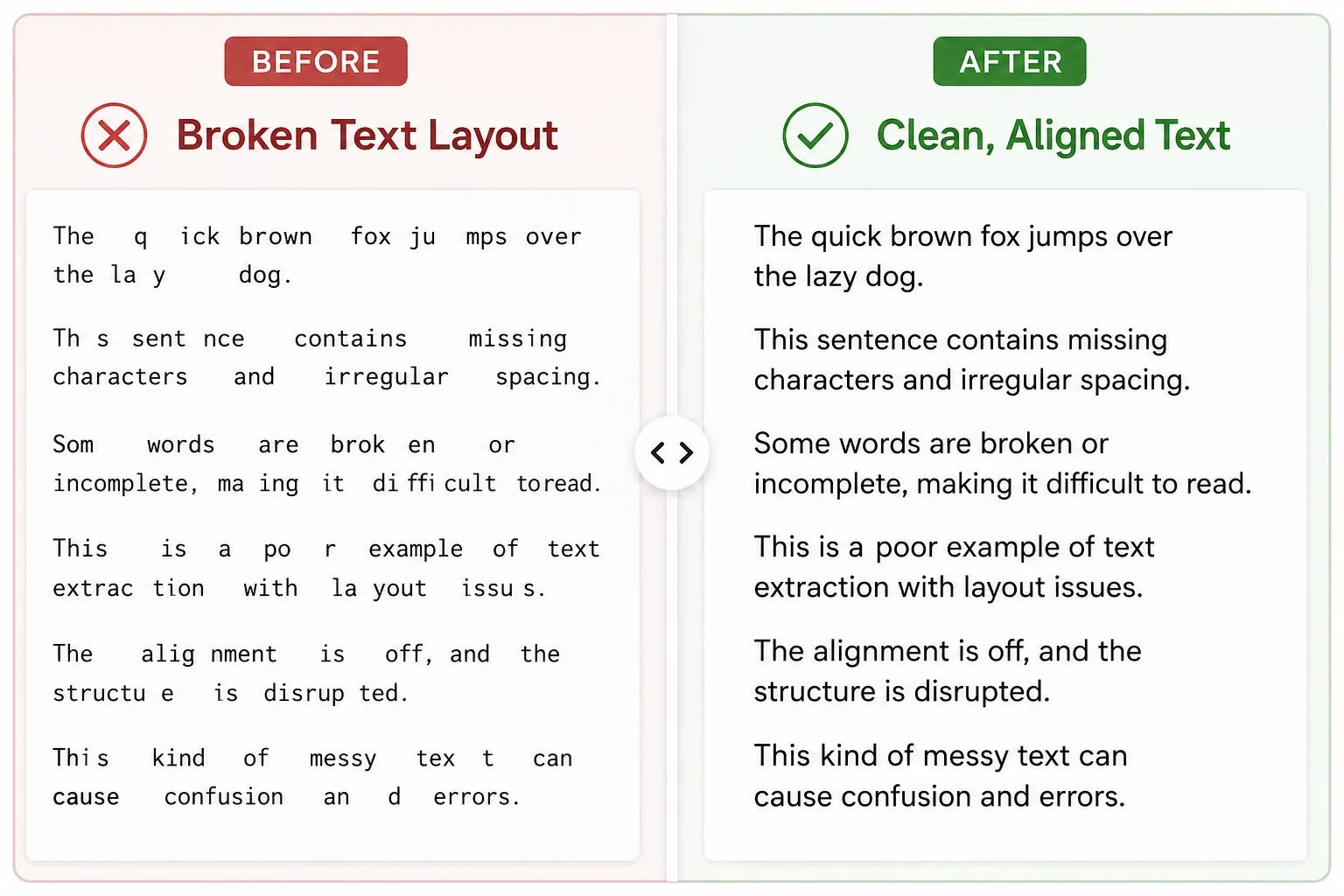

Table of Contents▼
Stop battling broken formatting, garbled OCR text, and messy layouts. Learn how to fix broken PDF text, remove unwanted line breaks, clean OCR errors, and copy text from PDFs without losing formatting.
Quick Answer
“If your PDF text appears broken, garbled, or full of unwanted line breaks, you need to rebuild the text layer. Using an online tool for OCR cleanup or a dedicated text normalizer allows you to extract clean text from PDF files. These tools preserve paragraphs, spacing, and reading order without changing the original PDF layout.
We have all been there. You copy a critical paragraph from a PDF report to paste it into a presentation or document, and the result looks like a chaotic puzzle. Sentences break into random line fragments, words smash together, and weird symbols replace standard punctuation.
If you are trying to prepare a client proposal or compile research under a tight deadline, manual cleanup is a massive time sink. Trying to fix PDF text formatting line-by-line is tedious, but it points to a deeper issue: PDFs were built to preserve the visual look of a page, not to make text editing or copying straightforward.
When you need to copy text from PDF documents without losing your sanity, modern web tools can repair PDF text layers and extract clean data so you can get back to your actual work.
The Core Problem: Why PDF Text Breaks After Copying
The frustration of messy text comes down to how the PDF format operates behind the scenes. Understanding these quirks makes it much easier to fix PDF formatting after copy.
How PDF Text Cleaning Works
Step | What Happens |
1. Upload PDF | Upload your PDF document to the text cleaning tool. |
2. Detect Text & Layout | The system identifies paragraphs, columns, tables, and reading order. |
3. OCR Repair (If Needed) | If the PDF is scanned, OCR rebuilds the missing text layer. |
4. Reassemble Paragraphs | Broken lines and misplaced paragraphs are merged into a natural reading order. |
5. Fix Spacing & Encoding | Missing spaces, strange symbols, and font encoding issues are corrected. |
6. Download Clean Text | Get clean, readable, copy-ready text without changing the original PDF. |
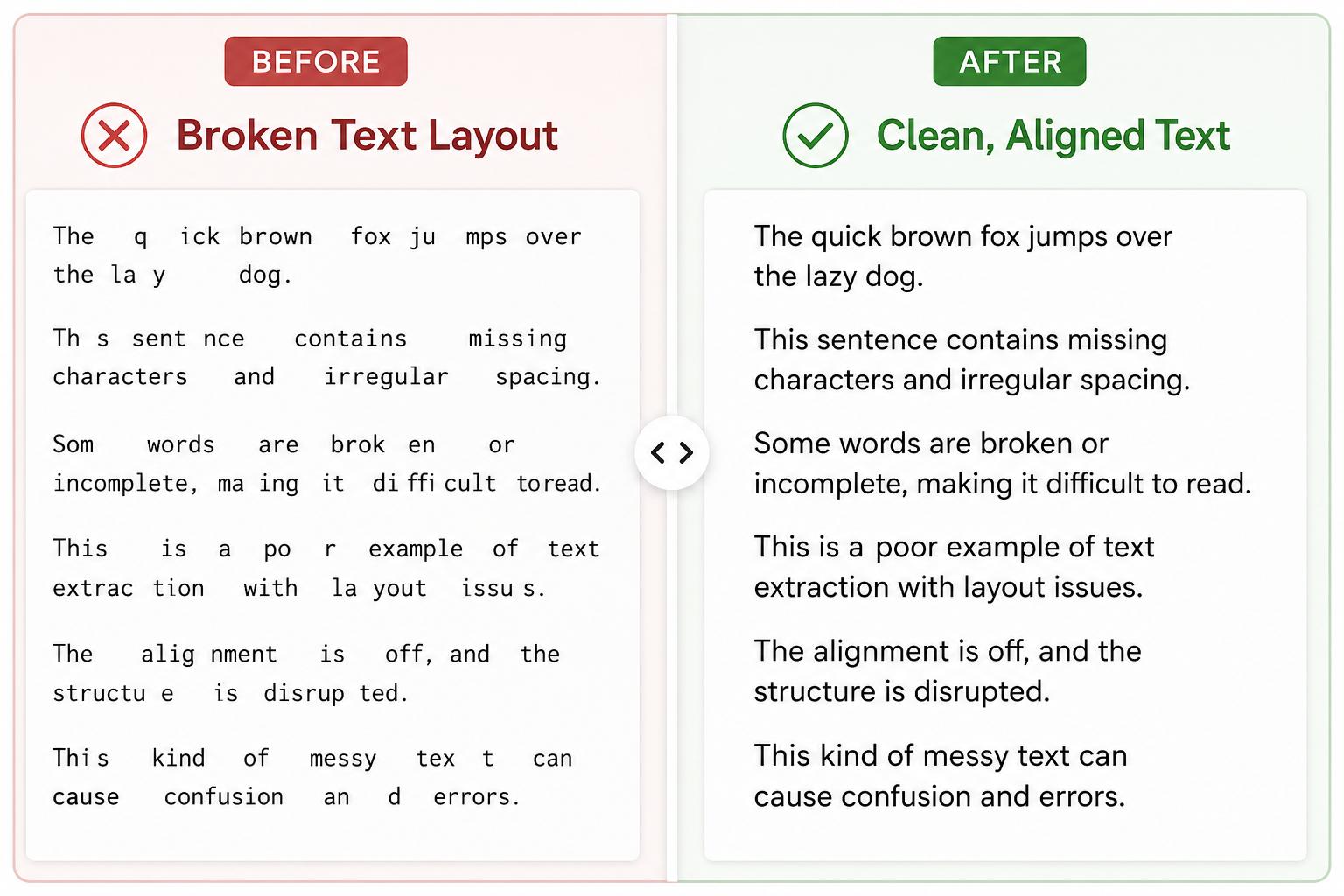
Before & After Example
Before & After: What a PDF Text Cleaner Fixes
Original PDF
“The quick brown fox jumps over the lazydog.
⬇️ After Cleanup
“The quick brown fox jumps over the lazy dog.
1. The Page Layout System
Unlike a standard document in Microsoft Word, a PDF does not store text as continuous paragraphs. Instead, it treats the page like a flat sheet of paper, placing characters at precise spots. When you attempt a basic copy-paste, your operating system tries to guess the reading order. If the document has columns, sidebars, or complex margins, that guess is often incorrect, causing severe PDF text formatting issues.
2. The OCR Disconnect
When you try to convert a scanned PDF to editable text, you rely on Optical Character Recognition (OCR). If the original print is slightly blurry, faint, or uses a non-standard font, the system generates a flawed text layer or misidentifies characters—turning an "e" into a "c" or an "l" into a "1". This requires a thorough OCR text cleaning process to fix the junk characters.
3. Font Errors and Extraction Glitches
Some PDFs use custom font configurations. When you try to copy text from PDF files with these settings, the underlying system maps the characters incorrectly. This is why you sometimes see random rectangles, question marks, or strange symbols instead of regular letters, requiring a dedicated tool to repair PDF text mapping.
Quick Fix Matrix: Common PDF Text Issues
Before diving into full tools, here is a quick reference guide on how to handle specific formatting bugs:
Common Problem | Root Cause | Target Solution |
Broken line breaks | Visual layout markers | Paragraph Text Normalizer |
Garbled OCR text | Poor scanning quality | Advanced OCR Repair & Cleanup |
Missing spaces | Missing space character codes | Word Spacing Regularizer |
Encoding errors (Boxes/Symbols) | Font mapping corruption | Unicode Realignment |
Different Approaches to PDF Text Extraction
When handling broken formatting, you generally have three primary paths. Choosing the right one depends on your volume of work and security needs.
Attribute | Legacy Online Tools | Desktop Software | Modern Browser Tools |
Speed | Moderate, often delayed by ads | Fast once loaded, slow startup | Instant execution |
Formatting Retention | High risk of layout collapse | Excellent, but heavy resource use | Clean extraction and parsing |
Privacy/Security | Variable: check the fine print | High (processed locally) | Secure local processing |
Convenience | Low, heavy with pop-ups | Low: requires installation | High; works on any device |
If you need a complete document makeover rather than just raw text extraction, you can also use a dedicated PDF Editor or convert the file directly using a PDF to Word tool to maintain structural layouts.
The Step-by-Step Cleanup Guide
Here is the most efficient way to clean copied PDF text without wasting hours on manual editing.
1. Evaluate the Source File: Identify the text type.
Open the document to see if it is a native PDF or a flat scanned image. If you can select text naturally but it copies poorly, it is a font issue. If you cannot select text at all, you need an option to clean scanned PDF text.
2. Process Through a Clean Extractor: Drop it into a modern web tool.
Upload your document to a secure processing platform like Doxbar. If it is a scanned file, run the PDF OCR engine first. The platform reads the positions of the characters and reassembles them into standard paragraphs, stripping away hidden formatting bugs.
3. Normalize Paragraphs and Spaces: Remove hard line breaks.
If pasting text reveals broken lines, use a utility to remove line breaks from PDF data. This joins fragmented sentences back into smooth, continuous paragraphs.
4. Verify Specialized Characters: Check numbers and symbols.
Scan the document for common conversion bugs, such as ligatures (joined letters like "fi" or "fl") that occasionally drop out during extraction, or numbers misread during the initial OCR cleanup.
Balanced Pros & Cons of Text Cleaning Tools
Pros
Drastic Time Savings: Eliminates the need to manually delete line breaks or fix spacing errors.
Low System Overhead: Web tools avoid the need for heavy, system-slowing desktop installations.
Cleaner Data Pipelines: Stripping away broken layouts ensures your text pastes perfectly into databases, content management systems, or spreadsheets.
Topical Versatility: Works equally well whether you are dealing with text extraction or optimizing files alongside a PDF Compressor or PDF Background Remover.
Cons
Complex Tables Still Require Attention: While standard text normalizes easily, highly complex grid lines and merged cells may still need quick manual alignment.
Loss of Visual Styling: Cleaning text prioritizes raw data accuracy over decorative fonts and exact colors.
EEAT & Professional Trust Signals
PDF text cleanup is highly useful for corporate reports, invoices, academic research papers, legal documents, and scanned archives. However, automation has limitations. Before sharing or publishing cleaned documents, always verify critical data points like names, exact numbers, dates, and financial values, because automated OCR is not always 100% accurate. Combining software speed with human verification ensures absolute document integrity. For legal contracts, invoices, medical records, and financial documents, always compare the cleaned text with the original PDF before sharing or editing.
Advanced FAQ Section
General & Mechanical Inquiries
What exactly causes text to look scrambled when I copy it from a PDF?
PDFs look at text as individual letter stamps placed on specific spots on a page. When you copy it, your computer tries to guess the flow of sentences. If the file has columns, tables, or non-standard margins, the system mixes up the order, turning coherent paragraphs into scrambled nonsense.
How can I fix PDF text formatting issues quickly?
The fastest way is to paste the text into a dedicated text cleaning tool or run the original file through a modern browser-based extractor. These tools automatically remove unwanted line breaks and fix word spacing.
Why does text from scanned documents always turn out so messy?
Scanned files are just images. A computer cannot naturally read the letters inside them. It relies on OCR software to guess what the letters are. If the scan is tilted, faint, or uses unusual fonts, the software makes bad guesses, resulting in typos and broken symbols that require an OCR cleanup tool.
What is a text layer in a PDF?
A PDF can have multiple layers. For scanned items, there is a visual image layer on top and an invisible text layer underneath, created by OCR software. When you select text, you are highlighting that invisible layer. If that layer is poorly made, your copied text will be full of errors.
Why do some letters disappear entirely when I paste PDF text?
This usually happens because of ligatures—where characters like "fi", "fl", or "ae" are joined together into a single visual shape. If the PDF does not have a proper map explaining what that combined shape means, the clipboard simply drops the letters.
Can a text cleaner fix a completely unsearchable PDF?
Yes. If the tool uses an OCR engine, it can scan the flat image, generate a brand-new text layer, and let you select, copy, and edit the text cleanly.
What is the fastest way to remove line breaks from PDF copies?
Pasting the text into an online formatting tool or an editor with regular expression (Regex) support lets you quickly replace single line breaks with spaces while keeping double line breaks for actual paragraphs.
Why do columns always get mixed up when copying text from PDF?
Most basic text readers read from left to right across the entire width of the page. They do not realize that column one ends halfway across the page, so they merge the text from column one and column two together line by line.
How do modern browser tools fix these issues so quickly?
Instead of just reading characters from left to right, modern web tools analyze the spatial clusters of the text. They group blocks based on proximity, easily identifying columns, headers, and paragraphs before extracting them.
Can special characters like mathematical symbols or currency signs be cleaned up accurately?
Yes, provided the document uses standard Unicode encoding. If the file uses an old or custom font mapping, symbols might turn into random rectangles, requiring a tool that can re-index the font data.
Will cleaning up a PDF change the look of the original file?
If you are extracting the text layer to clean it, your original layout remains completely untouched. You are simply pulling out a pristine, corrected version of the text to use elsewhere.
What does "garbled text" actually mean technically?
Technically, it is known as an encoding mismatch. The code sent by the PDF file does not match the standard character code system (like Unicode) used by your operating system, causing your computer to show the wrong characters.
Why does copying text from old PDFs sometimes result in strange boxes?
Those boxes appear when your computer does not have the specific font package installed that was embedded in the PDF, or when the font mapping table inside the old file is corrupted.
Can text cleaners pull text out of complex multi-column scientific papers?
Yes. Advanced text parsers identify the boundaries of multi-column layouts, ensuring the text is read all the way down the first column before moving to the top of the next.
How do I handle headers and footers that get mixed into the text?
Sophisticated tools filter out repeating elements at the very top or bottom of pages, preventing page titles and page numbers from breaking up your paragraphs.
Is it possible to clean up text written in multiple languages simultaneously?
Yes, as long as the underlying system or OCR engine is configured for multi-language recognition, it can accurately switch character sets.
Workflow & Troubleshooting
How do I clean text if the PDF is password-protected?
You will need to unlock the file using its password first. Security permissions that block printing or editing usually block text extraction as well.
Why do spaces disappear between words when I copy text?
This happens when a PDF uses individual spacing values for every character instead of actual space bars. A smart cleaner recognizes these pixel gaps and inserts normal spaces where they belong.
Can I clean text directly within my web browser?
Yes. Modern browser-native applications can process the layout logic locally in your browser window, making the task fast and secure.
What should I do if my cleaned text still has typos?
If the original file had poor OCR, a few typos might slip through. Running the cleaned text through a standard spellchecker like Grammarly will clean up any remaining mistakes.
How do I extract text from a massive PDF without my browser freezing?
Look for tools that process files in chunks or handle the heavy lifting asynchronously, allowing you to work on large files smoothly.
Can text cleaners fix messy text from Excel files converted to PDF?
Yes. Data exported from spreadsheets often creates massive spacing gaps. Cleaners strip out the extra spaces while keeping the rows structured so you can use the data cleanly.
Why does some text paste backward or upside down?
This rare issue is caused by flipped axis matrices inside the PDF's structural code. Running the file through a modern parser resets the coordinate system to read normally from left to right.
How can I safely clean up sensitive or private business documents?
Make sure you use services that protect your privacy, process files locally in your browser, or use end-to-end encryption with automatic deletion policies.
Can I automate text cleaning for dozens of PDFs at once?
Yes. Look for platforms that offer batch processing, allowing you to upload multiple files at once and receive clean text files in return.
Why do hidden characters show up when I paste text into my coding editor?
PDFs often use hidden markers for line management or hyphenation. Pasting the text through a basic plain-text regularizer strips away these invisible code artifacts.
How do I deal with hyphens that break words at the end of lines?
Good text normalizers spot end-of-line hyphens and automatically join the broken words back together, removing the unnecessary dash.
Can text cleaning tools help make files more accessible for screen readers?
Absolutely. By creating a smooth, logical reading order and removing junk characters, you make the document far easier for assistive tools to read aloud.
What is the difference between a PDF editor and a PDF text cleaner?
An editor lets you change font colors, images, and visual elements on the page. A text cleaner focuses entirely on extracting the text layer, stripping out code errors, and delivering clean, usable copy.
Why do text selections sometimes highlight columns horizontally instead of vertically?
This happens when the document structure lacks explicit layout tags. The viewer assumes the page is one continuous wide block rather than separate parallel columns.
Is it better to convert a PDF to Word or use a direct text cleaner?
If you want to keep the exact visual design, converting to Word works well. If you just need the text for a report, email, or script without dealing with weird style boxes, a text cleaner is much faster.
Conclusion
Messy, broken text inside PDFs is a common headache, but it is entirely fixable. Once you understand that these formatting issues stem from how characters are mapped on a page, you can stop fighting the file and start using the right tools to fix it. Instead of spending your day manually retyping sentences or deleting random line breaks, you can use specialized web utilities to handle the cleanup for you.
Whether you're cleaning copied text from a report, fixing OCR errors in scanned documents, or preparing content for editing, using a dedicated PDF text cleaner can save hours of manual work while preserving accuracy. When you need to turn a broken PDF layout into clean, usable text, let Doxbar do the heavy lifting so you can focus on the work that actually matters.
Need to Convert Document Formats?
Try our secure, lightning-fast PDF conversion suite. Convert Word, Excel, Images, and more with zero formatting loss.

Doxbar Editorial
Security & Privacy Team
We specialize in secure document architectures, parsing engines, and modern developer utilities. Keeping your files safe, lightweight, and perfectly formatted.
Join the Conversation
Share your thoughts or ask a question about this topic. This is a privacy-first system.