













Professional XLSX to PDF Conversion
Transform your modern Excel workbooks into professional, non-editable PDF reports with perfect layout fidelity.
Article Navigation
The New Standard in Data Reporting
Since Microsoft Office 2007, the .xlsx format has been the default for Excel. Based on the Open XML standard, it is robust, smaller in size, and more resistant to corruption than its predecessor. However, despite its efficiency for storing and manipulating data, it is not always the best format for presentation.
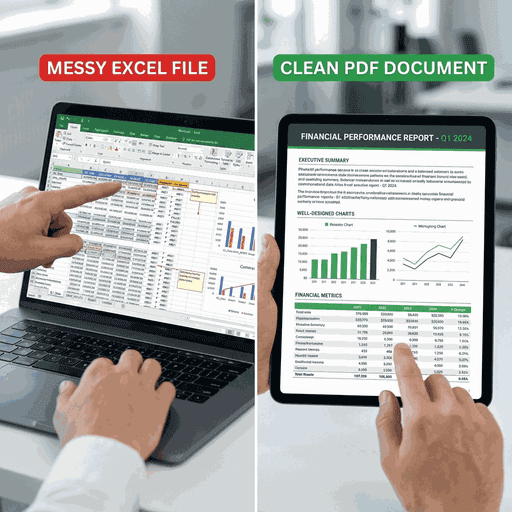
When you send an XLSX file to a client or colleague, you are sending raw data. They can modify cells, break formulas, view hidden sheets, or simply see a different layout because their screen resolution or printer settings differ from yours.
Technical Insight
An XLSX file is actually a zipped archive describing the spreadsheet via XML files. Our converter unzips this archive, parses the `workbook.xml` and `sheet*.xml` components, resolves shared strings, and then maps this structure onto a canvas to generate a pixel-perfect PDF.
Why Professionals Choose PDF for Excel Data
1. Controlled Distribution
PDFs allow you to share specialized views of your data. You can hide sensitive columns (like salary data or cost prices) by excluding them from the print area before conversion, ensuring the recipient sees exactly—and only—what you intend.
2. Instant Readability
Executives and clients often view reports on phones or tablets where Excel apps may be clumsy or slow. A PDF opens instantly in any browser or mail app, providing a smooth, frustration-free reading experience.
How to Use This Tool
Select Files
Click the upload area or drop your .xlsx files. We support batch processing, so feel free to dump your entire month's expense reports at once.
Automated Conversion
The system automatically detects:
- Page orientation (Portrait/Landscape)
- Print areas defined in the file
- Paper size configuration
It then renders the PDF accordingly.
Download PDF
Download the resulting PDF. If your workbook had multiple tabs (sheets), the PDF will have corresponding pages.
Comparison: XLS vs XLSX
| Feature | XLS (Legacy) | XLSX (Modern) |
|---|---|---|
| Max Rows | 65,536 | 1,048,576 |
| File Format | Binary (BIFF) | Open XML |
| File Size | Larger | Compressed (Smaller) |
| Corruption Risk | High | Low |
Common Questions & Answers
My Excel file has multiple sheets. How are they handled?
By default, our converter processes all visible sheets in the workbook and appends them sequentially in the final PDF. Sheet 1 becomes Page 1 (or Pages 1-3 depending on length), Sheet 2 follows, and so on.
Does it support charts and graphs?
Yes, standard 2D and 3D charts created in Excel are rendered as high-fidelity vector graphics or images within the PDF, ensuring they look just as crisp as they do in Excel.
Is the data secure?
Absolutely. We utilize TLS 1.2+ encryption for all data transfers, and files are automatically purged from our servers within one hour of conversion. We do not mine or read your data.
Professional Results, Every Time
Create documents that look professional and are easy to share. It's time to switch to PDF.