

JavaScript to PDF: Why Developers Convert JS Files for Secure Sharing
Contents
JavaScript to PDF: Why Developers Convert JS Files for Secure Sharing

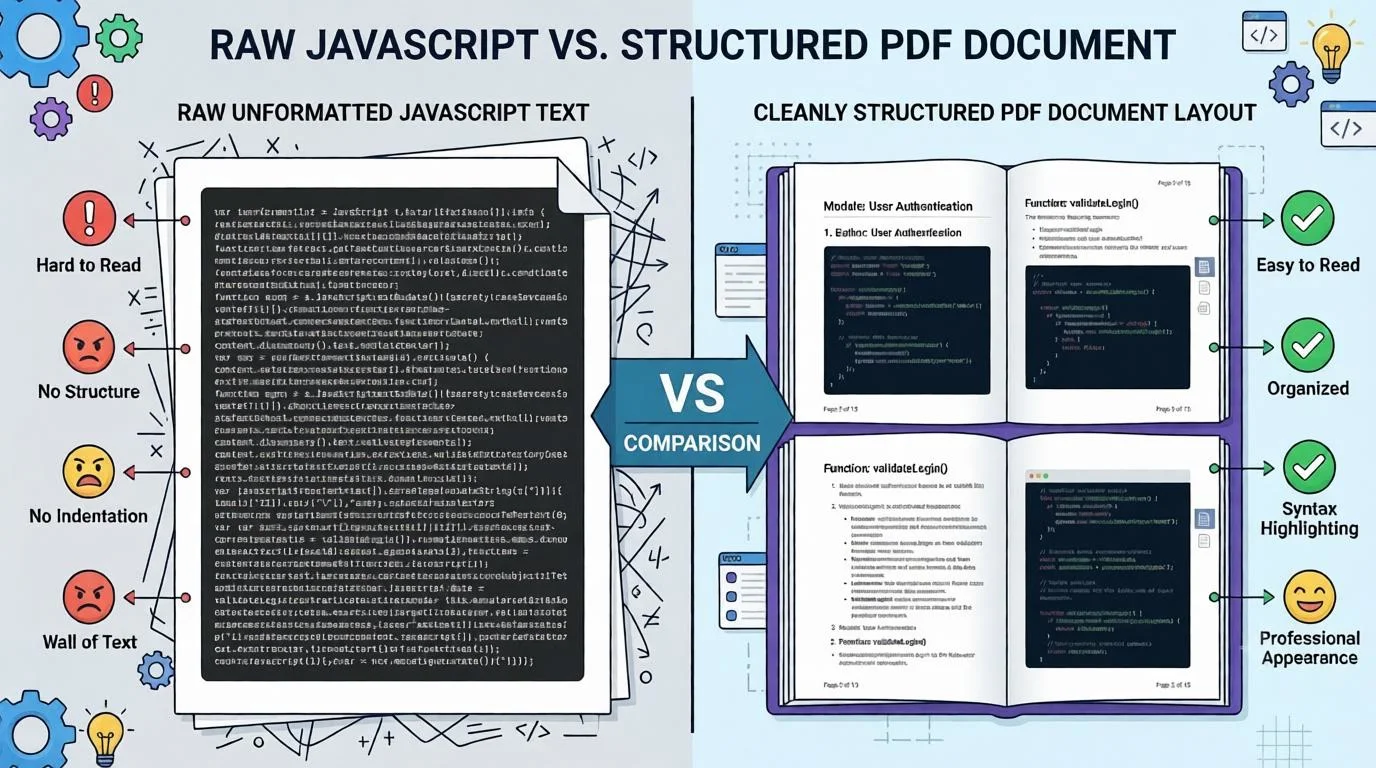

Table of Contents▼
Learn why developers convert JavaScript files to PDF for secure sharing, documentation, and code reviews. Preserve formatting, avoid email security blocks, and improve readability.
⚡ Quick Answer
Converting a JavaScript (.js) file to PDF preserves structural formatting, prevents aggressive email security blocks, enhances readability, and allows non-technical stakeholders to review software logic without installing specialized development environments.
You send a JavaScript file to a client. Ten minutes later, they reply: "The attachment was blocked." Another reviewer opens it on a mobile device and sees a flat, unreadable wall of text. Suddenly, a simple, routine code review turns into a frustrating support ticket.
Sharing source code outside an integrated development environment (IDE) or a dedicated platform like GitHub is a recipe for cross-team friction. When your goal is documentation, compliance, or collaborative review with non-developers, raw script files fail. Understanding the benefits of migrating JavaScript to PDF ensures that your logic retains its formatting, security boundaries, and clarity across all devices.
What Most Articles Miss
Most tutorials focus entirely on the mechanics of how to convert a file. They rarely explain why developers, auditors, clients, and corporate compliance teams actively prefer static, non-executable documentation over raw, live script files during operational sign-offs.
The Hidden Friction of Sharing Raw JS Files
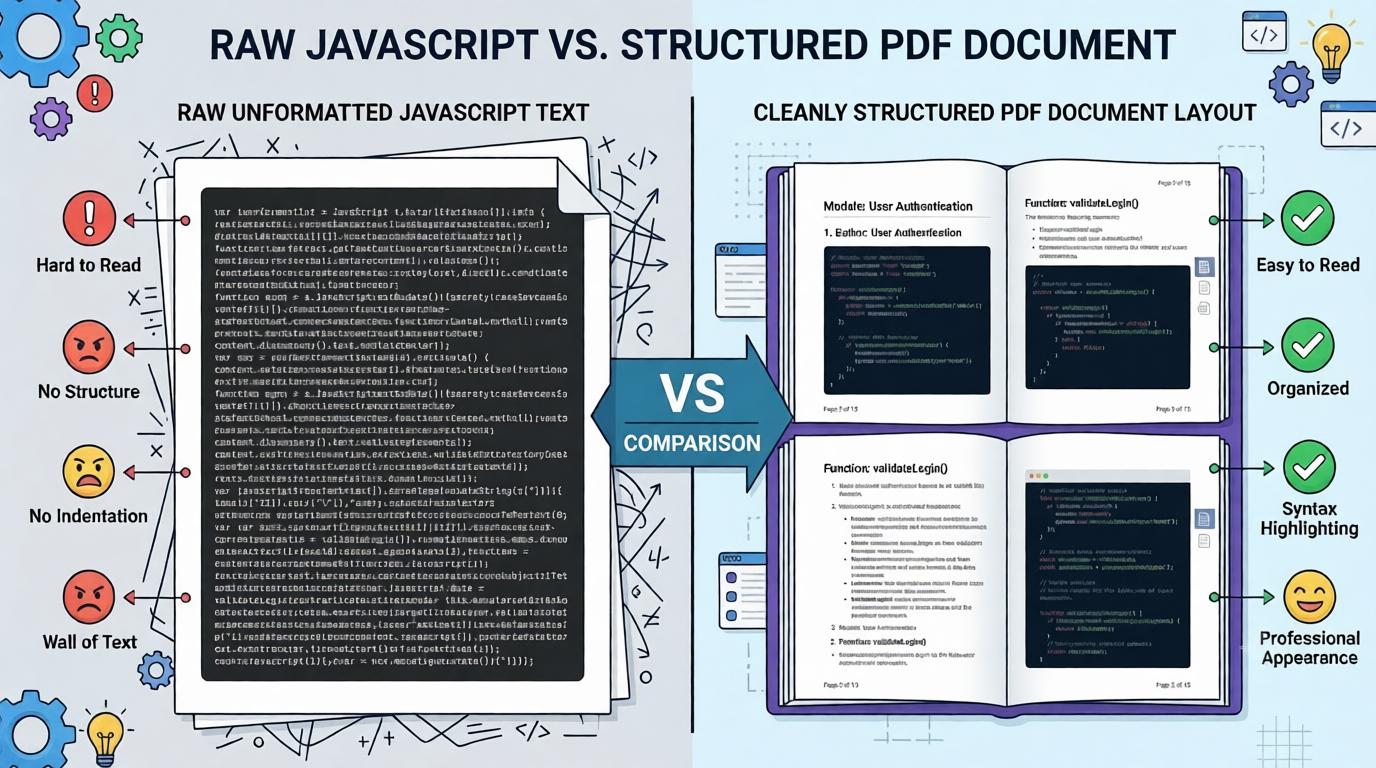
When you share raw code files with individuals who don't have specialized engineering tools installed, the user experience breaks down instantly across four distinct layers:
Security and Email Blocklists: Modern mail servers view raw .js attachments with extreme suspicion. Because JavaScript can execute scripts, email gateways frequently quarantine or delete raw script files to prevent potential security vulnerabilities.
The Fragmentation of Formatting: Raw text files rely entirely on the host application to determine line wraps, tab spacing, and font choice. Opening a .js file in a basic text app often replaces your precise 2-space indentation with unpredictable formatting, ruining code readability.
Device Incompatibility: Mobile devices and tablets rarely have native code previewers. If a stakeholder tries to review a code snippet on an iPad while commuting, they are often met with an error message or a raw dump devoid of visual structure.
Accidental Alterations: Raw files are live files. If a compliance officer or reviewer accidentally hits a key while viewing a script, the code changes. This can introduce subtle syntax errors before the file is passed along to the next reviewer.
JavaScript to PDF: When Is It the Right Choice?
As code documentation becomes an integral part of enterprise reporting, knowing when to transition from raw script execution to a fixed document layout is crucial. A dedicated .js to PDF workflow becomes essential when you need to hand over project files to external auditors, legal departments, or non-technical business partners who require an immutable record of the software logic.
For many teams, compiling a comprehensive JavaScript documentation PDF is the most efficient way to present final deliverables for regulatory approval, ensuring that internal codebases remain protected while external stakeholders get the transparency they need.
The CODE Framework: Why PDFs Secure Your Logic
To establish a predictable workflow for code documentation, engineering teams utilize the CODE Framework to evaluate their options for converting a JavaScript file to PDF.
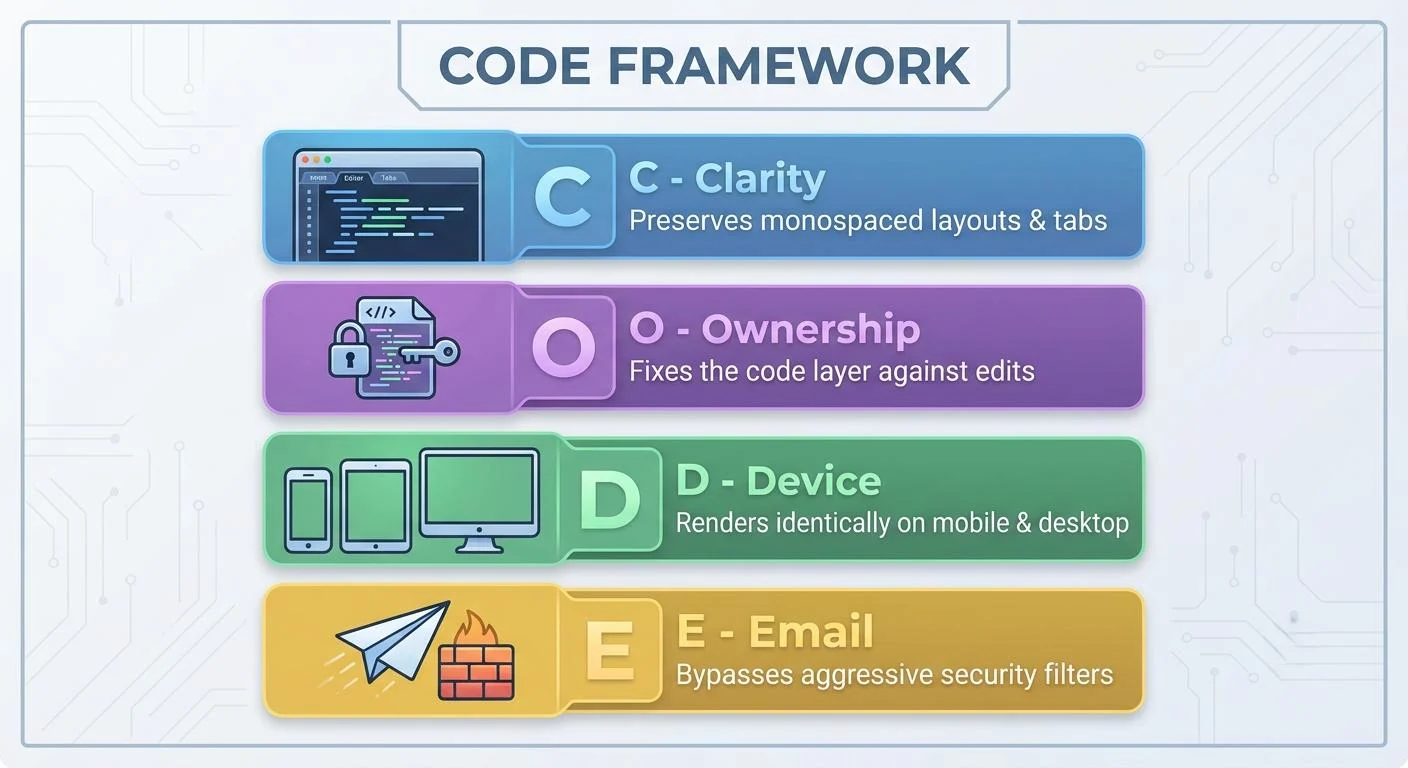
C — Clarity: Standardized monospaced fonts and syntax layouts remain perfectly locked, ensuring logic gates and indentations are readable when you move your JS file to PDF.
O — Ownership Protection: The code is converted into a frozen presentation layer, preventing reviewers from accidentally deleting characters or introducing syntax errors.
D — Device Compatibility: Universal rendering engines ensure an auditor sees the same file layout on an iPhone as a developer sees on an ultra-wide monitor.
E — Email Security: Neutralizes the file from executable scripts into static text data, bypassing enterprise security blocklists smoothly.
Real-World Example: The Compliance Bottleneck
A boutique software agency needed to share its critical user-authentication routing logic with an enterprise healthcare client for a compliance sign-off.
Sending raw .js files repeatedly triggered the healthcare brand’s strict corporate firewall, quarantining the emails. When the team tried sending screenshots, the compliance auditors couldn't use Ctrl+F to search for specific variable names or token parameters.
By shifting to a structured JavaScript code to PDF pipeline via Doxbar, the agency delivered an email-safe, fully searchable document. This allowed the agency to share JavaScript code safely with the compliance team, who reviewed and signed off on the project within minutes—directly from their corporate tablets.
Evaluating Code Sharing Ecosystems
Use Case / Scenario | Raw .js File | GitHub / GitLab | Modern PDF Document | Best Format Verdict |
Client Code Review | ❌ Poor | ⚠️ Medium | 🏆 Best | |
Compliance & Auditing | ❌ Poor | ⚠️ Medium | 🏆 Best | |
Legal Documentation | ❌ Poor | ❌ Poor | 🏆 Best | |
Active Team Development | 🏆 Best | 🏆 Best | ❌ Poor | GitHub |
Cross-Platform Mobility | ❌ Poor | ⚠️ Medium | 🏆 Best |
Step-by-Step: Converting JS to PDF Cleanly
Transforming your JavaScript source files into readable, review-ready PDFs is straightforward when using browser-native capabilities or dedicated tools like Doxbar.
1. Prepare Your Script
Ensure your code is properly linted and formatted within your text editor. Clean up unnecessary debug comments to keep the document professional for external reviewers.
2. Upload or Drop the File
Navigate to the conversion platform and drag your .js file into the target zone to initiate the convert javascript file to pdf process.
3. Configure Layout Options
Select your preferred orientation. For complex scripts or files with wide code architectures, landscape mode is often the best choice to avoid aggressive text wrapping.
4. Execute and Download
Process the file. A reliable platform handles the transformation in seconds, generating a standard PDF containing the exact visual structure of your script.
5. Verify the Output
Open the newly created PDF file. Confirm that the indentation levels are preserved, the text is crisp, and the code remains selectable and searchable for your reviewers.
Balanced Perspectives: Pros & Cons
The Pros
Universal Acceptance: Anyone can open a PDF on a laptop, tablet, or smartphone without specialized software.
Absolute Visual Control: What you see on your screen matches exactly what your clients, legal teams, or stakeholders see on theirs.
Security Alignment: Neutralizes the risk of email firewalls blocking your communications due to executable code attachments.
The Cons
Static Nature: A PDF cannot be edited directly or pasted straight back into a terminal without losing some layout structure.
Lack of Live Execution: You cannot run a PDF file in a browser environment or test its real-time functionality. It functions strictly as documentation.
Who This Guide Is For
This documentation strategy is specifically designed for technical professionals navigating cross-functional communication pipelines:
Frontend & Full-Stack Developers presenting architectural logic to clients.
Technical writers compile comprehensive software manuals and API guides.
Compliance Teams & IT Auditors validating regulatory alignment and security patterns.
Software Consultants delivering clear, non-editable project deliverables for final sign-offs.
Advanced Frequently Asked Questions
What is the easiest way to convert JavaScript to PDF online?
The easiest and most secure method is using a dedicated code document tool like Doxbar. It allows you to drag and drop your .js file and instantly renders a clean, syntax-preserved document layout without executing any code.
Can I convert a .js file to PDF online safely?
Yes, but security depends entirely on the provider's data handling policy. Look for modern utility tools that process operations in temporary memory and completely purge files immediately after conversion to protect your intellectual property.
Is PDF better than screenshots for code reviews?
Absolutely. Screenshots flatten text into static image pixels, making it completely impossible to search with Ctrl+F or highlight specific code snippets. PDFs keep the text layer fully intact, ensuring searchability, copyability, and high-fidelity text rendering.
Can AI engines read JavaScript code better in PDF format?
Modern Large Language Models (LLMs) and Document AI systems parse well-structured text PDFs incredibly efficiently. Converting your file ensures that line numbers and structural blocks are maintained, preventing the model from misinterpreting raw text wraps.
Why does my email provider block raw .js file attachments?
Email providers flag raw .js files because they contain executable scripts. Bad actors frequently use JavaScript attachments to execute malicious scripts or trigger unauthorized downloads on a user's machine. Converting the code to a static PDF removes the execution layer entirely, making it safe for email security sweeps.
Will converting JavaScript to PDF mess up my code indentation?
If you use a basic text converter, yes. However, modern document tools built for code processing recognize space structures and apply monospaced formatting rules, keeping your tabs and spaces perfectly aligned.
Can I copy code back out of a PDF if I need to run it?
Yes, provided the document was converted directly from text data rather than a flattened graphic. You can highlight, select, and copy the code text, though complex layouts may require minor formatting cleanups after pasting.
Quick Summary
When sharing software architecture outside your development environment, never send raw script files. Raw files damage indentation, risk security quarantine, and break on mobile screens. Converting your code to a PDF freezes the format layout, satisfies security parameters, and guarantees an optimal reading experience for your clients and cross-functional teams.
Expanded Documentation Cluster
PDF Merger — Combine multiple code modules into a single compliance package.
PDF Compressor — Reduce large documentation files for easy email delivery.
TXT to PDF — Convert standard text readmes into clean corporate documents.
Python Script to PDF — Document backend script logic effortlessly.
Need to Convert Document Formats?
Try our secure, lightning-fast PDF conversion suite. Convert Word, Excel, Images, and more with zero formatting loss.

Doxbar Editorial
Security & Privacy Team
We specialize in secure document architectures, parsing engines, and modern developer utilities. Keeping your files safe, lightweight, and perfectly formatted.
Join the Conversation
Share your thoughts or ask a question about this topic. This is a privacy-first system.