

Why Was My PDF Rejected for Archiving? How to Convert It to PDF/A
Contents
Why Was My PDF Rejected for Archiving? How to Convert It to PDF/A

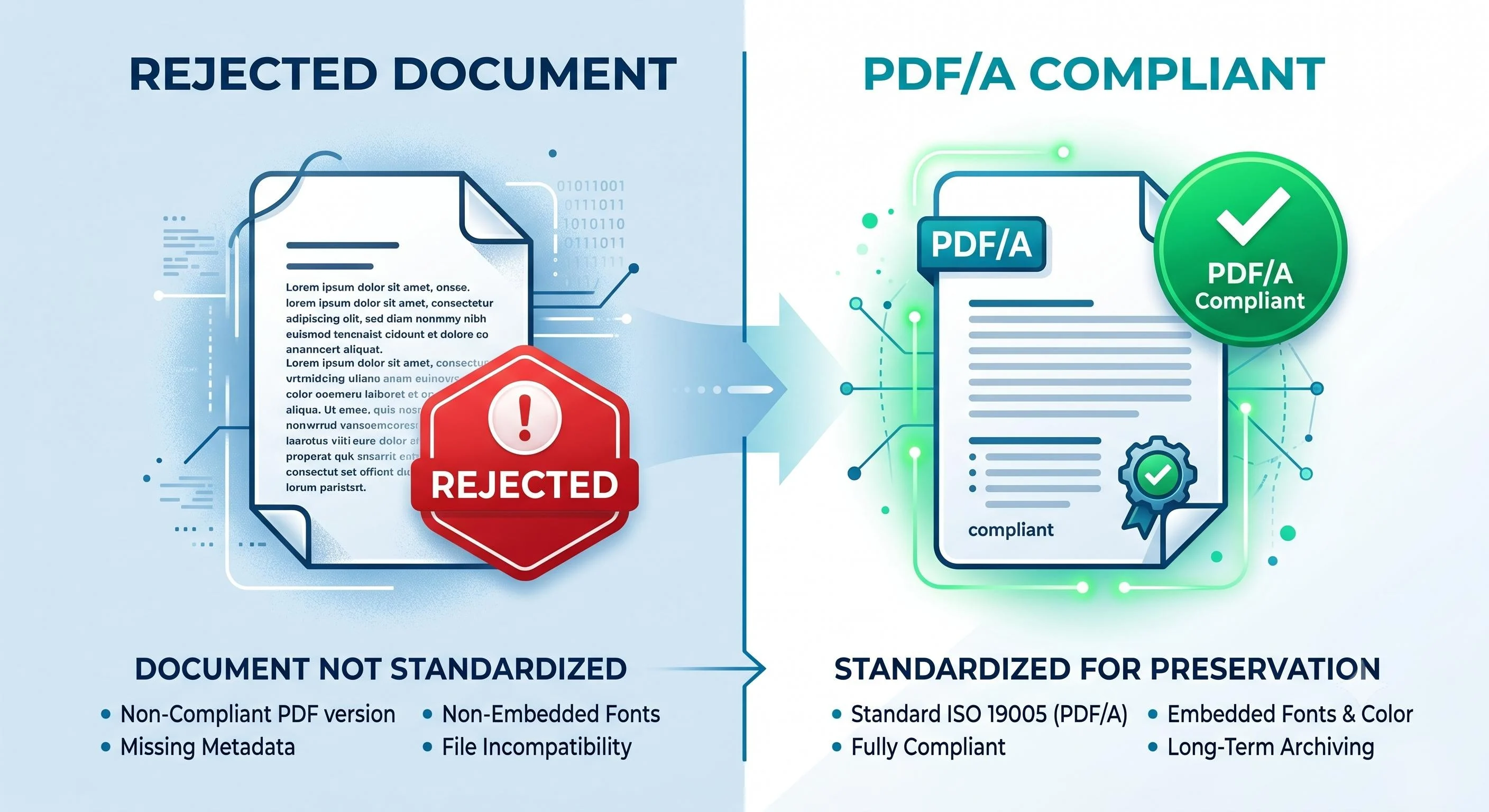

Table of Contents▼
Fix your rejected PDF instantly. Learn why archive systems reject standard PDFs and how to convert your documents to PDF/A for seamless compliance.
Why Was My PDF Rejected for Archiving? How to Convert It to PDF/A
It’s 4:45 PM on a Friday. You’ve finally finished compiling a massive compliance report, a legal brief, or an academic thesis. You upload the final PDF to an institutional repository, a government portal, or a corporate archive, expecting a green checkmark.
Instead, you get a cold, frustrating error message: “File rejected. Document is not compliant with archival standards.”
You open the PDF on your laptop. It looks completely fine. You can read the text, the images show up, and the layout seems intact. So, why did the system reject it?
The problem usually boils down to a hidden technical mismatch. Standard PDFs are built for quick viewing and sharing today, not necessarily for opening in 20 or 50 years. When organizations require long-term storage, they mandate a highly specific sub-format called PDF/A.
If you are stuck staring at a rejection screen, don't panic. Let’s break down exactly why standard files fail archival checks and how you can convert your document into a compliant format without losing your formatting.
⚡ Quick Answer
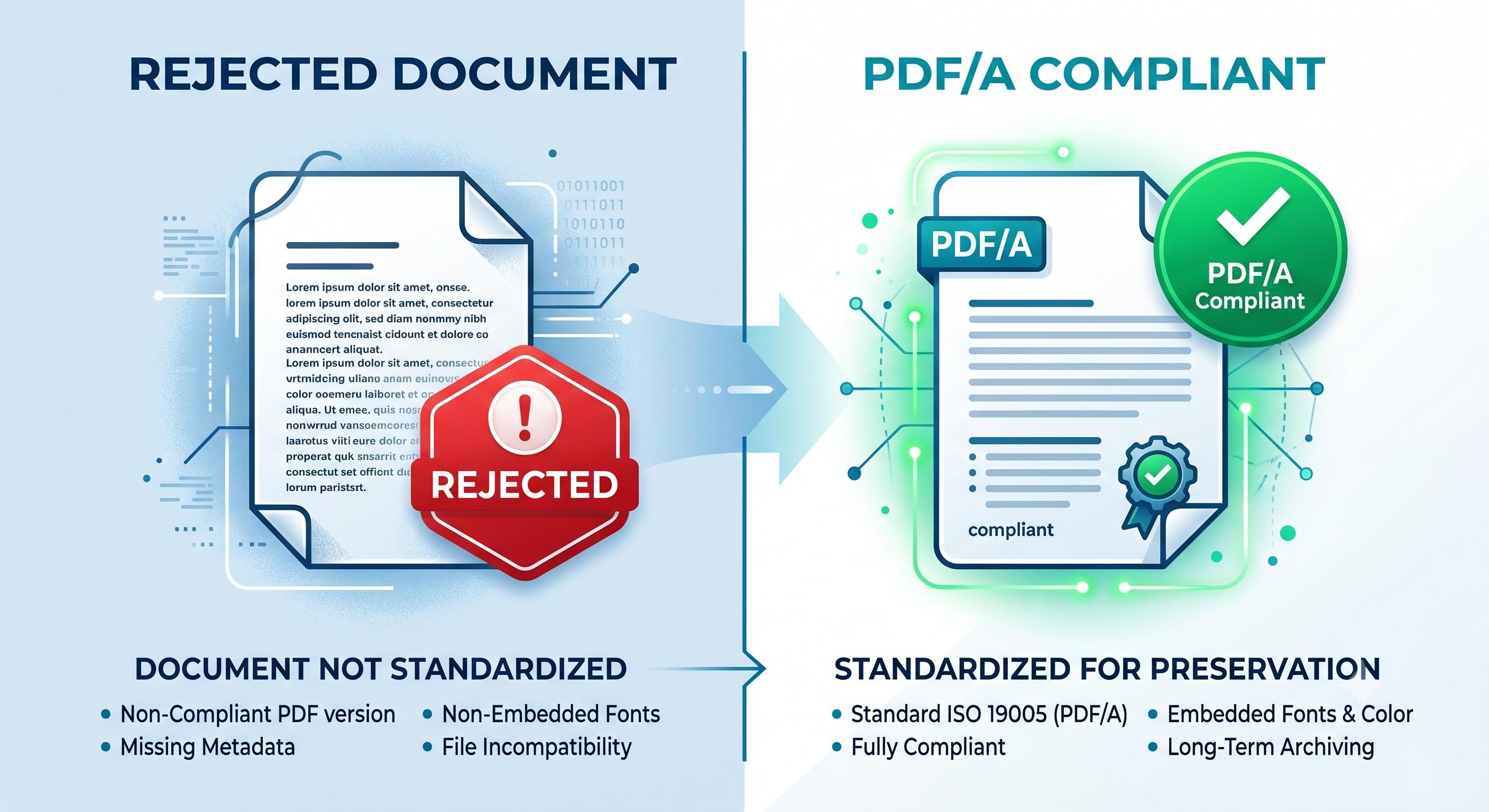
Most archive systems reject standard PDFs because they do not meet strict PDF/A compliance requirements. Common issues causing a PDF/a validation failed error include missing embedded fonts, unsupported JavaScript, encryption, or absent color profiles. To fix a pdf rejected by archive system, you must convert the document into a pdf/a compliant file, which embeds all necessary data directly into the document for long-term preservation. Many users assume a PDF rejection means the file is corrupted. In reality, most rejections occur because the document does not meet specific archival standards required by the receiving system.
The Hidden Roadblocks in Modern File Workflows
Most of us treat PDFs as the ultimate "unchangeable" file type. We assume that once a document is saved as a PDF, it will look the same forever, on any device. Unfortunately, that’s a misconception that frequently derails digital workflows.
1. The Missing Font Trap
When you create a standard PDF, the software often doesn't save the actual font files inside the document to keep the file size small. Instead, it just references them. If someone opens your file on a computer that doesn't have "Helvetica Neue" or a niche legal font installed, the device will substitute it with a different font. Suddenly, your perfectly aligned tables are completely broken.
2. Dynamic and External Dependencies
Modern PDFs can be surprisingly interactive. They can include JavaScript, hyperlinks to external websites, audio clips, and embedded video. For a real-time presentation, this is great. For an archive, it’s a ticking time bomb. What happens when the website your PDF links to goes offline in five years? Archival systems reject these files because they cannot guarantee the document's integrity over time.
3. Device and Operating System Drift
A PDF that renders perfectly on a brand-new MacBook using modern software might look completely different when opened on a legacy terminal in a government office, or on a Linux server a decade from now.
4. The Weight of Legacy Desktop Software
Fixing these issues used to mean opening bloated, expensive desktop software suites, digging through dozens of hidden settings menus, and manually embedding color profiles. It’s slow, it’s confusing, and it disrupts what should be a simple submission process.
💡 Common Misconception
Myth: A standard PDF is automatically suitable for long-term archiving because the format is uneditable.
Reality: Most standard PDFs contain external dependencies, unsupported interactive elements, or missing embedded resources that prevent them from meeting strict archival requirements. To guarantee it opens identically decades from now, you must use a specific pdf for long term archiving format, known as PDF/A.
Educational Deep Dive: What Makes PDF/A Different?
To understand why your file was rejected, we have to look under the hood at how the International Organization for Standardization (ISO) defines document formats.
Standard PDFs are allowed to rely on external resources. PDF/A, on the other hand, is an ISO-standardized version of the Portable Document Format specifically designed for the long-term preservation of electronic documents. The "A" stands for Archiving.
The core philosophy of PDF/A is simple: The file must be completely self-contained.
Why Formatting Breaks During Standard Conversion
When you use a generic online converter to turn a Word document (.docx) or an Excel sheet (.xlsx) into a PDF, the converter makes a series of rapid guesses about margins, page breaks, and font metrics. If the converter doesn't exactly match the layout engine used by Microsoft Word, lines wrap incorrectly, and text overflows.
The Mechanics of PDF/A Compliance
For a document to pass a PDF/A validation check, it must adhere to strict rules:
Mandatory Font Embedding: Every single character used in the text must have its corresponding font data permanently embedded inside the file.
Color Space Device Independence: Color data must be defined using independent standards (like ICC profiles) so colors look identical on any screen or printer.
No Encryption: An archived file cannot be password-protected. If the password is lost, the history is lost.
No Executable Code: JavaScript and dynamic actions are strictly prohibited to prevent security vulnerabilities and ensure stability.
The Role of OCR (Optical Character Recognition)
If your rejected PDF is just a scan of a physical paper document, it’s likely just a giant image wrapped in a PDF container. Archival systems, especially when processing a pdf rejected by government portal setups, frequently reject these because they aren't searchable. Passing these scans through an OCR engine adds a hidden layer of machine-readable text behind the image, making it compliant with modern archival search mandates.
The Modern Solution Framework: What to Look For
If you need to fix a rejected file, you don't necessarily need to buy a costly enterprise software subscription. However, you shouldn't just trust the first random website you find on a search engine either. Look for a conversion workflow that prioritizes a few non-negotiable pillars:
Data Privacy & Security: Your documents contain sensitive professional, academic, or personal data. Ensure the tool you use processes files securely—ideally over encrypted connections—and automatically wipes them from its servers shortly after processing.
True Visual Fidelity: The conversion engine must preserve complex layouts, mathematical formulas, and multi-column tables exactly as they were written.
Zero Installation Barriers: Modern workflows happen in the browser. You shouldn't have to download an executable file or installer just to fix a single document.
Batch Processing Capabilities: If an entire project archive of 50 files was rejected, converting them one by one is a recipe for burnout. Your tool should handle multiple files simultaneously.
Document Workflow Comparison
Feature / Capability | Legacy Online Tools | Enterprise Desktop Software | Modern Browser-Based Workflow (Doxbar Approach) |
Setup & Installation | None (Browser-based) | Heavy installation, licenses required | None (Instant browser access) |
Privacy Standards | Often vague; ad-heavy | High, but localized to one machine | Secure, automated file deletion |
PDF/A Compliance | Hit or miss; lacks deep validation | High quality, but complex UI | Built-in smart compliance defaults |
Processing Speed | Slow, throttled queues | Fast, but uses heavy local RAM | Cloud-optimized, near-instant modern cloud-based document platforms |
Cost Accessibility | Free, but heavily restricted | Expensive monthly recurring fees | Accessible and straightforward |
Step-by-Step Guide: How to Convert PDF to PDF/A
If you need to get your document compliant right now, understanding how to convert pdf to pdf/a safely involves a clear, logical progression. Here is how a modern, browser-based workflow handles it:
Step 1: Upload Your Source File
Navigate to your chosen web-based conversion engine. Drag and drop your rejected PDF, or select it from your local storage.
Step 2: Select the Archival Target
Choose PDF/A as your target output format. Advanced workflows might offer specific profiles (like PDF/A-1b or PDF/A-2b). For standard institutional, legal, or corporate archives, the default PDF/A option works seamlessly.
Step 3: Initialize the Conversion Engine
Click the convert button. The system analyzes your document, strips out non-compliant elements (like external references, tracking pixels, or active scripts), embeds the required font structures, and rebuild the file to match strict ISO specifications.
Step 4: Download Your Compliant File
Once processing is complete, save the new file to your device. You'll notice the file size might be slightly larger than the original—this is completely normal, as it now contains the embedded font data.
Step 5: Verify and Resubmit
Open the file to do a quick visual check. You will often see a notification banner at the top of your PDF viewer stating that the document claims compliance with the PDF/A standard. Your file is now ready to clear any automated validation portal.
Balanced Pros & Cons of PDF/A Conversion
No file format is magic. While PDF/A is mandatory for long-term storage, it involves specific tradeoffs you should be aware of.
The Good
Future-Proof Guarantee: Your file will remain readable decades from now, regardless of how operating systems evolve.
Universal Consistency: What you see on your screen is exactly what the archivist or auditor will see on theirs.
Strict Searchability: Because fonts are embedded and structured, the text within the document remains indexable and searchable forever.
The Catch
Larger File Sizes: Embedding full font sets and ICC color profiles means the resulting file will take up more megabytes than a heavily compressed web PDF.
Loss of Interactive Features: If your original document relied on embedded videos, audio notes, or complex dynamic form calculations, these elements will be flattened or removed to ensure compliance.
No Editing Capability: PDF/A files are meant to be final records. Modifying them after the fact is intentionally difficult.
Advanced FAQ Section
1. How do I make a PDF/A compliant?
To make a document compliant, you must pass it through a dedicated PDF/A conversion engine. This process strips out restricted interactive elements (like JavaScript), embeds all fonts directly into the file body, and establishes a device-independent color profile.
2. Can I convert a PDF to PDF/A online?
Yes, you can easily convert pdf to pdf/a online using browser-based file tools. This eliminates the need to install heavy desktop publishing applications just to fix a submission error.
3. Why did my PDF/A validation fail?
A validation failure typically happens if the original file contains permanent security encryption, password protection, or fonts that are legally restricted from being embedded. If the conversion engine cannot resolve these issues, the validation check flags the file.
4. Do universities require PDF/A for thesis submissions?
Yes, most academic institutions and university libraries strictly require PDF/A for thesis and dissertation submissions. This ensures that the academic research remains completely readable and indexable for future generations of scholars.
5. What is the best format for long-term document archiving?
PDF/A is globally recognized as the gold standard for long-term digital document archiving. Backed by the ISO standard, it ensures documents look identical regardless of future software or hardware updates.
6. Why did a government portal reject my standard PDF?
Government platforms use automated validation tools to block security threats and ensure data longevity. Regular PDFs are rejected if they include external dependencies, unembedded fonts, or hidden dynamic macros that could break or pose security risks later.
7. Will converting to PDF/A change how my document looks?
For almost all standard textual or tabular records, the visual appearance remains completely identical. The only difference is structural—the background code changes to package all assets internally.
8. What is the difference between PDF/A-1b and PDF/A-2b?
PDF/A-1b is based on the older PDF 1.4 standard and ensures basic visual preservation. PDF/A-2b is based on PDF 1.7, offering support for newer design elements like transparency, layers, and refined vector graphics.
9. Why can’t an archived PDF be password-protected?
Archiving focuses on access decades from now. If a file is password-protected or encrypted, losing that password means the historical record is permanently unrecoverable. Therefore, archival standards strictly forbid encryption.
10. Can I convert a scanned image PDF into a searchable PDF/A?
Yes, but it requires a tool that handles both convert scanned pdf to pdf/a routines and OCR (Optical Character Recognition). This reads the text trapped inside the image, embedding a searchable data layer underneath.
EEAT & Trust Signals: Our Approach to Document Processing
At Doxbar, we regularly research and build workflows around document optimization, security, and format structures. When handling core business records, legal paperwork, or academic submissions, transparency matters.
Every time you run a document through a converter, metadata structures change. Our focus is on helping users understand and manage document compliance requirements while maintaining document integrity and privacy -meaning we adjust the technical container of your file to satisfy strict validation scripts while leaving your actual content completely untouched. No intrusive modifications, and strict data privacy preservation.
Conclusion
Getting an archive rejection can throw a wrench into your workday, but it’s an easy problem to solve once you understand the underlying technical requirements. Converting your standard files into a proper pdf/a compliant file fixes font issues, ensures visual consistency, and clears the path for a successful, hassle-free submission.
If you are dealing with a frustrating formatting error, exploring modern cloud-based document platforms can streamline your workflow. Explore the utility tools at Doxbar to see how clean, modern web engineering makes file management painless.
Need to Convert Document Formats?
Try our secure, lightning-fast PDF conversion suite. Convert Word, Excel, Images, and more with zero formatting loss.

Doxbar Editorial
Security & Privacy Team
We specialize in secure document architectures, parsing engines, and modern developer utilities. Keeping your files safe, lightweight, and perfectly formatted.
Join the Conversation
Share your thoughts or ask a question about this topic. This is a privacy-first system.