

Why Does PDF Table Extraction Break Formatting? (How to Fix Misaligned Columns)
Contents

Why Does PDF Table Extraction Break Formatting? (How to Fix Misaligned Columns)

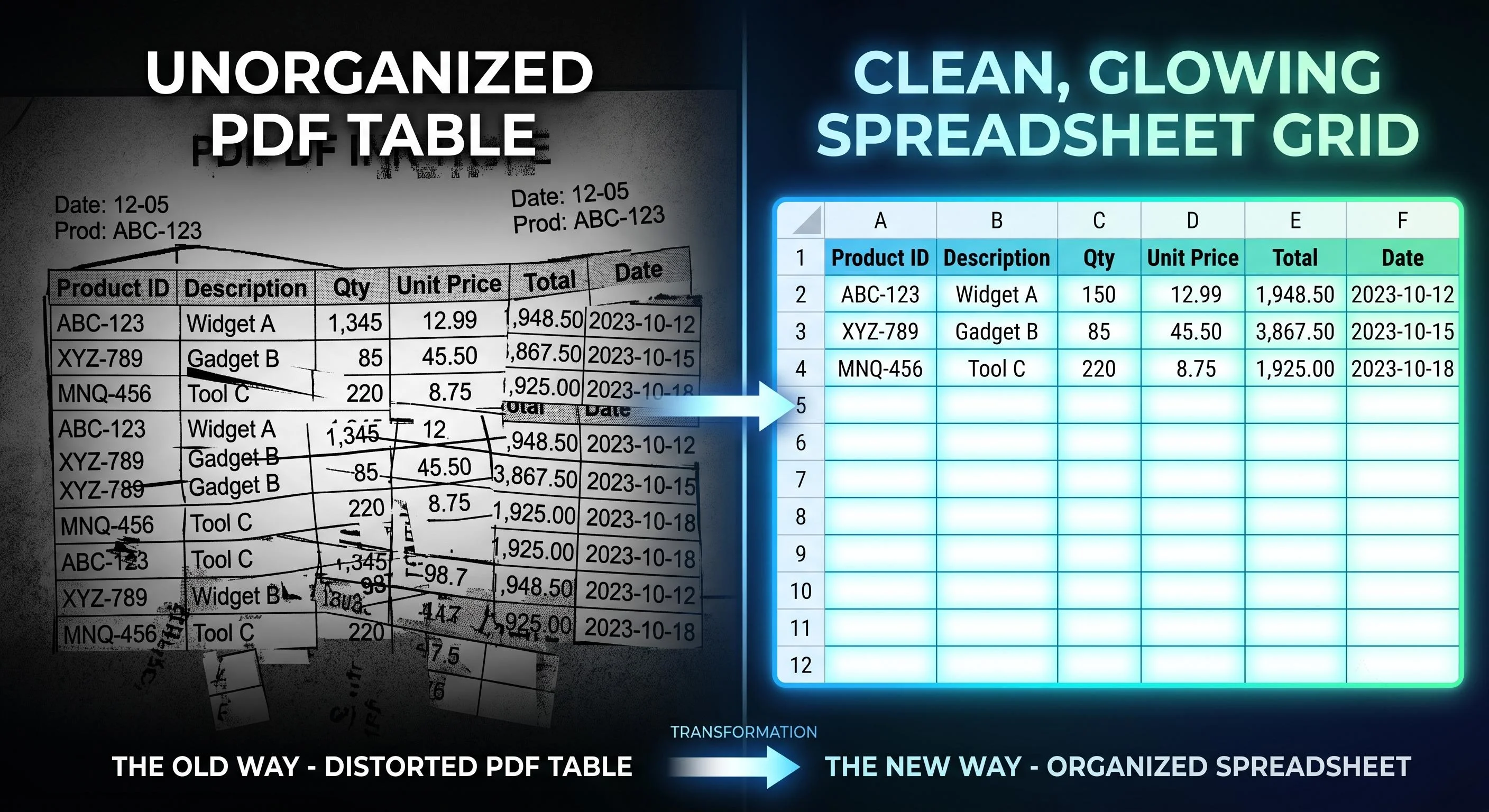

Table of Contents▼
Stop fixing merged cells manually. Learn why copying tables from PDFs ruins alignment and how to convert PDF table to excel without losing formatting.
Introduction: The Monday Morning Spreadsheets Nightmare
Imagine it is 9:00 AM on a Monday. Your team needs a competitive analysis report by noon, and the core data you need is locked inside a 45-page corporate PDF. It looks like a clean, beautifully organized table on your screen.
You do what any rational professional does: you highlight the table, hit Ctrl+C, open Microsoft Excel or Google Sheets, and hit Ctrl+V.
Instead of a clean grid, your spreadsheet turns into a chaotic waterfall of broken text. Numbers that belonged in separate columns are now merged. Headers have vanished into random cells. Numbers are clipped, and currency symbols are completely missing. You face hours of manual data entry, manually typing rows just to fix a formatting error.
Document workflows do not have to be this frustrating. This article breaks down why pdf table extraction formatting issues happen, the underlying technology causing this friction, and how you can copy table from pdf to spreadsheet seamlessly without losing your sanity or your afternoon.
Why Accurate Table Extraction Matters
Organizations routinely move tabular data from PDFs into spreadsheets for reporting, auditing, accounting, procurement, and analytics workflows. Even minor extraction errors can lead to incorrect calculations, duplicate records, or reporting inconsistencies. That's why preserving table structure during conversion is often more important than simply extracting the text itself. When you need to extract tables from pdf to excel, maintaining the absolute integrity of your financial or operational grids is critical to data-driven decision-making.
The Core Problem: Why PDF Workflows Break
To fix broken tables, you first need to understand why the PDF format behaves this way. PDFs were never meant to be data editing or storage formats.
The Original Sin of the PDF Format
Developed by Adobe, the Portable Document Format (PDF) was designed in the early 1990s for a single purpose: to display documents the same way on every device and printer. A PDF does not view text as paragraphs, sentences, or structured tables. Instead, it treats words as absolute geometric coordinates on a digital canvas.
A PDF knows exactly where a string of text like "5,420.00" sits relative to the top-left corner of the page, but it has no idea that this number belongs to a column labeled "Q3 Revenue."
Structural Breakdown Issues
Loss of Explicit Tabular Data: When you build a table in Word or HTML, the file contains code that explicitly states: "This is a table with 4 columns and 5 rows." When saved as a standard PDF, that structural scaffolding is completely stripped away. The gridlines are drawn as simple vector shapes, and the text is placed on top of them.
Font Encoding Anomalies: Sometimes a PDF looks perfect, but copying text produces strange symbols or gibberish. This occurs when font character maps are missing or corrupted during the initial save process.
Device and Viewer Discrepancies: A document that displays correctly in Apple Preview might render differently in Mozilla Firefox or an outdated desktop PDF viewer, complicating extraction algorithms.
The Desktop Software Drag: Heavy legacy desktop programs are slow, prompt you for constant updates, and hoard system resources just to read a text layout.
Educational Deep Dive: The Science of Document Conversion
Moving data from a PDF back into an editable format like Microsoft Word (.docx) or Excel (.xlsx) requires the converter to reconstruct structure where none exists.
Why Layouts and Formatting Break
When an online converter processes a PDF table, it acts like a detective examining a crime scene. It looks at the white space between numbers and tries to guess where columns should be.
If your table has long text strings that wrap to a second line, or columns placed close together, the converter's layout engine can miscalculate. It might treat two distinct columns as a single cell, scrambling your entire dataset. This structural blindness is the root cause of almost all pdf table extraction formatting issues and results in painful pdf to excel formatting problems.
Elements That Often Break During Conversion
Column Merging: Two distinct data points collapse into one.
Font Changes: Clean sans-serif text converts into unreadable, mismatched fonts.
Multi-line Cells: A single row of data splits into multiple rows, breaking your financial calculations.
How OCR and PDF Table Recognition Work
For scanned PDFs—like an old invoice or a printed report—computers cannot read the text directly because the document is just a flat image. IBM and other enterprise tech pioneers helped develop OCR engines to solve this.
Advanced pdf table recognition algorithms scan the image for dark and light pixels to identify shapes that look like letters and numbers.
[Scanned PDF Image] ➔ [OCR Engine Pixel Analysis] ➔ [Text Identification & Grid Mapping] ➔ [Structured Output]
Modern OCR table extraction engines use spatial analysis to detect horizontal and vertical lines, rebuilding tables out of raw images. If the original scan is tilted or blurry, the accuracy of the extracted table drops significantly.
Modern Solution Framework: What to Look For
If you regularly work with reports, contracts, or data sheets, you shouldn't settle for tools that break your formatting. If your goal is to find a pdf to excel converter preserving columns, look for software built around these modern capabilities:
Strict Layout Preservation: The extraction software must look at whitespace geometries, not just text strings, to map columns precisely and eliminate pdf table extraction formatting issues.
Privacy-First Workflows: Some online tools may retain uploaded files for operational purposes. Always review a platform’s privacy policy and file-retention practices before uploading sensitive documents.
Browser-Native Efficiency: Avoid downloading heavy software. Modern workflows happen entirely inside secure web browsers via HTTPS, optimized by cloud architectures like Cloudflare.
Batch Operations: If you have 20 monthly invoices, you should be able to drop them into a queue simultaneously rather than processing them one by one.
Comparing the Options: Legacy vs. Modern Workflows
Unlike legacy platforms that treat every piece of text as a continuous paragraph, modern engines analyze white space paths to isolate tabular data columns cleanly, making it easier to convert pdf table to excel without losing formatting.
Extraction Method | Accuracy Rate | Speed | Setup Drag | Security Risk |
Legacy Online Converters | Low (messes up columns) | Fast | Low | High (data retention risks) |
Enterprise Desktop Apps | Medium-High | Slow | High (heavy installs) | Low |
Modern Browser-Based (Doxbar) | High (preserves grids) | Instant | None (web-native) | Minimal (automatic cleanup policies) |
Step-by-Step Guide to Clean Table Extraction
Extracting data cleanly without breaking your formatting requires a methodical approach. Here is how to achieve clean results using modern browser platforms like Doxbar:
Step 1: Document Upload
Navigate to the web tool (such as our [PDF to Excel Converter] or [PDF to CSV Converter]) and drag your PDF file directly into the drop zone. Ensure your file is encrypted over an active SSL connection to protect your information.
Step 2: Target Selection
Choose your desired output format based on your workflow. If you need to manipulate numbers, choose .xlsx or .csv. If you are extracting a narrative report with embedded tables, select .docx using our [PDF to Word Converter].
Step 3: Serverless Extraction Processing
The cloud parsing engine analyzes the visual structure of your document, triggers advanced pdf table extraction systems, identifies alignment blocks, and sets precise column boundaries.
Step 4: Download & Verify
Download your file and open it in your target application. Take thirty seconds to verify that column totals, headers, and decimal points match the original PDF perfectly.
Pros & Cons of Modern Web-Based Conversion
Pros
No installation required; works on Windows, macOS, Linux, and mobile devices.
Advanced extraction engines retain complex multi-column grids.
Significantly cheaper and faster than buying heavy desktop licenses.
Saves hours of manual data re-entry caused by typical pdf table extraction formatting issues.
Cons
Requires an active internet connection to process files.
Extremely low-quality or heavily distorted physical scans may still require minor manual cleanup.
Advanced FAQ Section
Why do columns merge when copying data from a PDF to Excel?
PDF files do not save table columns natively. They only save individual text characters and their exact locations on the page. When you copy and paste directly, your computer reads the text sequentially left-to-right, ignoring the spatial gaps that form columns.
How can I convert pdf table to excel without losing formatting?
The most reliable method is to use a structure-aware conversion tool like Doxbar instead of manual copy-pasting. These tools map the mathematical spatial coordinates of the text fields rather than reading them as continuous strings, preserving your rows and columns.
Can OCR extract data from a blurry scanned PDF?
Yes, but accuracy depends entirely on resolution. If the text pixels blur into each other, the OCR engine may misread characters (like mistaking an 8 for a B, or a 0 for an O).
Is it safe to upload financial documents to online converters?
Security varies greatly by platform. Some online tools may retain uploaded files for operational purposes. Always review a platform’s privacy policy and file-retention practices before uploading sensitive documents. Doxbar is designed around privacy-focused document processing workflows and automatic file cleanup policies.
Why do some PDF text characters change into strange symbols when pasted?
This points to an issue called font encoding corruption. When the PDF was created, the embedded font map failed to connect the visual shape of the letter to its underlying computer code. Using an OCR table extraction tool can bypass this error by reading the visual shape instead of the corrupt text data.
How can I fix pdf table extraction formatting issues quickly?
The fastest way to resolve these issues is to use a layout-aware conversion tool like Doxbar instead of copying and pasting manually. These tools map structural coordinates rather than raw text strings.
What is the best format for extracting numeric tables?
For calculation and data analysis, extract your files directly to Excel (.xlsx) or Comma-Separated Values (.csv) using a dedicated pdf to csv converter. CSV is ideal if you plan to import the data into database systems or programming environments like Python.
Why do table headers disappear during conversion?
Converters often mistake table headers for regular body paragraphs if they lack distinct background shading or bold formatting. Modern tools analyze font weights and background elements to identify and preserve headers.
Does Doxbar store my converted files?
No. Doxbar is designed around privacy-focused document-processing workflows and automatic file-cleanup policies, helping to keep your uploaded files private.
Can I convert a PDF table back into a clean Word document?
Yes. Converting to a Word document (.docx) reconstructs the table grid using native Word layout elements, keeping text editable while preserving row alignments.
Why do cell borders disappear in converted documents?
PDF line borders are drawn as vector graphics independent of the text. Converters sometimes skip these decorative graphics to focus exclusively on text placement. Advanced engines reconstruct these borders programmatically based on your file settings.
How do I handle multi-page tables spanning across a PDF?
Legacy tools treat every page as an isolated island, splitting your tables into separate files. Modern tools recognize sequential headers across pages and compile them into a unified continuous dataset.
Can I run conversions on a mobile phone?
Yes. Because modern platforms process data in the cloud rather than on your local processor, you can easily upload documents and extract tables directly through mobile web browsers.
Why do merged cells break spreadsheet formulas?
Merged cells destroy standard cell coordinate tracking (A1, B1, etc.) in Excel. When clean formatting is a priority, high-quality extraction engines avoid unnecessary merges, ensuring every data point maps to its own distinct cell.
What makes a PDF file "searchable"?
A searchable PDF contains two distinct layers: an image layer on top for visual display, and a hidden, machine-readable text layer underneath that aligns exactly with the visible shapes.
How does password protection affect table extraction?
If a PDF file is encrypted with an owner or permissions password, conversion tools cannot read the layout data until you provide the correct authorization key.
Why do currency symbols sometimes convert incorrectly?
Special characters like €, £, or ¥ rely on specific character sets. If a document creator uses non-standard fonts without embedding them properly, extraction engines can misinterpret the unique symbols.
Security, Privacy, and Building Trust in Workflows
When handling corporate data, security isn't an afterthought—it's a core requirement. Whether you are extracting sensitive medical charts or financial records, you should understand how your documents move through the web.
You can verify your connection security by looking for the lock icon in your browser's address bar, showing that data transferred to the platform is fully encrypted via TLS.
Workflow Best Practice: Never use free tools that require you to input sensitive personal information, like credit card data or your home address, just to download a single file conversion. Trustworthy software keeps the workflow transparent, fast, and light.
Conclusion: Take Control of Your Document Workflows
Struggling with broken tables and manual data cleaning is a frustrating relic of old document tech. The PDF format was built for printing, but modern cloud workflows require dynamic, reusable data.
By understanding the underlying mechanics of how PDFs manage space and layout, you can eliminate common pdf table extraction formatting issues. Platforms like Doxbar bridge this gap by offering clean, browser-native conversion engines that respect your layouts, protect your data, and save you valuable time.
Stop retyping spreadsheets manually. Upload your document to Doxbar today and extract clean, actionable data in seconds.
Need to Convert Document Formats?
Try our secure, lightning-fast PDF conversion suite. Convert Word, Excel, Images, and more with zero formatting loss.

Doxbar Editorial
Security & Privacy Team
We specialize in secure document architectures, parsing engines, and modern developer utilities. Keeping your files safe, lightweight, and perfectly formatted.
Join the Conversation
Share your thoughts or ask a question about this topic. This is a privacy-first system.