

PDF Text Formatting Issues Explained: Why Copy-Paste Fails and How to Fix It
Contents
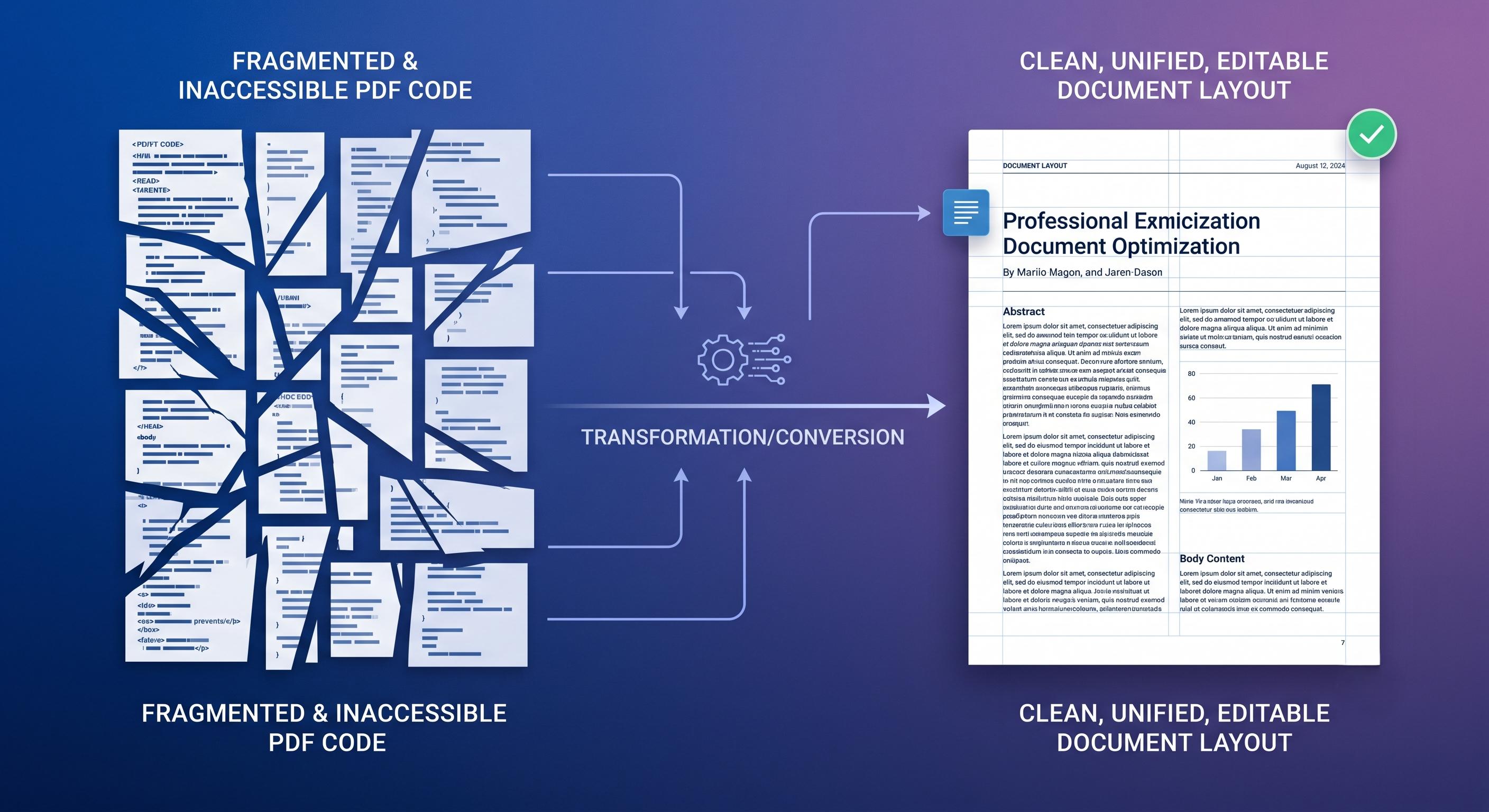
PDF Text Formatting Issues Explained: Why Copy-Paste Fails and How to Fix It

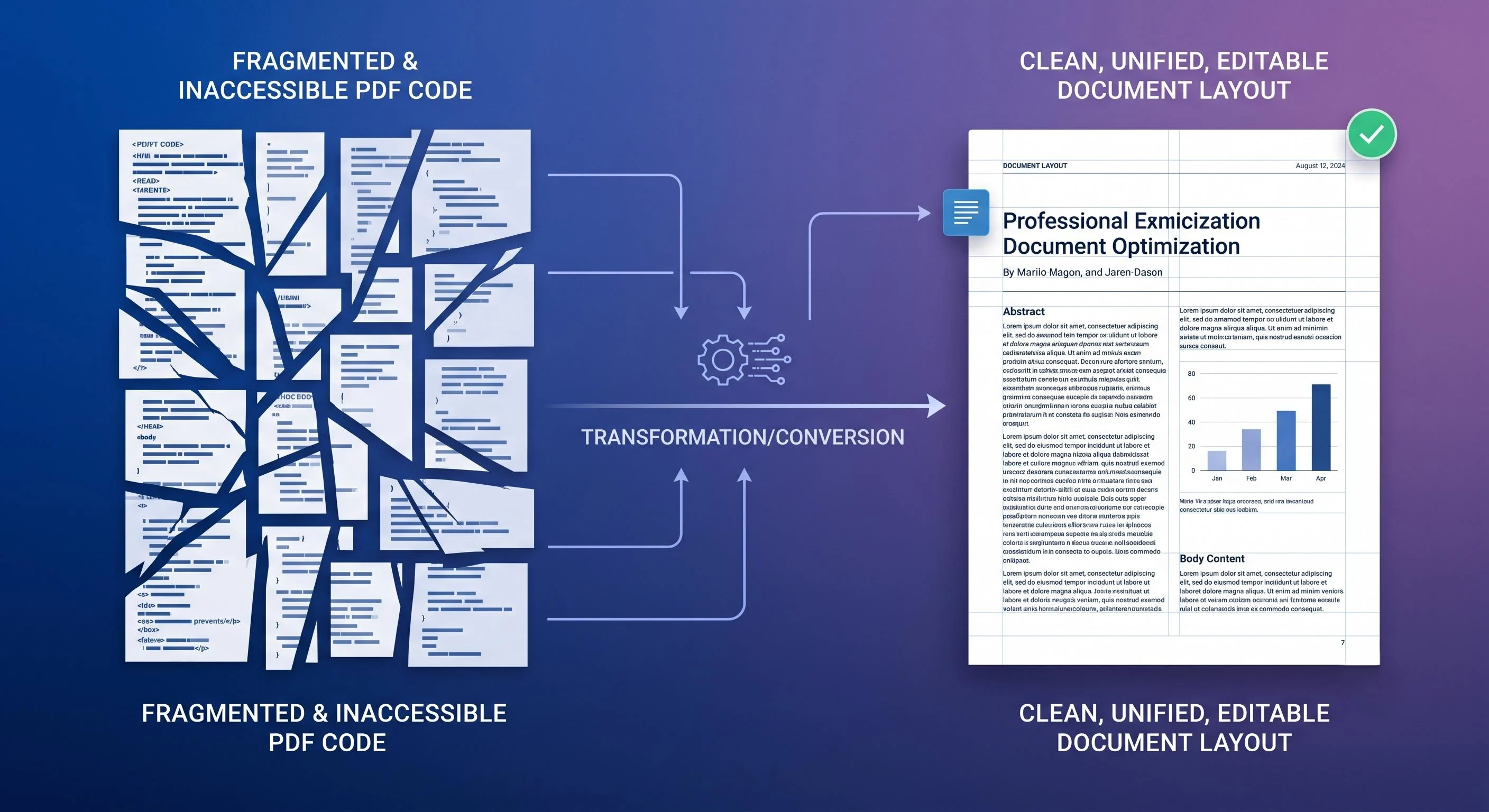

Table of Contents▼
Copying text from a PDF often creates broken line breaks, missing spaces, and messy formatting. Learn why it happens and how to extract clean text in seconds. Why PDF copy-paste breaks formatting, and how to copy text from pdf without formatting issues
⚡ Quick Answer: Why Does PDF Copy-Paste Ruin Text Formatting?
Copying text directly from a PDF causes layout distortion because the Portable Document Format (PDF) is a visual-first medium designed as "digital paper." Instead of storing sentences in fluid, responsive paragraphs, a PDF anchors individual characters or word clusters to absolute $X, Y$ geometric coordinates on a static canvas. When you perform a manual copy-and-paste workflow, your computer's clipboard merely scrapes these structural positions blindly—interpreting the end of every visual line as a hard line break, resulting in notorious pdf text formatting issues.
👉 Need clean text right now? Skip the manual fixes. Use Doxbar’s Privacy-First PDF to Text Tool to instantly extract readable text while naturally reconstructing the correct paragraph flow.
The Presentation is in Ten Minutes, and Your Document is a Mess
Picture this: It is 8:50 AM. Your team lead asks for a quick summary of a competitor's quarterly report for a slide deck due at 9:00 AM. You open the source PDF, highlight three paragraphs of crucial data, press Ctrl+C, switch over to Microsoft Word or Google Docs, and hit Ctrl+V.
Instead of a clean block of professional text, your document looks like it went through a digital blender. Sentences break off mid-word. Random line breaks turn cohesive paragraphs into a jagged waterfall of text. Words that should be separated are mashed together, and bizarre boxes or question marks appear where hyphens used to be.
You spend the next nine minutes manually hitting Backspace and Delete, trying to stitch sentences back together while your pulse spikes, wondering how to copy text from pdf without formatting issues.
We have all been there. Whether you are an entrepreneur pulling data for a business plan, a freelancer compiling client assets, or an analyst building a corporate report, dealing with these formatting anomalies often feels like wrestling with a technology that actively dislikes you.
It feels like it should be simpler. After all, text is just text, right?
Not exactly. The underlying mechanics of how data is encoded explain why PDF copy-paste breaks formatting so consistently. To bypass these stubborn, broken PDF formatting, we must look beyond what is visible on the screen and understand the architectural barrier between visual styling and raw data storage.
Why the PDF Workflow is Historically Broken for Editing
To understand why your layout shatters upon pasting, you have to look at what the Portable Document Format (PDF), originally developed by Adobe in the early 1990s, was actually designed to do. Its primary objective was simple: absolute visual replication across any hardware architecture. It was built to mimic ink on paper, completely ignoring the necessities of modern, responsive text editing.
1. PDFs Lack Paragraph Boundaries
When you create a document in a native word processor, the file stores semantic structures. It explicitly understands where a sentence starts, what constitutes a paragraph block, and how text should dynamically flow when page margins shift.
A PDF possesses zero concept of a paragraph. The file merely contains an index of text characters paired with precise positioning instructions on a two-dimensional layout grid. When you highlight text, you aren't selecting a continuous flow of prose; you are collecting characters based on physical proximity.
2. Line Breaks are Hardcoded Spatial Constraints
Because a PDF prioritizes appearance above all else, the boundary at the end of every visible line is frequently treated as a permanent hard return. Your system clipboard reads this boundary as a definitive line break character, forcing your destination document to format the text into short, broken fragments.
3. Missing Spaces and Unicode Mapping Failures
Have you ever pasted PDF text only to find all spacing has vanished, or that strange symbols appear in place of common characters? This is tied to character translation tables. Many PDFs use specialized font subsets or font ligatures (where character pairs like 'fi' or 'fl' are welded into a single visual glyph). If the PDF's internal Unicode mapping table is incomplete or corrupted, the clipboard cannot translate those custom shapes back into standard computer text.
Technical Reality: Visual-First vs. Structural-First Layouts
The fundamental conflict when dealing with PDF copy-paste errors boils down to Content Layout vs. Content Presentation.
Feature | Word Processor Document (.docx, .rtf) | Portable Document Format (.pdf) |
Primary Design Goal | Dynamic content creation, fluid editing, and text wrapping. | Universal visual preservation and static printing accuracy. |
Text Architecture | Continuous logical strings of text organized by semantic paragraphs. | Independent characters or word clusters mapped to exact $X, Y$ coordinates. |
How Line Breaks Work | Dynamic wraps based on page margins and font scale. | Hardcoded structural boundaries are determined at the moment of file generation. |
Font Dependencies | Requires local system fonts or embedded web fonts to render correctly. | Uses embedded font subsets and strict character maps for visual rendering. |
🚀 Information Gain: Why AI Tools Still Struggle With PDF Layout Reconstruction
With the rise of large language models and intelligent readers, many assume that pasting a messy PDF block into an AI prompt will magically solve the problem. However, modern AI systems frequently stumble over layout reconstruction due to the same rendering rules.
The Multi-Column Trap: When processing academic papers or financial sheets with dual-column layouts, an AI engine reads raw text streams sequentially. If the clipboard strips out column boundaries, the AI receives text read straight across the page (Line 1 of Column A smashed together with Line 1 of Column B), leading to structural hallucinations.
Flattened Tabular Data: Tables in a PDF do not contain database rows or cell tags; they are simply text numbers placed near hand-drawn vector lines. When processed, the grid structure disappears completely, separating numbers from their corresponding headers.
Footnote Interruption: If a multi-page document contains headers, footers, or footnotes, a standard raw extraction process can inject these recurring text elements directly into the middle of a continuous sentence, fracturing the context.
To solve this, advanced document processing models must bypass basic clipboards and employ specialized layout parsers that map the document's spatial coordinates before reading the words.
Why Data Privacy is the Ultimate Multiplier in Document Conversion
When selecting workflow tools to clean up data extraction, technical efficiency is only half the battle; data sovereignty and privacy must be prioritized. Many legacy utilities treat user documents as training data or store files indefinitely on remote cloud infrastructures.
For professionals handling proprietary financial summaries, legal agreements, or sensitive personal data, a secure approach requires specific system standards:
Zero-Account Footprint: You should never be forced to exchange personal email addresses or registration credentials just to run a quick document fix.
Browser-Native Execution: The safest file transformation happens directly within your local web browser sandbox, minimizing external server exposure.
Automatic File Cleanup: If server-side processing is necessary for deep parsing, the platform must employ strict, immediate data retention rules that completely erase your files within minutes of completion.
How to Extract Clean Text Without Layout Errors
Instead of spending hours manually editing line breaks, you can automate structural reconstruction using secure browser utilities like Doxbar.
Step 1: Upload Your Target Document
Open your browser and drag your source file directly into the local upload frame.
Step 2: Choose the Reconstruction Route
Select the appropriate extraction pipeline based on your target file type. If you have a scanned image or photo-based document, utilizing an OCR PDF Tool will accurately map character patterns. For standard text-based files, select the plain text route to clean up spacing inconsistencies.
Step 3: Download Your Clean Output
Process the file. The engine algorithmically bridges broken line breaks, drops recurring page headers, and formats the text into natural, flowing paragraph elements ready for immediate use.
Pros & Cons of Common Extraction Methods
Method 1: Manual Copy & Paste (Ctrl+C / Ctrl+V)
Pros: Native to all operating systems; requires no internet connection.
Cons: High risk of severe text extraction problems; requires tedious line-by-line manual correction.
Method 2: Heavy Desktop PDF Editing Suites
Pros: Feature-rich; excellent for offline structural modifications.
Cons: High software licensing costs; resource-heavy; slower loading times for rapid tasks.
Method 3: Lightweight Cloud Parsers (e.g., Doxbar)
Pros: Fast execution; zero installation overhead; handles line-wrap fixes automatically.
Cons: Requires a functional network connection to load the processor.
Advanced Frequently Asked Questions
How do I copy text from PDF without formatting issues?
The most reliable method is using an online extraction tool that reassembles paragraph blocks dynamically. For tiny text selections, you can use the keyboard shortcut Ctrl+Shift+V (or Cmd+Option+Shift+V on Mac) to strip away text styles, though you will still need to manually remove hard line breaks.
Can I stop a PDF from breaking lines mid-sentence when copying?
No, because those line breaks are permanently written into the positioning matrix of the file. To fix this automatically, pass the document through a structured layout parser to rebuild continuous lines before editing.
Why do some letters disappear entirely when I paste text from a PDF?
This points to font subsetting restrictions. The PDF author embedded only the specific characters used on the page to save space. If the file's internal mapping system fails, your clipboard cannot translate the structural visual paths back into standard characters.
What are ligatures, and how do they impact text copying?
Ligatures are decorative typographic mergers where characters like "fi", "fl", or "ae" are combined into a single visual shape. Poorly encoded PDFs fail to map these joined shapes back into individual letters, causing them to paste as symbols, blank boxes, or missing letters.
Why does text copied from a PDF sometimes paste as unrecognizable gibberish?
This occurs when a PDF lacks an accurate ToUnicode translation matrix. While the software draws the visual letter correctly on your monitor, the underlying data stream has no idea what character that shape represents, passing corrupt data to your clipboard.
Is it safe to upload confidential business PDFs to online utilities?
Security depends entirely on the specific tool's architecture. Always look for tools that offer end-to-end HTTPS encryption, clear privacy policies, and verified automatic file cleanup mechanisms that instantly wipe your documents post-processing.
Why can't I select or highlight any text in my PDF file?
If the text is unselectable, the document is a scanned PDF—essentially a collection of digital photographs wrapped in a PDF extension. To interact with the text, you must process the document through an OCR PDF Tool to calculate and construct an editable textual layer.
How do columns work in a PDF, and why does copying text mix them up?
PDF files read text by geometric coordinates rather than programmatic reading flows. When selecting text across multi-column sheets, your cursor often grabs words left-to-right across both columns simultaneously, completely scrambling your content sequence.
Why do spaces between words vanish when pasting text?
Certain layout builders do not write actual space characters into the file string; they simply move the next word a few pixels to the right. Your system clipboard misses the invisible spatial indicator, turning your pasted text into a giant block of connected words.
Why do tables completely fall apart when copied from a PDF?
PDFs have no native understanding of internal table cells, borders, or rows. A table is rendered simply as loose text lines positioned near basic vector graphical lines. Copying it flattens the matrix, dropping your tabular data into a straight vertical list.
Technical Trust & Document Transparency
When navigating modern documentation workflows, maintaining realistic expectations about digital file architectures saves hours of professional frustration. No document parser can perfectly reconstruct data from a blurry, illegible, or low-resolution scan.
However, understanding the clear operational difference between visual-first layouts and responsive text models lets you choose smarter processing paths. Relying on optimized browser-native tools removes the headache of manual correction, keeping your daily data processing smooth, efficient, and entirely free of document layout corruption.
🔗 Related Resources & Tools
To optimize your file workflows further without dealing with cluttered interfaces, explore our specialized, zero-registration toolkits:
Advanced Document Converters
Free PDF to Word Converter – Reconstruct complex formatting into fully editable office documents.
Secure PDF to Excel Converter – Extract tabular structures straight into organized data spreadsheets.
Deep-Dive Learning Articles
Native PDF vs. Scanned PDF: Understanding how your document's origin alters extraction results.
Why OCR Fails: Tips on preparing low-resolution image files for maximum character accuracy.
PDF Security Protocols Explained: A technical look at encryption, passwords, and viewing permissions flags.
Need to Convert Document Formats?
Try our secure, lightning-fast PDF conversion suite. Convert Word, Excel, Images, and more with zero formatting loss.

Doxbar Editorial
Security & Privacy Team
We specialize in secure document architectures, parsing engines, and modern developer utilities. Keeping your files safe, lightweight, and perfectly formatted.
Join the Conversation
Share your thoughts or ask a question about this topic. This is a privacy-first system.