

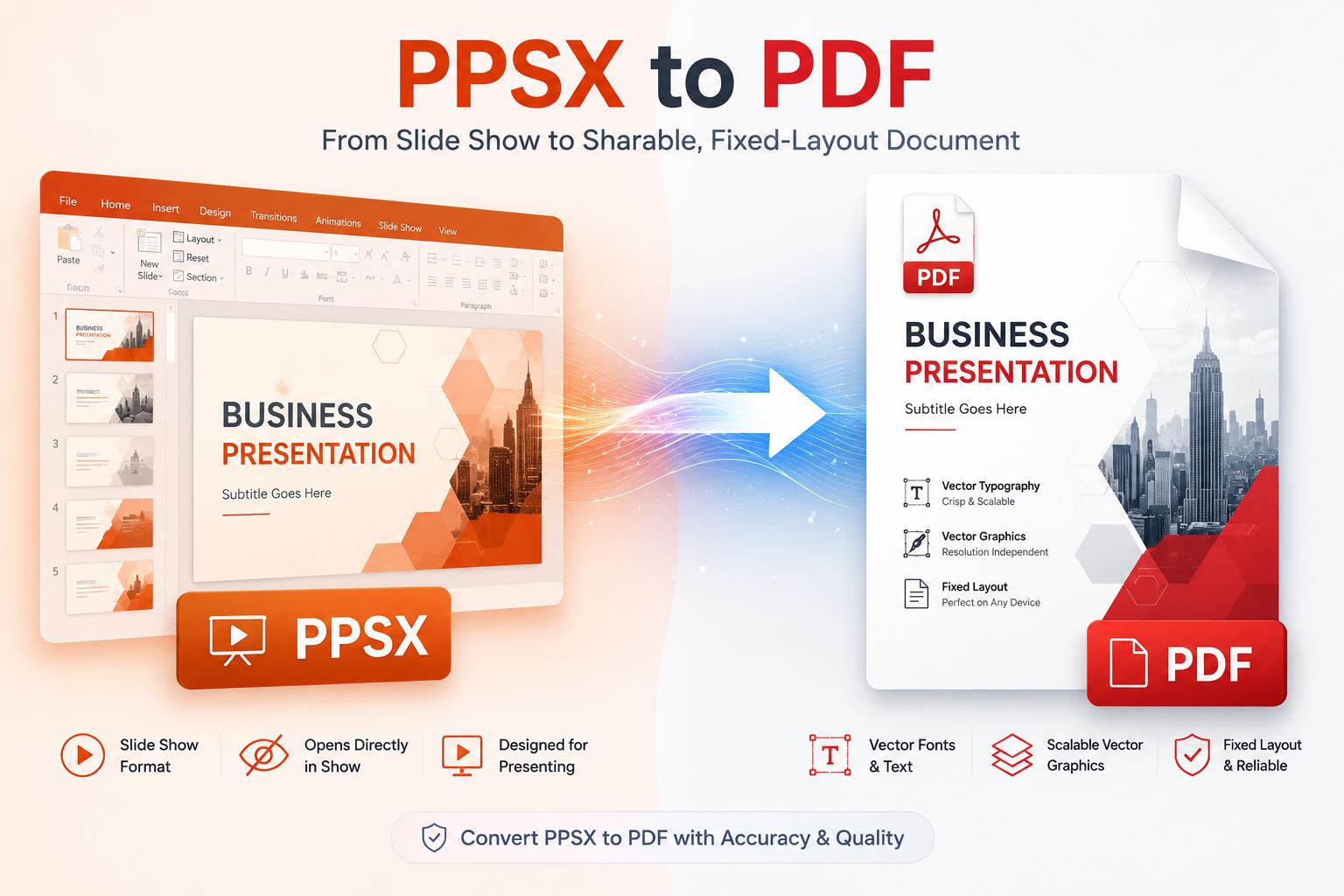
PPSX to PDF: Turn PowerPoint Shows into Easy-to-Share Documents
Contents
PPSX to PDF: Turn PowerPoint Shows into Easy-to-Share Documents

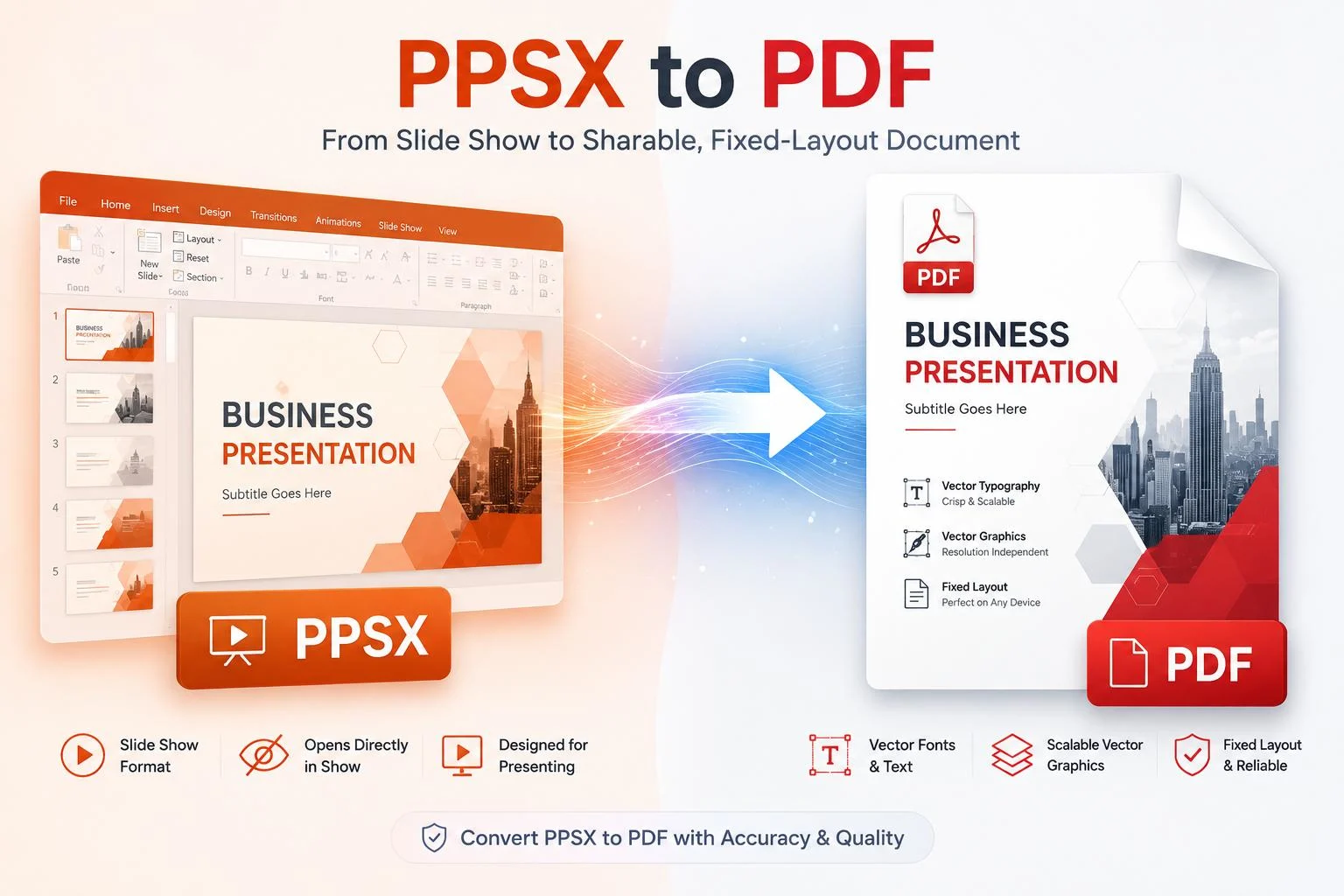

Table of Contents▼
Learn how to convert PPSX PowerPoint Show files to PDF for seamless sharing, printing, and universal viewing without losing fonts, layouts, or formatting.
Introduction: The Accidental Fullscreen Trap
It usually happens right before an important meeting or during a tight deadline.
A colleague, client, or university professor sends over an attachment ending in .ppsx. You double-click it expecting an editable slide deck or a quick preview. Instead, your screen suddenly blacks out, the presentation takes over your entire display in full-screen presentation mode, and you are left frantically hunting for the Escape key just to read a single slide note or check a data point.
“[Double-Click .PPSX] -> [Instant Fullscreen Takeover] ->[Panic-hitting ESC] -> [Zero Editing / Hard to Print]
PPSX files are engineered for a very specific purpose: delivering live slideshows. But when you need to print handouts, leave inline review notes, read slides comfortably on an iPhone or Android device, or archive finalized materials, a running slideshow is the wrong vehicle.
Converting a PowerPoint Show to PDF strips away the auto-launch friction, turning an uncooperative presentation into an accessible, lightweight, and universally readable document. Tools like Doxbar make this transition effortless, letting you turn locked slide shows into clean documents in seconds.
Why PPSX Files Cause Daily Office Headaches
To understand why PPSX files create friction, it helps to see how Microsoft Office categorizes its presentation formats. While standard .pptx files open directly into the PowerPoint workspace, .ppsx is an Open XML Presentation Show format designed to launch straight into presentation view.
That behavior is fine on a conference room projector, but in day-to-day digital workflows, it introduces distinct problems:
1. Zero Mobile Friendliness
Opening a PPSX file on a mobile device without a dedicated presentation viewer frequently fails. Many mobile mail clients either display a blank preview, mangle embedded animations, or prompt for third-party office apps just to view slide contents.
2. The Missing Fonts & Layout Shift Dilemma
If a presentation uses custom corporate typefaces that are not installed on the recipient's machine, the local operating system silently substitutes them with fallback fonts like Arial or Calibri. The result? Text boxes overflow, bullet points wrap awkwardly, and charts misalign.
3. Printing Inefficiencies
Try printing a raw PPSX file directly from an operating system context menu. It often attempts to trigger background slideshow print jobs that ignore margin controls, waste colored ink on dark presentation backgrounds, or cut off header text.
4. Client Communication Friction
Sending a PPSX file to an external client or legal partner for contract proposals or deck audits feels awkward. Clients cannot easily highlight sentences, attach sticky comments, or sign off on individual slides.
Technical Deep Dive: What Happens When You Convert PPSX to PDF?
A presentation file is structurally distinct from a fixed-layout document. To understand why conversions sometimes go wrong—and how modern engines get them right—we have to look under the hood.
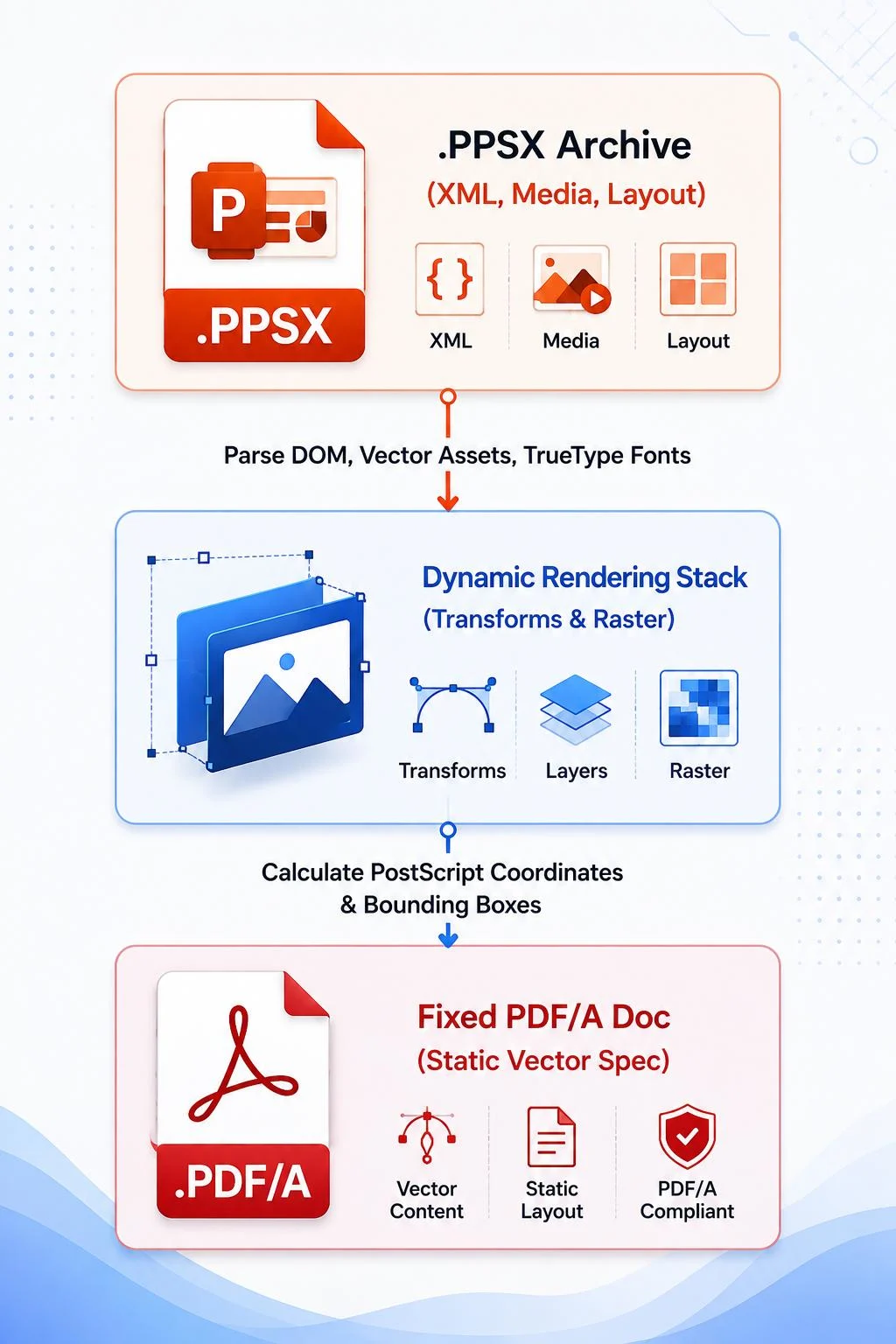
A technical workflow showing how a PPSX presentation archive is parsed, rendered, and transformed into a fixed PDF/A document with static vector content and layout.
Dynamic Slide Canvas vs. Fixed Vector Geometry
An Open XML presentation (governed by the ECMA-376 Standard) is an archive containing XML definitions, media folders, and relationship trees. The slide contents are dynamically rendered: shapes, word-wrap boundaries, and line heights are computed in real time based on the host computer's display scaling, DPI, and local font rasterizer.
A Portable Document Format file (standardized under ISO 32000-2 via Adobe), by contrast, is a fixed-layout vector container. Every character, curve, line, and image is anchored to rigid $X, Y$ coordinate points on a static 2D canvas.
Why Legacy Converters Break Layouts
When a conversion tool fails, it usually stumbles on three distinct layers:
Font Metrics Calculation: If fonts are not embedded inside the presentation package, the conversion engine must estimate character kerning. Poor engines guess wrong, causing text lines to overflow their bounding boxes.
Vector Shape & SmartArt Translation: Office shapes use proprietary drawing instructions. Converting these into PostScript vectors requires precise mathematical translation of paths, bevels, and drop-shadows.
Slide Aspect Ratios ($4:3$ vs. $16:9$): Modern presentations use a widescreen $16:9$ canvas, while older decks use $4:3$. A quality conversion engine maps these dimensions directly to matching custom PDF page boxes rather than forcing them into standard Letter or A4 dimensions with letterboxing.
Modern Conversion Framework: What to Look For
When picking a workflow to convert PowerPoint Show files to PDF, evaluate tools against these core criteria:
Strict Data Privacy & Ephemeral Storage: Uploaded files should be encrypted in transit via TLS 1.3, processed in isolated execution environments, and automatically scrubbed from server storage shortly after processing. Check security documentation from providers like Cloudflare regarding secure edge processing.
Vector Fidelity & Font Retention: The tool should rasterize vector shapes accurately and preserve embedded vector paths so that text remains sharp and selectable, rather than flattening your slides into blurry bitmap images.
Aspect Ratio Preservation: The engine should generate custom-dimensioned PDF pages that match the original slide geometry perfectly, avoiding unwanted white borders.
Zero Software Footprint: Processing files directly through a web browser removes the requirement to download resource-heavy office suites or install unverified desktop utilities.
Comparing Methods: Legacy Tools vs. Desktop Software vs. Modern Web Conversion
Feature | Legacy Web Converters (Old Generation) | Desktop Office Suites (Microsoft / LibreOffice) | Modern Cloud Conversion (Doxbar Framework) |
Setup Time | Instant (Browser) | Minutes to hours (Installation required) | Instant (Browser) |
System Resource Usage | Low | High (RAM & Disk heavy) | Negligible |
Text Layer Quality | Often flattens to low-res images | Preserves vectors & selectable text | High-fidelity vectors & selectable text |
Mobile Accessibility | Poor UI / Heavy ads | Difficult on mobile devices | Responsive, clean mobile interface |
Data Privacy | Questionable retention policies | Local processing (High privacy) | Ephemeral processing with automatic file deletion |
Formatting Reliability | Frequent font & margin shifts | Excellent (Native rendering) | Matches native presentation layouts |
Step-by-Step: Converting PPSX to PDF
Converting a PowerPoint Show into a clean, portable PDF document takes just a few steps:
Step 1: Select Your PPSX Document
Open your browser and navigate to the file converter interface. Drag and drop your .ppsx presentation directly into the upload area, or select it from your local storage drive.
Step 2: Set Your Target Format to PDF
Ensure your output profile is set to PDF. The conversion engine parses the slide deck's XML structure, calculates vector bounding boxes, matches font metrics, and compiles each slide into a dedicated PDF page.
Step 3: Download the Converted File
Once the engine finishes compiling the document, save the resulting PDF to your local device or cloud storage.
Step 4: Verify Slide Elements
Take ten seconds to open your new PDF in any standard viewer (such as the built-in browser viewer via Mozilla Firefox PDF.js or Chrome):
Scroll through dense slides to confirm line breaks and text wrapping are intact.
Check that complex charts, vector logos, and data tables render sharply.
Highlight a line of text to verify that the vector character layer remains searchable and selectable.
The Pros & Cons of Converting PPSX to PDF
The Advantages
Universal Compatibility: Opens instantly on any desktop, tablet, smartphone, or e-reader without third-party presentation software installed.
Reliable Visuals: The layout is locked. What you see on your screen matches exactly what your client, student, or manager sees on theirs.
Easy Document Annotation: Recipients can highlight sentences, add sticky notes, redact confidential details, or sign off on slides using native PDF tools.
Smaller File Footprints: Stripping out slide transition animations, embedded narration cues, and presentation timeline caches often results in a leaner file that easily attaches to emails.
Standardized Printing: Print dialogs handle PDF page geometries reliably, avoiding dropped elements or clipping.
The Trade-offs
Loss of Live Audio & Transitions: Dynamic slide animations, trigger clicks, embedded video clips, and sound transitions are flattened into static visuals.
Loss of Slide Deck Interactivity: Dynamic quiz macros or interactive visual trigger buttons embedded in the presentation will no longer execute.
Direct Slide Editing Requires Extra Steps: You cannot alter shapes or rewrite body copy with single-click slide controls as you would in an active PowerPoint editor.
Frequently Asked Questions
1. What is the main difference between a PPSX file and a PPTX file?
A PPTX file opens directly into the PowerPoint editing workspace, displaying toolbars, slide thumbnails, and notes panes. A PPSX file is an Open XML Presentation Show that skips the workspace and launches straight into full-screen presentation mode.
2. Can I convert a PPSX file to PDF without having Microsoft PowerPoint installed?
Yes. Modern online converters process the internal Open XML structures and media assets in cloud sandbox environments, generating a standard PDF without requiring local office software.
3. Will converting my slideshow to PDF preserve embedded audio tracks or video clips?
No. Standard PDF specifications display static 2D vector and raster pages. Video clips and background audio tracks embedded in the original presentation are flattened into static poster images.
4. Why did some fonts shift in my converted document?
This happens if the original PPSX file used custom, non-standard system typefaces that were not embedded into the presentation file itself. Standard web engines resolve this by utilizing high-accuracy open-source metric equivalents, but embedding standard fonts prior to export yields the best results.
5. Can I turn a PPSX back into an editable PPTX without conversion tools?
Often, yes. If you have desktop PowerPoint installed, you can simply launch PowerPoint first, click File > Open, and select the .ppsx file. It will open in the editor workspace rather than auto-launching. Alternatively, renaming the file extension from .ppsx to .pptx works on standard Open XML packages.
6. Is it safe to upload proprietary business presentations to online converters?
Reputable converters protect your files with SSL/TLS encryption during transit, isolate processing within temporary sandboxes, and automatically delete uploaded and converted assets within minutes. Always verify a platform's data retention policy before uploading sensitive records.
7. How does a PDF converter handle custom slide dimensions?
A quality conversion engine reads the specific width and height tags from the presentation's internal XML canvas and sets matching bounding boxes in the resulting PDF, preventing unwanted black borders or squished layouts.
8. Will presenter notes appear in the converted PDF?
By default, standard conversion engines process only the visible slide canvas. If you need presenter notes, the file must be rendered using a dedicated handout or notes print profile.
9. Can I convert password-protected PPSX files?
If a presentation is encrypted with a master password, the conversion engine cannot parse its internal XML structures without being provided the decryption key first.
10. Does converting a PPSX to PDF reduce the overall file size?
In most cases, yes. Converting removes presentation caches, slide timing logs, and animation metadata. If the presentation contained high-resolution background imagery, PDF compression algorithms can further optimize overall weight.
11. Can I print a converted PDF as a multi-slide handout?
Yes. Once converted, open the PDF in any standard viewer and choose your preferred multi-page layout (such as 2, 4, or 6 slides per page) in the print dialog.
12. Are links inside the PPSX slides clickable in the resulting PDF?
Yes, modern conversion engines retain standard URI hyperlinking tags across shape objects and text lines during vector translation.
13. Will animated bullet points appear together on a single PDF page?
Yes. Because PDF pages are static, all elements configured to appear across an animation sequence are rendered in their final resting state on the corresponding PDF page.
14. What is the difference between PPS and PPSX?
.pps is the legacy binary format used by Microsoft PowerPoint 97–2003. .ppsx is the modern XML-based zipped archive format introduced with Microsoft Office 2007 (following ISO/IEC 29500 standards).
15. Can I open a PPSX file on an iPhone or iPad natively?
iOS includes basic Quick Look previews, but complex animations and macro-enabled slide shows can fail or display formatting errors. Converting to PDF guarantees an exact visual representation on all Apple devices.
16. Why are there white bars on the sides of my converted PDF?
This happens when a legacy $4:3$ presentation is forced onto a standard widescreen or letter-sized PDF canvas. High-accuracy converters avoid this by tailoring the PDF page dimensions to the source presentation's native aspect ratio.
17. Can I extract raw images from a PPSX file without converting?
Yes. Because a .ppsx file is an Open XML zipped package, you can rename the file extension to .zip, decompress the archive, and browse the /ppt/media/ folder to retrieve all raw images and assets.
18. Does converting to PDF make the document accessible to screen readers?
Converting to a structured, tagged PDF preserves the logical reading order of headers, body copy, and image alt attributes, making the content far easier for assistive tools to parse than a raw presentation show.
19. How do I prevent recipients from editing my presentation materials?
Converting to PDF locks the slide geometry and layout. For additional protection, you can apply standard PDF permissions to restrict printing, content extraction, or downstream modifications.
20. Why does my presentation launch full-screen even when I attach it to an email?
The .ppsx extension instructs the operating system's shell to execute the presentation viewer binary rather than the editor workspace. Converting the file to a standard document format before sending ensures recipients can open and read it comfortably.
Security, Privacy, and Document Integrity (EEAT)
When converting sensitive business plans, academic lectures, or client reports, document security is critical:
Verify Transport Layer Security: Ensure your file transfers are secured with modern TLS/HTTPS protocols to prevent interception risks over public networks.
Understand Data Retention Lifecycles: Choose processing tools with explicit, ephemeral data policies that automatically purge both uploaded files and converted outputs from processing servers.
Audit Document Metadata: Before sharing converted PDFs publicly, consider reviewing or scrubbing hidden document properties (like original author handles, local machine directory paths, and software version tags) within your PDF viewer's file properties menu.
Conclusion
The .ppsx format remains useful for delivering live, uninterrupted slideshows on a conference screen. But when your goals shift to archiving, distributing handouts, printing, or sharing proposals with clients across multiple device ecosystems, running presentations creates needless friction.
Converting PPSX to PDF removes the unexpected full-screen launch, locks your layout and typography into place, and ensures your document looks exactly as intended on every screen.
Whenever you receive a presentation show that needs to be read, reviewed, or shared as a standard document, run it through Doxbar to get a clean, reliable, and universally accessible PDF in seconds.
Need to Convert Document Formats?
Try our secure, lightning-fast PDF conversion suite. Convert Word, Excel, Images, and more with zero formatting loss.

Doxbar Editorial
Security & Privacy Team
We specialize in secure document architectures, parsing engines, and modern developer utilities. Keeping your files safe, lightweight, and perfectly formatted.
Join the Conversation
Share your thoughts or ask a question about this topic. This is a privacy-first system.