

Why Convert Python Scripts to PDF Instead of Sharing .py Files?
Contents
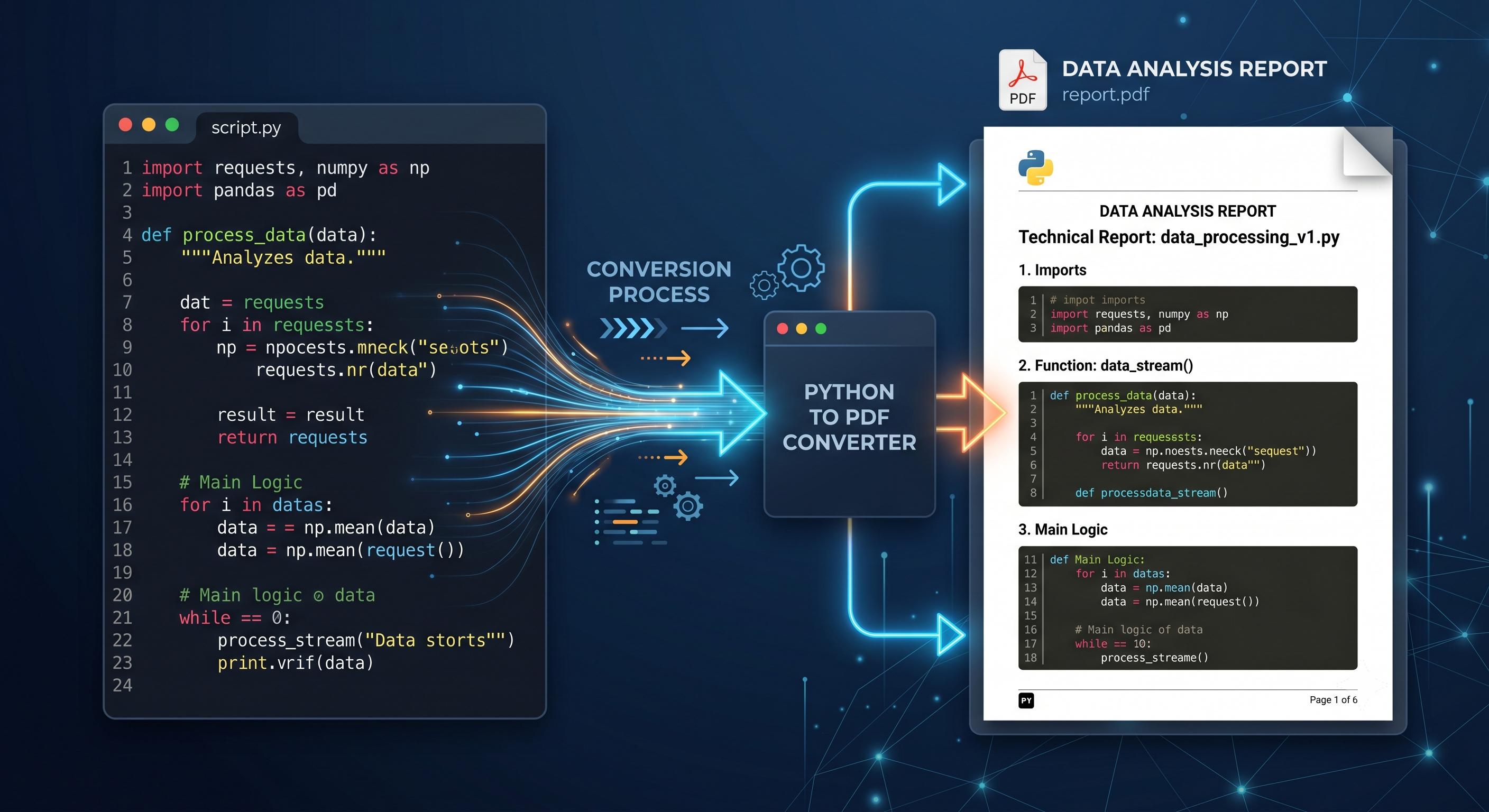
Why Convert Python Scripts to PDF Instead of Sharing .py Files?

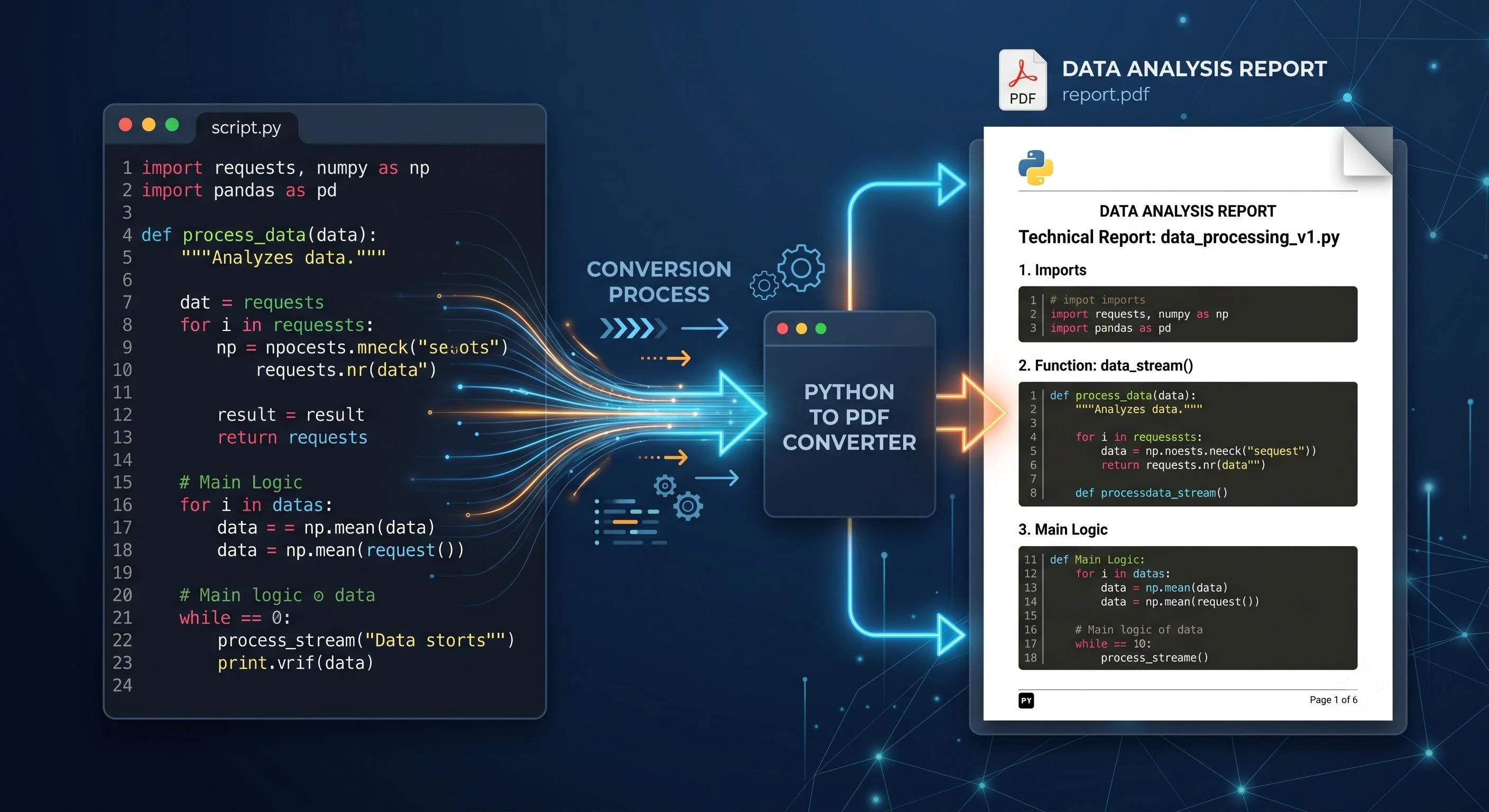

Table of Contents▼
Learn why developers convert Python scripts to PDF for secure sharing, documentation, and code reviews. Preserve formatting, avoid dependency issues, and share .py files safely.
Quick Answer
Converting a Python script .py to PDF creates a non-executable, universally readable static file that locks in exact code indentation, syntax highlighting, and formatting structure. This workflow eliminates environment dependencies, ensures compliance, and bypasses email security filters, making PDF the industry standard for source code documentation, compliance audits, client presentations, and code review trails.
Introduction: The "It Works on My Machine" Friction
You have just spent days writing a clean, efficient Python script for a data science pipeline. It formats dataframes, executes complex statistical logic, and outputs precise data visualizations. You save the raw .py file and send it directly to a non-technical stakeholder or an external client for evaluation.
An hour later, the inevitable feedback arrives: "The file won’t open," or "My system says I need to install an interpreter to view this." For many developers, data analysts, and technical writers, sharing raw code outside of an engineering environment introduces friction. If the recipient lacks a matching local Python environment, a specific library framework, or an integrated development environment (IDE), your functional tool behaves like a broken file. When your core objective is to document developer workflows, execute software documentation, or share a clean code review trail, transferring raw script files is rarely the optimal approach.
Why Email Blocks Python Files: The Sharing Problem
When designing modern source code sharing protocols, technical teams must confront significant operational, security, and rendering barriers.
Security System Quarantines: Why does email software block .py files? Because script formats are executable. Enterprise mail gateways automatically flag raw code files to mitigate zero-day malware distribution and arbitrary command injection risks.
The Vulnerability of Layout Integrity: Python depends entirely on semantic indentation rules. If an external client opens a raw text script inside an unoptimized tool like Notepad, WordPad, or basic text editors, tab-to-space mapping can break, corrupting the code logic visually.
Intellectual Property Exposure: Sharing raw source code instantly exposes your precise operational IP. If a client simply needs to review the algorithmic methodology or verify compliance parameters, passing a copy-pasteable script exposes unnecessary engineering assets.
Legacy Software Bloat: Relying on heavy, native desktop applications to print code output often distorts typography, truncates long variable names, and introduces unnecessary processing lag.
What Most Articles Miss About Code Conversion
Most standard tutorials treat the process of how to convert a Python file to PDF as a trivial document printing task. However, the true engineering challenge is not simply changing file extensions—it is preserving semantic readability, maintaining rigorous data privacy, and optimizing technical documentation so non-technical reviewers can audit logical execution pathways without installing runtimes or accidentally altering the source code.
Python Script to PDF: When Should You Use It?
Not every developer workflow demands a static document format. Teams actively writing features require interactive version control repositories, while specific administrative, legal, and operational checkpoints require frozen document architectures.
Operational Scenario | Should You Use a PDF? | Primary Motivation | Best Alternative |
Active Team Collaboration | ❌ No | Requires dynamic iteration and diff-checking. | GitHub Repository / GitLab |
Enterprise Compliance Audit | Yes | Demands a frozen, tamper-evident audit trail (PDF/A). | Immutable Version Control Tags |
External Client Progress Review | Yes | Prevents environment friction and dependency bugs. | Staging Environment Demo |
Academic & Research Submissions | Yes | Guarantees exact margin and math formula formatting. | LaTeX / Markdown Source |
Internal CI/CD Documentation | Yes | Automates historical snapshots of configuration states. | Managed Wiki Systems |
The SAFE Framework for Code Sharing
To help teams evaluate their asset distribution methods, the Doxbar Engineering Team utilizes The SAFE Framework. This architecture benchmarks how well a technical document preserves its utility across distributed networks.
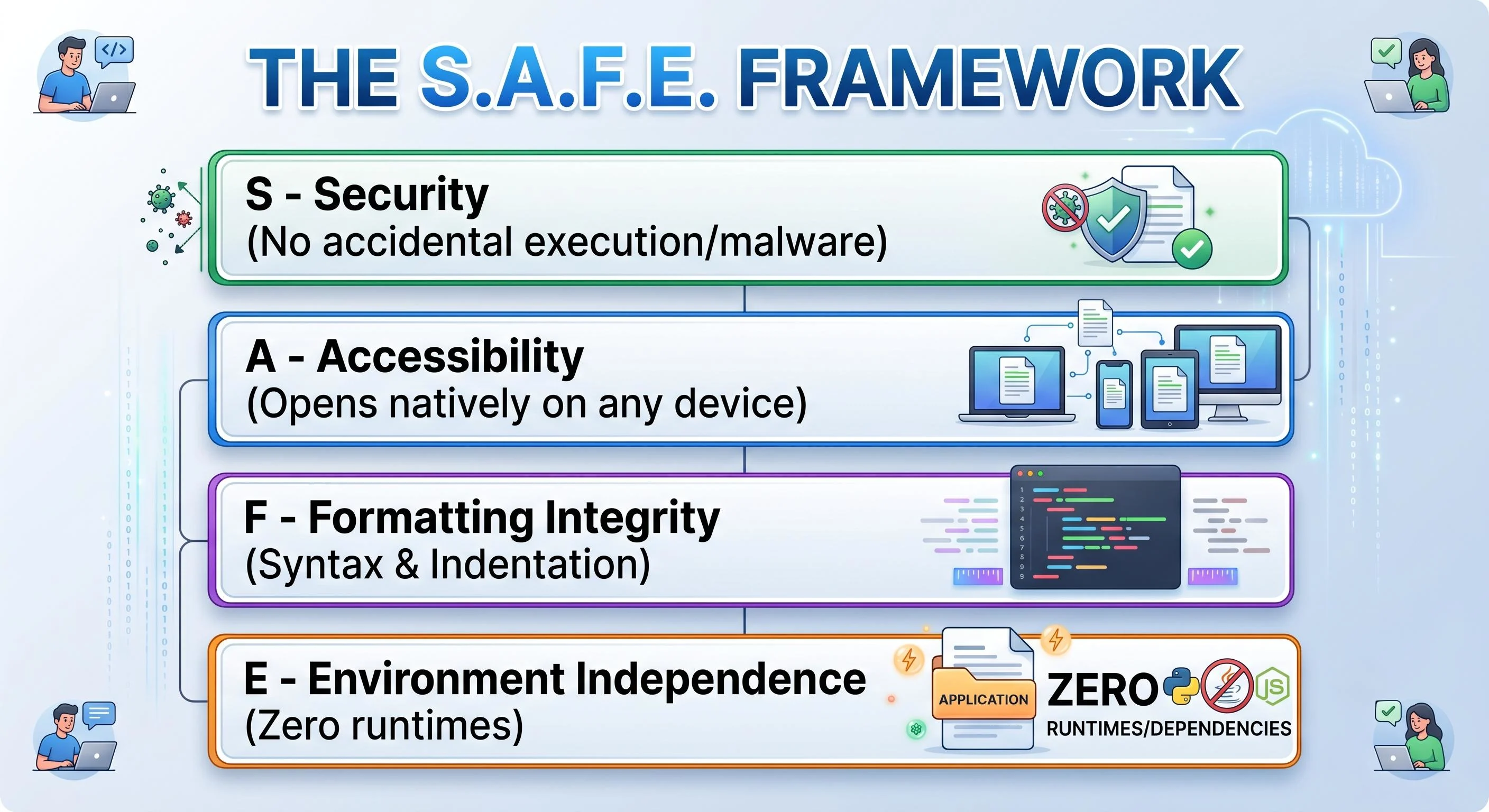
A colorful, horizontal infographic diagram detailing "THE S.A.F.E. FRAMEWORK" for software, featuring four distinct, color-coded and stacked modules for Security, Accessibility, Formatting Integrity, and Environment Independence, with icons and small illustrative figures.
Security (S)
Converting code into a vector PDF eliminates executable risk. The script is transformed into a flat document container that cannot run processes locally on the host machine. This safely bypasses security firewalls and enterprise email filters.
Accessibility (A)
A PDF renders natively within every modern web browser (Chrome, Safari, Edge) and mobile operating system without requiring specialized software development kits (SDKs), text editors, or developer extensions.
Formatting Integrity (F)
Structural code elements—such as brackets, color-coded syntax markers, comments, and vertical indentation blocks—are mapped onto a fixed coordinate system. This layout remains entirely immune to local system font substitutions, allowing you to save python code as pdf without structural corruption.
Environment Independence (E)
The viewer does not need to configure virtual environments, resolve pip dependency trees, download missing packages, or verify backward compatibility with specific Python runtime versions.
Semantic Deep Dive: Code Layout vs. Vector Spaces
When an engineer opens an application in VS Code or PyCharm, the underlying application engine uses tokenizers to colorize text strings based on language libraries. When a script leaves that environment, that visualization layer vanishes.
A raw text file maps characters onto basic layout coordinates. If a recipient opens the file on a system configured with a different character-encoding type or default tab scaling, the code structure can become misaligned.
Advanced rendering architectures parse script code into a highly specific document layout standard known as PDF/A (Portable Document Format for Archiving), governed by the ISO Central Secretariat. The conversion engine embeds monospace typography directly into the target file payload, preserving color maps and line arrays. This makes it a reliable way to generate python documentation pdf assets that automated scanners and manual auditors can review years later.
Evaluation: Modern Workflows vs. Legacy Methods
Feature Criterion | Legacy Online Converters | Native Desktop Printing | Modern Browser-Based Platforms |
Data Privacy | ❌ High Risk (Often cache scripts) | Secure (Local) | Highly Secure (In-Memory Processing) |
Syntax Highlighting | Strip styling to basic plain text | Depends on local IDE print configuration | Native structural language parsing |
Processing Speed | Slow queues and heavy ad layouts | Local processing lag | Fast, cloud-native generation |
Batch Capabilities | Rarely supported natively | Manual file-by-file export | Scalable multi-file processing |
Step-by-Step Workflow: Transforming Your Code Safely
Exporting your Python logic into a client-ready documentation file takes moments when utilizing optimized web infrastructure.
Step 1: Clean Your Workspace
Verify that your script includes complete docstrings and clean commentary text blocks (#). This approach increases the overall informational value of your technical documentation.
Step 2: Upload to Doxbar
Drag your .py or text file into the secure data stream zone on Doxbar to initiate the python code to pdf rendering pipeline.
Step 3: Match Your Layout
Choose a light or dark presentation theme. For codebases with extensive line configurations, opt for a landscape layout orientation to minimize text wrapping.
Step 4: Execute and Download
The processing engine builds the file in memory. Download the freshly styled, vector-optimized PDF file.
Step 5: Verify Your Output
Open the file to check that line-number distributions and key algorithmic functions align with your structural standards.
Pros & Cons of Python-to-PDF Conversion
The Positives
Immunity to Execution Filters: Bypasses enterprise security gateways without file flags when deploying a .py file to pdf workflow.
Presentation Continuity: Retains exact visual themes across mobile platforms, desktop screens, and print formats.
Tamper Prevention: Protects against accidental adjustments or character drops by non-technical teams.
The Trade-Offs
Loss of Execution: The recipient cannot interact with or run the script natively from within the static document.
Refactoring Friction: Modifying an algorithm requires editing the native file and repeating the document export pipeline.
Advanced FAQ Section
Technical & Architecture Profiles
What is the exact difference between a .py file and a PDF?
A .py file contains raw, plain-text commands written for execution by an interpreter. A PDF is an immutable vector document container built to preserve specific fonts, layouts, and colors across any viewing screen.
Will converting a script to PDF affect code indentation spaces?
No. Standard document generation architectures preserve every explicit space and tab character to protect structural syntax integrity.
Is there a fast py to PDF converter available online that respects enterprise privacy?
Yes. Platforms built with modern security protocols, like Doxbar, process your incoming text streams strictly in-memory (RAM) and instantly wipe the artifacts upon session close, ensuring your underlying python code to pdf conversion is completely protected.
Why does a standard email portal automatically block a raw script file?
Firewalls identify script formats as potential security risks because they can carry executable system level commands. PDFs are non-executable document types that are widely accepted by security protocols.
What font configurations work best for rendering code arrays cleanly?
True monospace font styles like Courier New, Consolas, or specialized developer alternatives preserve structural spacing across your code blocks.
Can I configure a script-to-document conversion pipeline via CI/CD networks?
Yes. Engineering teams frequently use automated endpoints to generate current PDF/A asset records every time a branch updates.
How do extensive horizontal lines of code render inside a standard document page?
Long character strings either wrap using visible breaks or are laid out onto wide landscape pages to avoid breaking continuous variable streams.
Can automated document parsers extract text safely from generated PDFs?
Yes. Vector-based PDFs allow text selection, which lets auditors copy individual code definitions while keeping the core document secure against accidental edits.
Does standard syntax highlighting recognize frameworks like Django or Flask?
Yes. The conversion engine uses deep code parsing rules to style keywords, functions, and parameters utilized by standard web libraries.
What specific document standard is best for long-term code storage?
The PDF/A variant is highly recommended because it restricts external dependencies like remote fonts, ensuring the file displays perfectly for decades.
Operational & Business Use-Cases
What is the best way to present complex logic to an enterprise client?
Convert the script file into a styled PDF. This allows the client to evaluate logic structures and annotations without encountering dependency errors or local installation issues.
Can I print code files directly from a text-based repository?
You can, but it often leads to layout issues like truncated strings and misaligned lines. Converting to an optimized document beforehand guarantees crisp print margins.
How should I compile a multi-file Python development project for an audit?
Generate clean individual documents for each key file module, then use an enterprise document merger to consolidate the pages into a single comprehensive technical brief.
Do document converters remove internal code comments or annotations?
No. Code comments are explicitly preserved and styled with specific color markers to help reviewers track programmatic logic.
Can I include terminal execution output within a technical document?
Yes. Developers often append raw terminal outputs or log arrays to the tail end of their script file before triggering the document export.
Why do different text editors change how my code layout appears across teams?
Editors apply their own local configurations for tab sizes and line wrapping. An optimized document format locks these structural dimensions permanently.
What file size limits exist for standard text transformations?
Code scripts are fundamentally lightweight plain text structures, meaning document conversions typically process in fractions of a second.
Are PDFs accepted by government regulatory agencies for software compliance?
Yes. Regulatory bodies commonly require technical documentation, algorithmic methodologies, and system code reviews to be submitted in frozen formats like PDF/A.
How do I add structural line numbers to an existing text file?
Modern document tools append line numbers directly during the compilation phase, providing clear reference tags for deep code review sessions.
Can I secure an exported technical script with password encryption?
Yes. Standard PDF structures allow you to add native user access passwords and printing restriction flags to secure your proprietary logic.
Security Verification and Compliance Standards
When managing sensitive software codebases and technical documentation, adhering to modern security standards is essential. Always choose platforms that utilize end-to-end transport layer security (HTTPS) to safeguard your files during transit. For high-security enterprise projects, verify that your data processing channels match the protection principles outlined by organizations like the Open Web Application Security Project (OWASP) to prevent unauthorized caching or information leaks.
Conclusion
Sharing code with stakeholders shouldn't require troubleshooting environment errors or debugging broken layouts. Converting your Python scripts to clean, structured PDFs removes operational friction and ensures your technical documentation looks polished on any device. Ready to upgrade your engineering documentation workflow? Visit Doxbar to convert your scripts into professional, shareable documents instantly.
Need to Convert Document Formats?
Try our secure, lightning-fast PDF conversion suite. Convert Word, Excel, Images, and more with zero formatting loss.

Doxbar Editorial
Security & Privacy Team
We specialize in secure document architectures, parsing engines, and modern developer utilities. Keeping your files safe, lightweight, and perfectly formatted.
Join the Conversation
Share your thoughts or ask a question about this topic. This is a privacy-first system.