

Rust to PDF: Export Rust Source Code for Documentation, Code Review, and Sharing
Contents
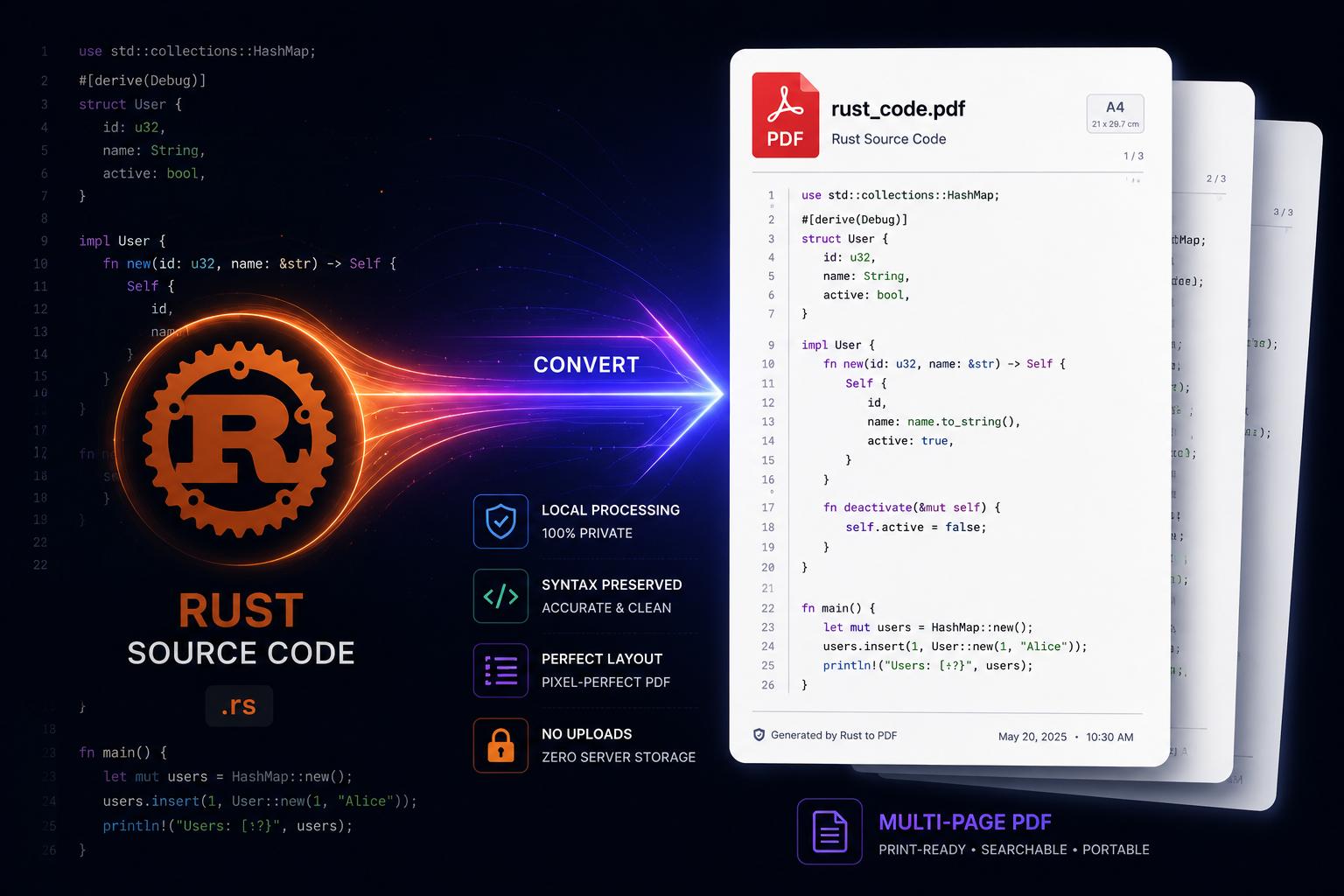
Rust to PDF: Export Rust Source Code for Documentation, Code Review, and Sharing

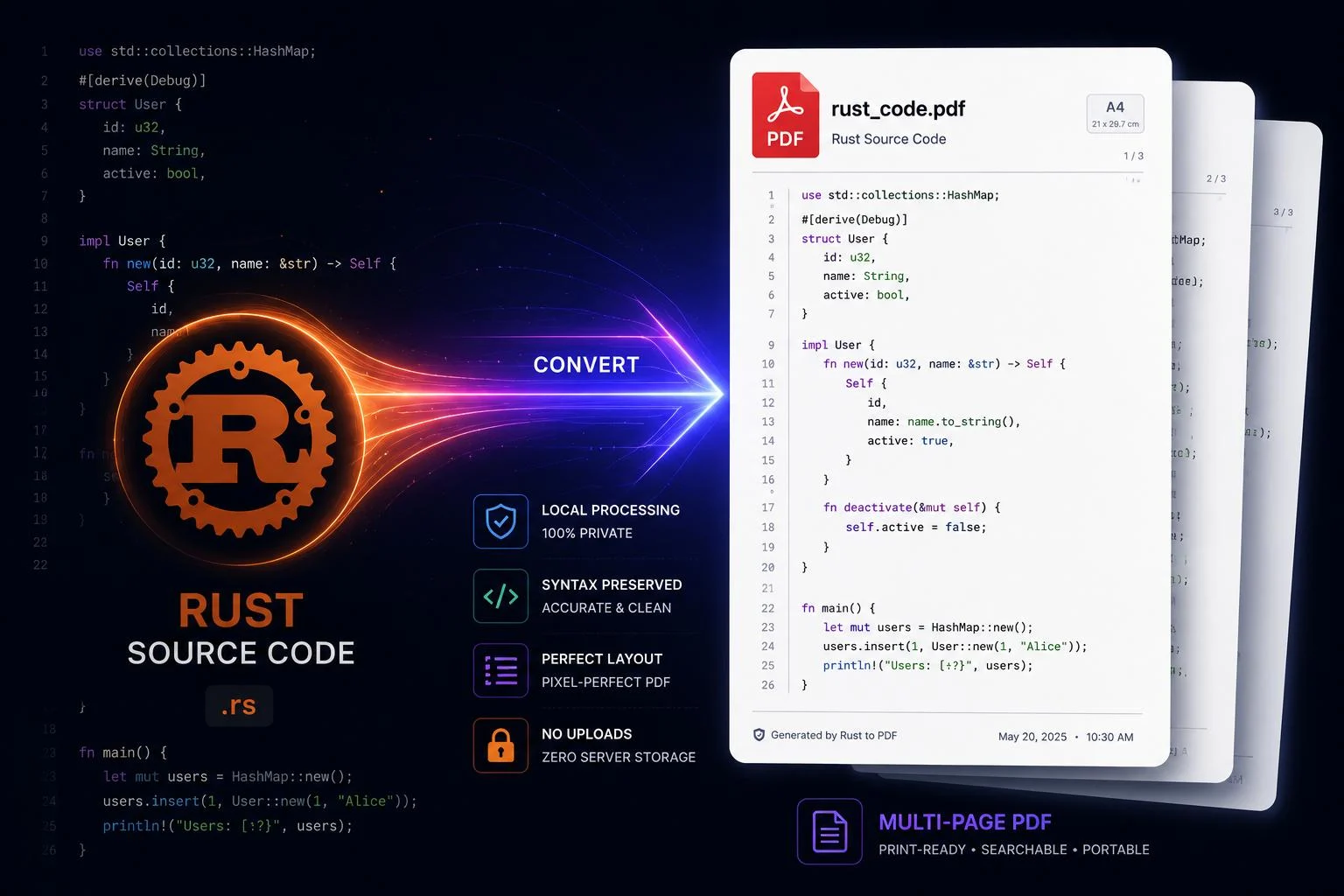

Table of Contents▼
Learn how to convert Rust source code (.rs) to clean, formatted PDF documents for code reviews, documentation, assignments, and archiving.
TL;DR
Need to convert a Rust (.rs) file into a PDF without losing formatting? Here's a quick summary.
• Convert Rust source code (.rs) into a clean, professional PDF in just a few clicks.
• Preserve indentation, monospace fonts, syntax highlighting, and line numbers for better readability.
• Perfect for code reviews, technical documentation, university assignments, compliance reports, and long-term archiving.
• Browser-based tools make the process simple without requiring IDE plugins or additional desktop software.
• Your original Rust source file remains unchanged throughout the conversion process.
• For the cleanest output, format your project with cargo fmt before exporting.
Quick Answer
Yes. You can convert a Rust (.rs) source file into a PDF while preserving code formatting, indentation, syntax highlighting, and line numbers. Modern browser-based converters make the process simple, allowing you to create professional PDFs for documentation, code reviews, academic submissions, and long-term archiving without installing additional software.
Key Benefits of Converting Rust to PDF
Converting Rust source code into PDF offers several practical advantages for developers, students, and technical teams.
• Preserves code indentation and formatting.
• Maintains readable monospace fonts.
• Supports syntax highlighting and optional line numbering.
• Makes code easy to share with non-developers.
• Creates print-ready documentation for meetings, audits, and classrooms.
• Produces a fixed, professional document suitable for long-term archiving.
• Eliminates the need for specialized IDEs to view the code.
Introduction: The Frustration of Sharing Raw Code
If you have ever tried to paste a multi-file Rust project into Microsoft Word or Google Docs just to export a readable PDF, you already know the pain.
You spend twenty minutes fixing indented match blocks. Your carefully formatted closures collapse into single-line chaos. The syntax highlighting disappears entirely, leaving a wall of gray text that looks more like an unformatted log file than production-ready code. Worst of all, long lines get cut off right at the page margin, taking crucial error-handling logic with them.
“Rust
// What was supposed to be clean, readable idiomatic Rust: pub fn parse_config(args: &[String]) -> Result<Config, &'static str> { if args.len() < 3 { return Err("not enough arguments"); } let query = args[1].clone(); let file_path = args[2].clone(); Ok(Config { query, file_path }) }
Whether you are preparing a code review packet for a senior architect, submitting an assignment for a university computer science course, or archiving a critical module for offline technical documentation, raw .rs files are not always practical for every stakeholder. Non-developer clients, compliance officers, and print-based documentation pipelines need universal formats.
Converting Rust source code (.rs) to PDF should not require installing heavy IDE plugins, setting up complex LaTeX toolchains, or wrestling with print drivers. Modern web workflows offer a faster, cleaner path to crisp, formatted documents.
Why Sharing Raw .rs Files Often Falls Short
Rust has earned its place as one of the most loved programming languages in modern software development—highlighted frequently in industry benchmarks on Stack Overflow and adopted heavily by systems engineers worldwide. Its strict compiler, explicit ownership model, and expressive type system produce robust software. However, the files themselves present real-world communication hurdles when moved outside a code editor.
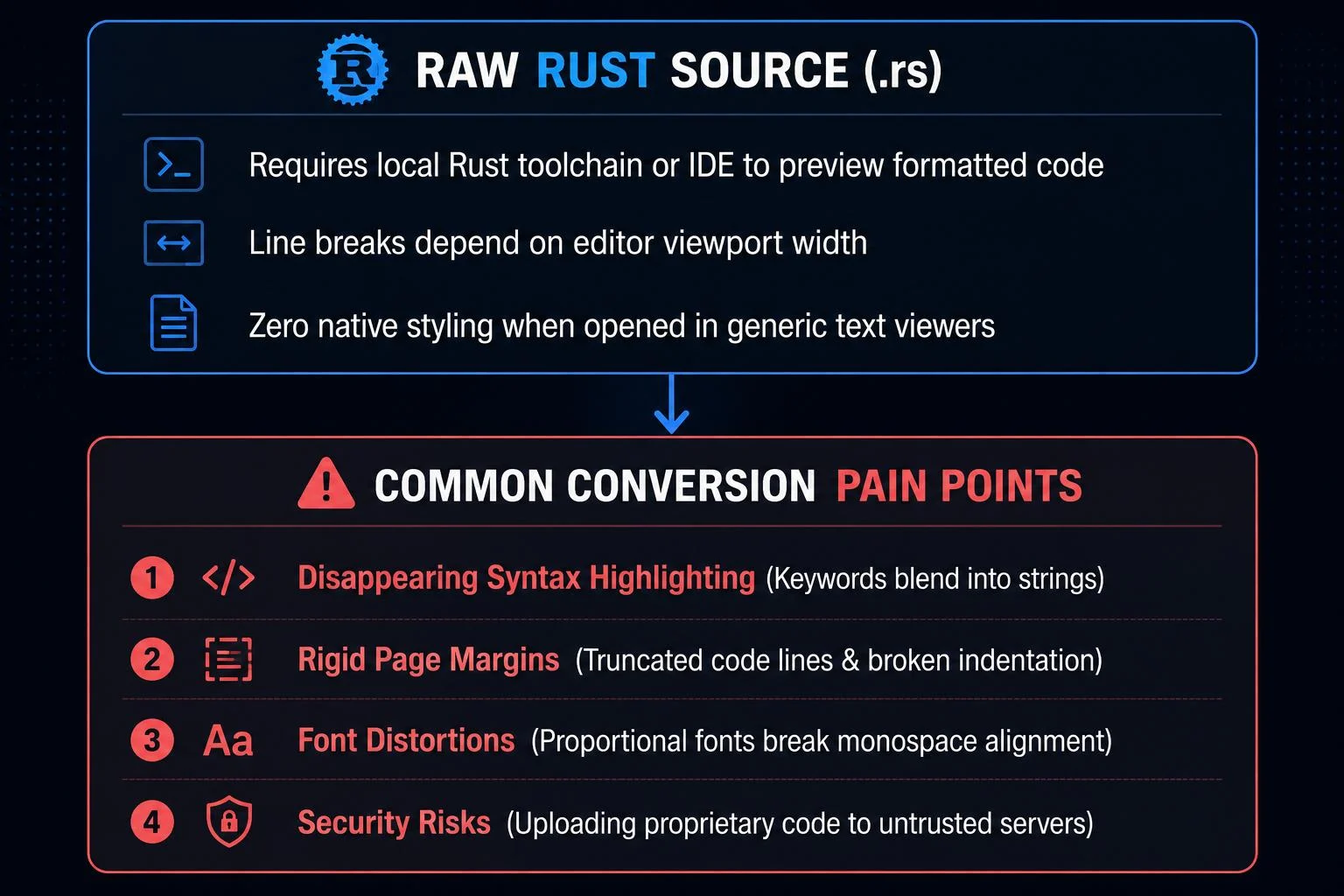
The Formatting Breakdown
Raw source code relies on monospace fonts (JetBrains Mono, Fira Code, Courier) and precise indentation to maintain visual hierarchy. Standard document processing tools default to proportional fonts like Calibri or Times New Roman. When a raw .rs file is opened or pasted into standard software, variable character widths ruin alignment, turning struct definitions and macro implementations into unreadable text blocks.
The Code Review Hurdle
In structured corporate or academic environments, code reviews often require immutable snapshots. Sending a raw file leaves room for version confusion or accidental local edits. A static PDF creates a fixed, referenceable baseline where line numbers match across all reviewers' screens.
Toolchain Dependencies
Not everyone reviewing your work has VS Code, RustRover, or rustc installed on their machine. A product manager on an iPad or an auditor reviewing security compliance on a corporate locked-down laptop cannot easily view native source files with proper syntax mapping. A standard PDF opens seamlessly on Google Chrome, Apple Preview, or Adobe Acrobat without extra software.
Educational Deep Dive: How Source Code to PDF Conversion Works
Converting plain text or markup into a rendered PDF is surprisingly complex under the hood. Unlike a text editor that dynamically reflows text to fit your monitor, a PDF (Portable Document Format) operates on absolute coordinate geometry.
Monospace Rendering and Line Wrapping
When code is parsed for PDF output, the engine must calculate exact character widths. Because code relies on strict column placement—especially in Rust where nested patterns, lifetimes ('a), and trait bounds can extend horizontally—the layout engine must handle overflow cleanly.
Hard Clipping: Cheap converters simply cut off characters that extend past the printable area margin.
Smart Line Wrapping: Advanced conversion algorithms wrap overflowing lines onto the next row with subtle visual indicators (like indented soft returns) so logic remains unbroken.
Syntax Parsing and Tokenization
A true source-to-PDF converter does not treat your .rs file as simple text. It passes the raw string through a syntax lexer—similar to how compilers evaluate code before construction.
Tokenization: Keywords (fn, mut, impl, match, pub), types (String, Option, Result), and literal strings are identified.
Color Mapping: Tokens are mapped to specific hex color codes based on popular visual themes (like Dark, Light, or Monokai).
Canvas Drawing: The styled tokens are mapped onto vector drawing coordinates, generating embedded glyphs instead of rasterized images. This ensures text remains crisp and zoomable at 400% scale.
Source File (.rs) ──> Syntax Lexer ──> Token Stream ──> Layout Engine ──> Vector PDF Rendering
Line Numbering and Page Splitting
A critical element for technical readability is continuous line numbering. The renderer calculates vertical character heights, divides the code into distinct virtual pages, and inserts line numbers along a dedicated left gutter. The algorithm must ensure that multi-line statements or doc comments (///) do not split unnaturally across page breaks.
What to Look For in a Modern Code-to-PDF Converter
When choosing a web-based conversion workflow for your source code, specific functional criteria ensure your code remains accurate, readable, and private.
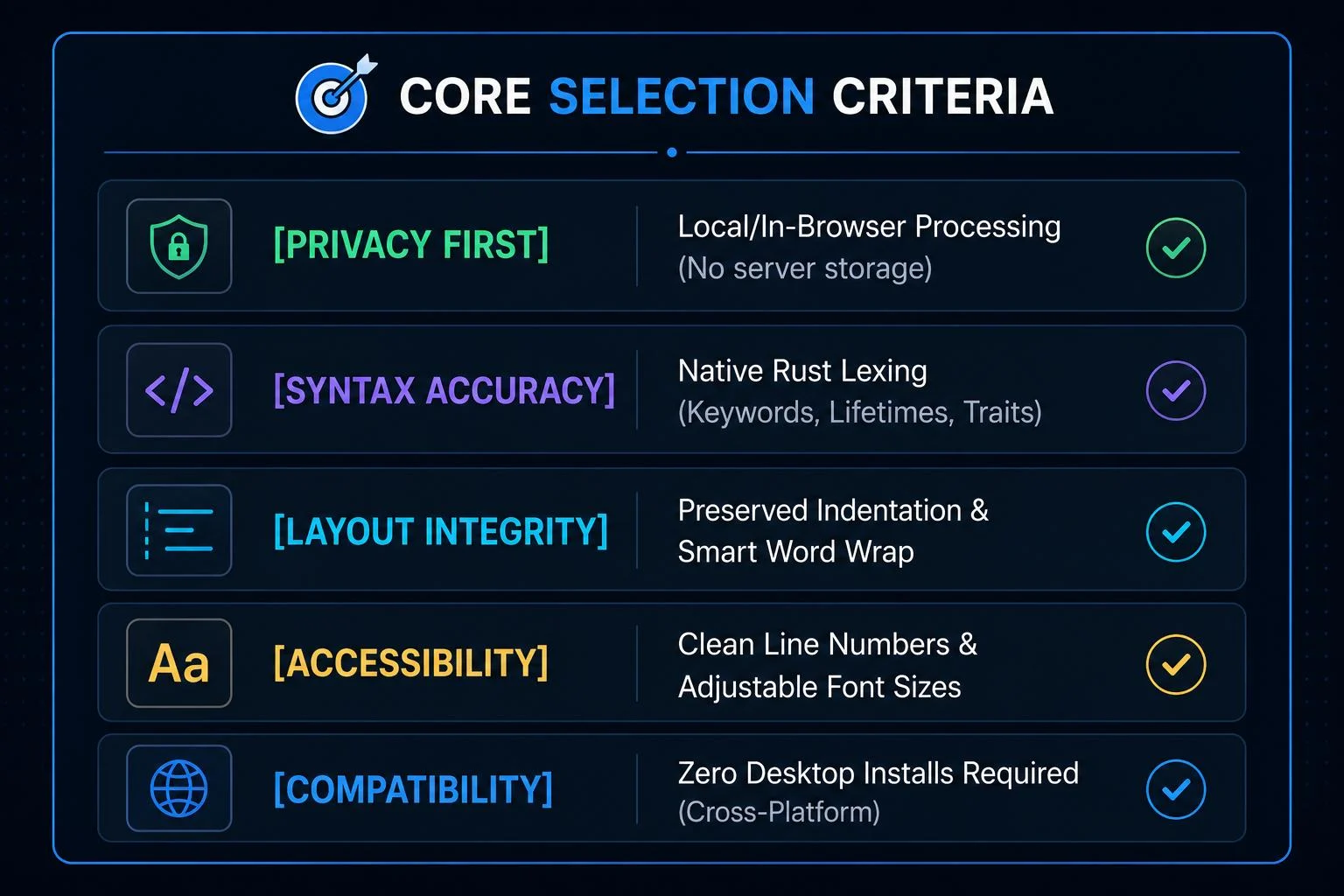
Local Privacy Guarantees: Proprietary business logic, API secrets, or unreleased algorithm implementations should never sit on an unencrypted third-party server. Modern browser-based tools process files directly inside your client session.
Native Language Lexing: Generic converters often mistake Rust syntax for C++ or Java, butchering macro definitions (vec![], println!) or raw string literals (r#"..."#). Look for tools tuned for modern language definitions.
Preserved Whitespace: In code formatting, whitespace carries meaning. The conversion engine must preserve exact tab stops and spaces.
Clean Typography: The engine should utilize clear, high-legibility developer fonts like those cataloged by Google Fonts or standard web-safe monospace defaults.
Zero Friction: You should not need to register an account, enter a credit card, or download a 500MB desktop application just to turn two files into a document.
Tools like Doxbar are built around these exact principles—offering fast, browser-native file processing designed to convert source files and office documents into polished PDFs without unnecessary friction.
Rust Source File vs PDF Document
Choosing the right format depends on how you plan to use your code. While Rust source files are ideal for development, PDF documents are often better for sharing, reviewing, printing, and archiving.
Rust (.rs) File | PDF Document |
Editable source code | Fixed, non-editable document |
Requires a code editor or IDE | Opens in almost any PDF viewer |
Best for development | Best for sharing and documentation |
Formatting may vary between editors | Layout remains consistent everywhere |
Can be modified accidentally | Preserves an exact snapshot of the code |
Modern Web Workflows vs. Traditional Methods
Developers historically relied on command-line utilities like enscript or IDE print extensions to turn code into printable files. Here is how modern online workflows stack up against traditional desktop approaches:
Feature / Capability | Legacy Online Tools | Desktop IDE Extensions | Modern Browser Workflows (e.g., Doxbar) |
Setup Effort | None | High (Requires plugin/IDE setup) | None (Instant access) |
Code Formatting | Basic / Frequently broken | High | High (Preserves syntax & margins) |
Data Privacy | Often stores files on server | High (Local execution) | High (Client-side / Secure handling) |
Cross-Platform Support | Limited | Tied to desktop OS | Works on Windows, Mac, Linux, iOS, Android |
Speed | Slow upload queues | Fast | Instant browser-native processing |
Line Number Support | Rare | Yes | Yes (Automated gutter layout) |
Step-by-Step: Converting Rust Source Code to PDF
Exporting your .rs files into a publication-grade PDF takes just a few seconds using a clean web pipeline.
Step 1: Prepare Your .rs Source File
Ensure your code is properly formatted before converting. Running cargo fmt in your terminal instantly standardizes your code according to official Rust style guidelines, guaranteeing ideal spacing and column widths.
Step 2: Load the Converter
Navigate to your preferred document conversion utility in your browser. If using Doxbar, simply drag your .rs file directly into the designated drop zone on the screen.
Step 3: Select PDF Output Settings
Choose PDF as your target file format. Depending on your presentation needs, you can verify options for line numbering, font sizing, or paper orientation (Portrait is ideal for standard code; Landscape works great for wide tables and detailed match statements).
Step 4: Convert and Verify
Click Convert. The processing engine reads the file contents, applies syntax styling, formats page boundaries, and compiles the document vector graphics.
Step 5: Download and Review
Download your freshly minted PDF file. Open it in your default document reader or web browser to confirm line wrapping, syntax colors, and structural layout before sending it out for review or printing.
Real-World Use Cases for Rust Source-to-PDF Export
Common Mistakes When Converting Rust to PDF
Even with modern conversion tools, a few common mistakes can reduce the readability of your exported document.
• Exporting unformatted code instead of running cargo fmt first.
• Using proportional fonts instead of monospace fonts.
• Ignoring long lines that extend beyond the page width.
• Copying code into a word processor before creating a PDF.
• Sharing raw source files when recipients only need a read-only document.
• Forgetting to review the final PDF before sending or printing.
Avoiding these issues helps ensure your PDF remains clean, professional, and easy to read.
1. Technical Audits & Security Reviews
Cryptographic implementations, memory-unsafe code blocks using unsafe {}, and financial transaction handlers often require formal line-by-line verification. Providing auditors with a numbered PDF ensures everyone references exact line items (e.g., "Please review line 142 in vault.rs").
2. Academic Coursework & Computer Science Submissions
Universities and coding bootcamps frequently require homework submissions in PDF format. Converting .rs files directly preserves indentations, ensuring professors and automated grading assistants read your code exactly as written.
3. Patent Applications & Legal Filing
When submitting software IP or patent documentation to legal teams, source code must be submitted in fixed-layout PDF format with clear pagination, standardized font metrics, and page headers.
4. Client Deliverables & Technical Architecture Books
Freelancers and agencies delivering custom Rust modules often package source architecture alongside technical specs. A styled code PDF offers a polished, executive-ready presentation for stakeholders who do not use terminal environments.
Real-World Developer Pros & Cons
Understanding the strengths and boundaries of converting source code to static documents helps you choose the right tool for the job.
Pros
Universal Accessibility: PDFs open natively on virtually all modern smartphones, tablets, and desktop operating systems without requiring code editors.
Layout Stability: Indentations, line breaks, and bracket pairings remain permanently locked regardless of screen resolution or missing local fonts.
Print Readiness: Standardized page sizing (A4 / US Letter) eliminates truncated text when sending code to physical printers.
Markup Support: Reviewers can easily annotate, highlight, or add digital sticky notes to specific code lines using standard PDF tools.
Cons
Static Content: PDFs do not support interactive developer features like collapsing code blocks, hovering over types, or jumping to symbol definitions.
Manual Re-conversion: If you update your .rs file in your IDE, you must re-export the PDF to reflect the changes.
Extremely Wide Lines: Code that violates column width standards (e.g., lines exceeding 120 characters) requires aggressive wrapping, which can disrupt legibility if not managed properly.
Best Practices Before Exporting Rust Code
Before converting your Rust source files into PDF, follow these recommendations to achieve the best possible results.
• Run cargo fmt to standardize formatting.
• Remove sensitive information such as API keys or credentials.
• Verify that long code lines wrap correctly.
• Use a readable monospace font.
• Review the generated PDF before sharing it with others.
• Keep the original .rs file as your editable source.
Comprehensive Frequently Asked Questions (FAQ)
1. What is an .rs file?
An .rs file is a plain text source code file written in the Rust programming language. It contains functions, structs, traits, and logic that are compiled into machine binaries using the Rust compiler (rustc).
2. Why convert a Rust file to PDF instead of sending the raw code?
Converting to PDF locks formatting, ensures syntax readability across any device, adds line numbers, and allows stakeholders without developer environments to view the code cleanly.
3. Will converting my .rs file to PDF change my original code?
No. Conversion is a read-only process. Your original source file remains completely untouched on your local system.
4. How does line wrapping work for long Rust lines in PDF export?
A quality converter uses smart wrapping algorithms that push long statements (like chained iterator calls or macro invocations) to the next line with subtle indentation visual markers, preserving the reading flow.
5. Can I convert multiple .rs files into a single combined PDF?
Yes. Many modern workflows allow you to batch upload multiple .rs files or merge them sequentially into a single consolidated PDF document for complete project reviews.
6. Is it safe to upload proprietary Rust source code to an online converter?
Safety depends on the tool architecture. Modern platforms prioritize privacy by processing files locally within your browser context or enforcing immediate server deletion after output generation.
7. Does the resulting PDF preserve syntax highlighting colors?
Yes. Code-aware converters parse Rust tokens and apply syntax colors to keywords, lifetimes, comments, strings, and types.
8. How can I ensure my code layout looks neat before conversion?
Run cargo fmt in your project directory before exporting. This standardizes tab spacing, bracket alignment, and maximum line widths according to standard Rust conventions.
9. Can I view converted PDFs on mobile devices?
Yes. PDFs render identically across all mobile operating systems, including iOS and Android, using native system viewers.
10. Does Rust code converted to PDF include line numbers?
Most dedicated code conversion setups automatically generate line numbers in a left gutter margin, making code references clear during discussions.
11. What font is used in converted code PDFs?
Converters typically render code using standard developer-friendly monospace fonts such as Courier, Fira Code, or Roboto Mono, ensuring equal character widths across all rows.
12. Do I need to install the Rust compiler (rustc) to convert .rs files to PDF?
No. Web-based converters parse text and apply syntax rules directly in the web browser without requiring a local Rust compiler or Cargo installation.
13. How do doc comments (///) look in the output PDF?
Doc comments are parsed as comment tokens and typically render in a distinct color (such as green or muted gray) with preserved markdown formatting where supported.
14. What happens to complex macros like macro_rules! during conversion?
Macros are rendered as standard source text with correct keyword highlighting for internal match arms and token trees.
15. Can non-programmers open a code PDF?
Yes. Anyone with a basic web browser or standard PDF viewer can open, read, and print the document without technical configuration.
16. What paper size should I use for exporting code to PDF?
Standard A4 or US Letter sizes work well. If your codebase contains wide struct definitions or long trait implementations, selecting Landscape orientation provides extra horizontal room.
17. How does a PDF converter handle Rust lifetime annotations ('a)?
Syntax lexers identify single quotes followed by lifetime identifiers as specific language tokens, styling them correctly without treating them as unclosed string literals.
18. Why do my indents break when I copy and paste code into Microsoft Word?
Word processors treat spaces and tabs proportionally according to current document font rules. Plain text conversion tools fix this by forcing strict character column grids.
19. Is PDF conversion suitable for archiving production software releases?
Yes. PDFs comply with long-term ISO archival standards (such as PDF/A), preserving readable documentation long after local IDE configurations or software dependencies change.
20. Can I convert .rs files on a Chromebook or Linux machine?
Yes. Browser-based tools work universally across Linux, ChromeOS, macOS, and Windows operating systems.
21. How do raw string literals (r#"..."#) render in PDF output?
The converter treats the entire block as a string literal, highlighting the raw string delimiters and contents uniformly.
22. What is the maximum file size for converting source code to PDF?
Most source files are small (rarely exceeding a few megabytes). Browser-based utilities handle thousands of lines of code in seconds.
23. Does Doxbar support other developer file formats besides .rs?
Yes. Modern document converters support a wide variety of plain text, markup, and source files alongside traditional PDF, Word, and Excel formats.
24. How do I print a Rust code PDF cleanly?
Open the generated PDF in your browser or document reader, select Print, choose your target paper size, and disable scaling (set to 100% or "Fit to Printable Area").
25. Can I annotate or highlight code inside the generated PDF?
Yes. Because text is exported as native vector fonts rather than flat images, you can select text, highlight lines, and attach comment notes using any standard PDF editor.
Practical EEAT & Trust Guidelines for Code Documentation
Maintaining high editorial and security standards when handling technical files requires clear operational practices.
Security First: Removing Secrets
Before exporting any source code to PDF for external sharing, inspect your file for hardcoded secrets, database connection strings, or private API keys. Use environment variables (std::env::var) instead of inline credential strings.
Verifying Layout Quality
Always open your exported PDF file and inspect critical sections—especially nested match statements, deep closure chains, and long function signatures—to confirm that word wrapping has not obscured logical flows.
Transparency in Conversion
When sharing documentation with external clients or regulators, state the conversion parameters clearly (e.g., "Generated from commit hash #a1b2c3d on 2026-07-25"). This establishes a clear audit trail between your Git repository and static documentation files.
Related Converters You May Find Useful
If you're working with Rust source code, chances are you also handle configuration files, documentation, markup, or other programming languages. Depending on your workflow, you may need to convert additional file types into PDF while preserving formatting and readability.
Here are a few related conversion tools that can complement your development workflow:
TXT to PDF – Convert plain text files into clean, print-ready PDF documents.
Markdown to PDF – Export Markdown files while preserving headings, lists, tables, and code blocks.
YAML to PDF – Generate professional PDFs from YAML configuration files for documentation, reviews, and sharing.
JSON to PDF – Transform structured JSON data into readable PDF reports.
XML to PDF – Convert XML documents into a portable format that's easier to review and distribute.
HTML to PDF – Save web pages or HTML documents as high-quality PDFs while maintaining layout consistency.
Java to PDF – Export Java source code into a well-formatted PDF for code reviews, documentation, or academic use.
Python to PDF – Create professional PDF copies of Python scripts while preserving indentation and syntax formatting.
TypeScript to PDF – Convert TypeScript source files into clean, shareable PDFs for collaboration and documentation.
Exploring these related converters can help you build a more efficient documentation workflow while keeping your technical files organized, portable, and easy to share across different platforms.
Conclusion: Clean Code Presentation Made Simple
Presenting clean, readable source code should not require hours of manual document formatting. Converting Rust source files (.rs) to professional PDF documents bridges the gap between terminal-based development and executive-ready documentation.
By leveraging modern web workflows, you preserve syntax highlighting, maintain exact indentation, eliminate truncated lines, and ensure privacy—all without cluttering your system with single-use plugins or heavy software installations.
When you need to turn raw source files, spreadsheets, or text documents into clean, publish-ready PDFs, explore the browser-native tools at Doxbar for a fast, straightforward workflow.
Need to Convert Document Formats?
Try our secure, lightning-fast PDF conversion suite. Convert Word, Excel, Images, and more with zero formatting loss.

Doxbar Editorial
Security & Privacy Team
We specialize in secure document architectures, parsing engines, and modern developer utilities. Keeping your files safe, lightweight, and perfectly formatted.
Join the Conversation
Share your thoughts or ask a question about this topic. This is a privacy-first system.