

TSX to PDF: Export React Components for Code Review, Documentation, and Sharing
Contents
TSX to PDF: Export React Components for Code Review, Documentation, and Sharing

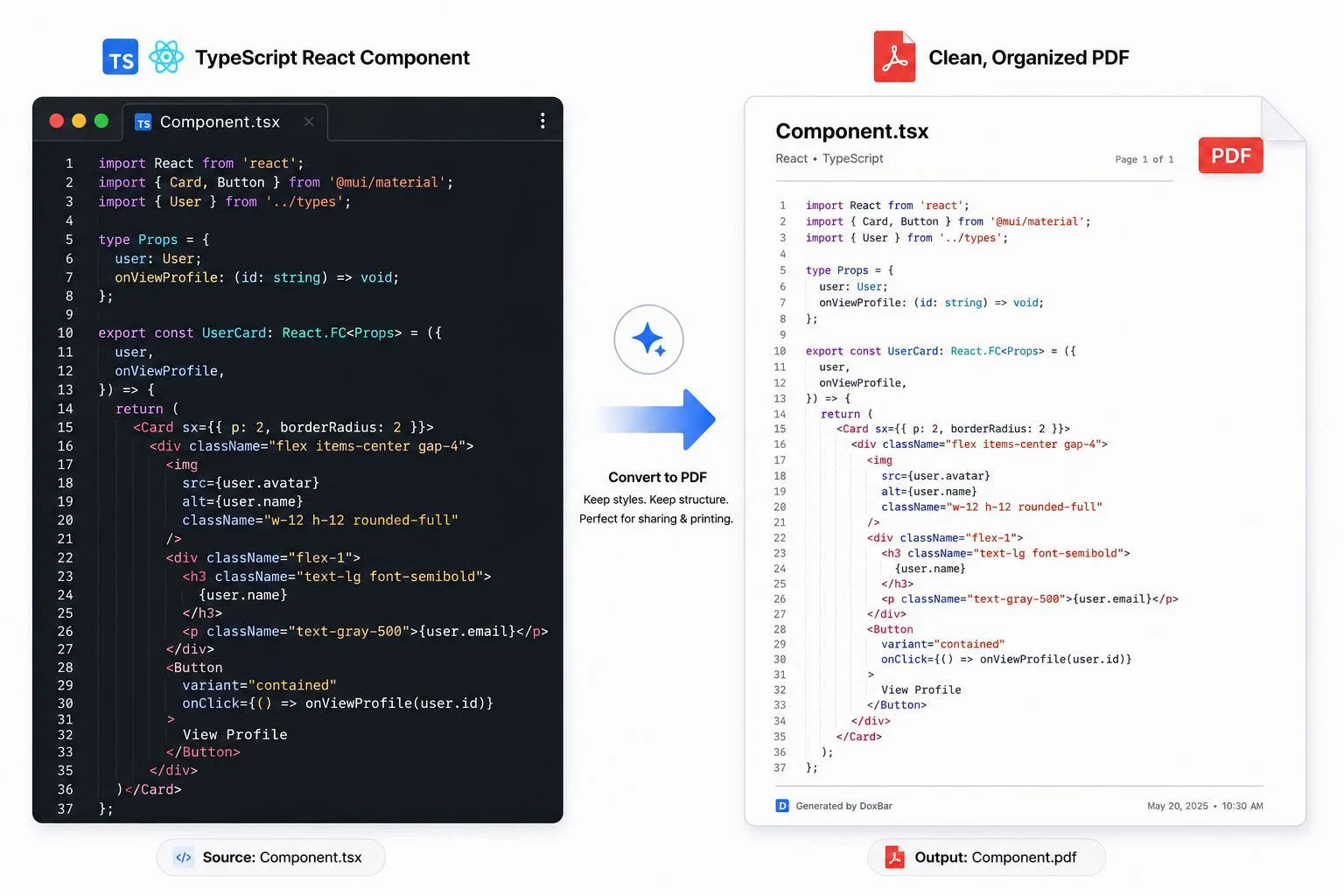

Table of Contents▼
Learn how to convert TSX files to PDF cleanly. Maintain syntax highlighting, line numbers, and proper code formatting for code reviews and docs.
Quick Answer: Can You Convert a TSX File to PDF?
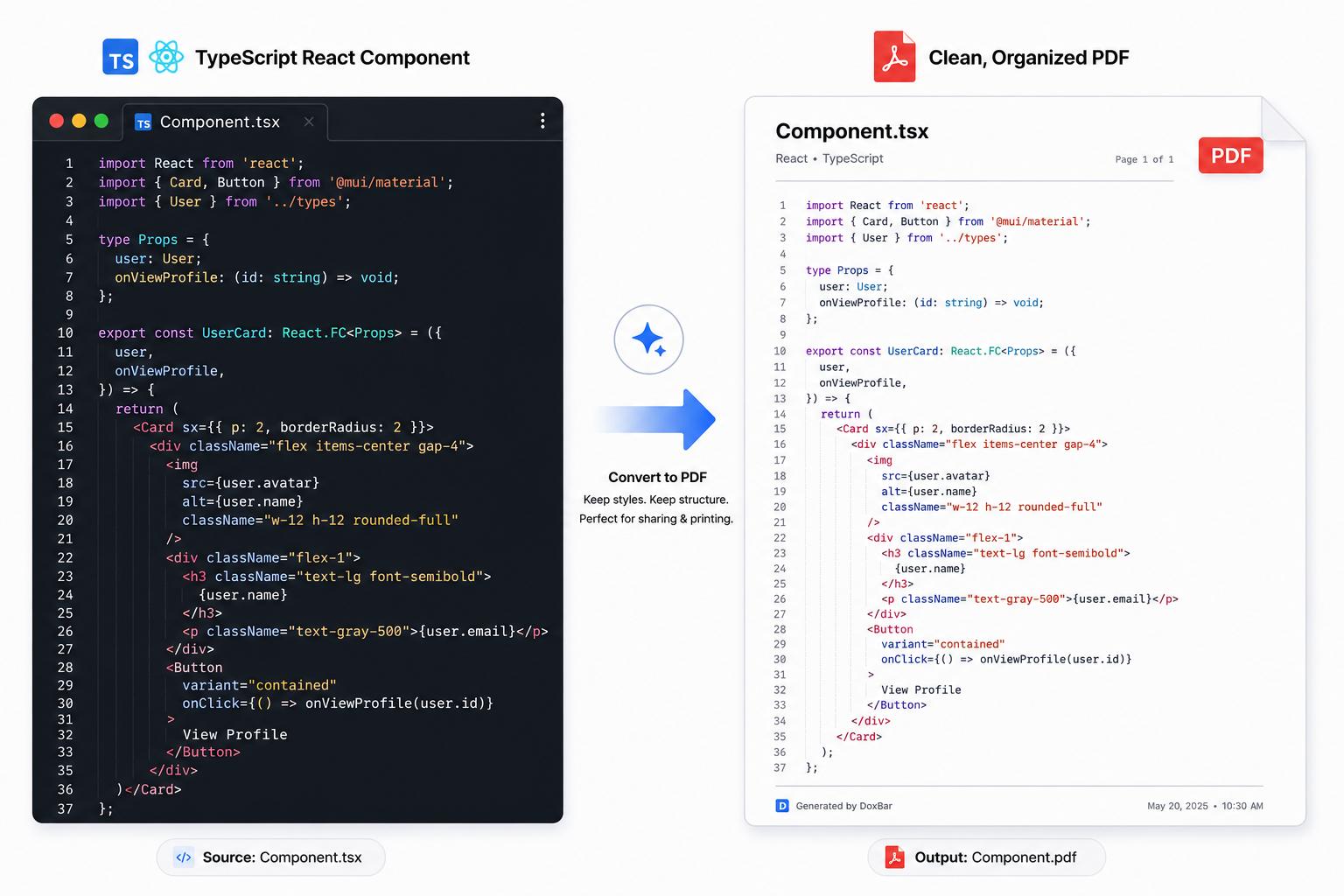
Yes. You can convert a TSX file into a PDF while preserving code readability, syntax highlighting, indentation, and line numbers by using a code-aware PDF conversion workflow. Instead of printing raw source code directly, the best approach is to export your React TypeScript (.tsx) file with formatting optimized for documentation, code reviews, academic submissions, or client sharing. A dedicated converter helps generate a clean, searchable PDF without altering your original source code.
1. The Friday Afternoon Code Review Problem
You’ve just finished refactoring a sprawling UI module in React using TypeScript. Your pull request contains hundreds of lines of crisp, type-safe .tsx code. Then comes the message from your lead architect, client, or non-technical project stakeholder:
"Can you send over a PDF copy of these components so the compliance team can review the logic offline?"
Or maybe you're a computer science student trying to submit a React assignment through a university portal that strictly accepts .pdf uploads.
You hit Cmd + P or Ctrl + P in your IDE or browser, only to get a mess:
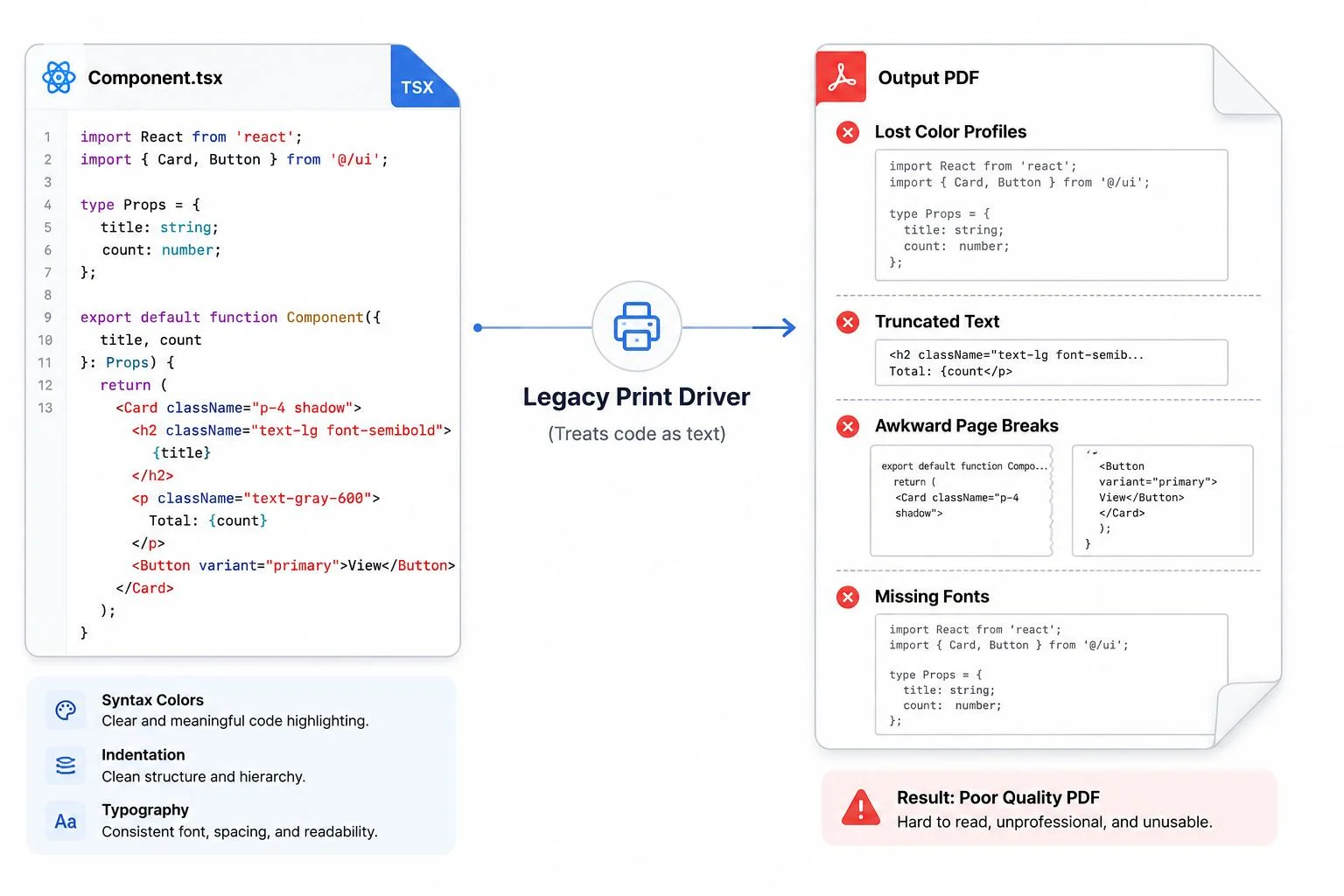
Syntax highlighting disappears entirely into monochrome text.
Long lines get cut off horizontally at arbitrary margins.
Page breaks split a single 10-line function across two different pages.
Indentation gets warped, turning clean component trees into unreadable blocks.
Exporting code from modern web stacks like TypeScript JSX (.tsx) into traditional document formats is notoriously frustrating. Plain text editors don't preserve code syntax, while print drivers treat code like regular paragraphs.
To bridge this gap cleanly, developers need an accurate way to handle TSX to PDF conversions without destroying the visual hierarchy of the code.
2. Why Code Files Break During Document Conversion
Converting plain text or markup language into visual page structures isn't as straightforward as converting a Word document. .tsx files combine strict TypeScript typing rules with declarative JSX templates.
Understanding why standard print drivers fail on .tsx source code helps you choose better tools.
Loss of Tokenization & Color Rules
Modern code editors use abstract syntax trees (ASTs) and language servers to parse TypeScript. Color theme engines assign specific hex codes to keywords (interface, return), props, strings, and components. When you copy-paste raw code into standard word processors, that AST token map vanishes, leaving behind unstyled text.
Fixed Margins vs. Code Width
Standard documents operate on fixed page boundaries (like A4 or Letter sizes). Source code, however, often flows horizontally. Without intelligent line-wrapping algorithms or font scaling, long props or complex ternary operators clip past the right margin into oblivion.
Dumb Page Wrapping
Generic PDF renderers don't know what a React hook or functional component is. They might trigger a page break right after return (, leaving the entire JSX template orphaned on the next page.
Character Encoding & Monospaced Fonts
Special characters common in TypeScript—like arrow functions (=>), generic parameters (<T>), or logical operators (??)—require strict UTF-8 support and proportional monospaced fonts (such as Fira Code, JetBrains Mono, or Consolas) to maintain grid alignment.
For more technical background on how browsers parse markup and text layouts, you can explore the web standard docs on the Mozilla Developer Network (MDN).
3. Demystifying TSX, JSX, and Document Parsers
Before converting your code, it helps to know what happens under the hood when browser-native engines transform source code into portable documents.
TSX vs. JSX vs. Standard TS
.ts (TypeScript): Pure logic, interfaces, type aliases, and utilities.
.jsx (JavaScript XML): Plain JavaScript extended with XML/HTML-like syntax for component structures.
.tsx (TypeScript JSX): Combines strong static typing with JSX template syntax.
Because .tsx files feature dense syntax elements—like generic type constraints inside JSX tags—parsers must work harder to distinguish between an HTML element (<div>) and a TypeScript generic (<T>).
File Extension | Content Type | Parsing Complexity | Common Use Case |
.js / .ts | Pure Logic | Low | API routes, utilities, state state management |
.jsx | JS + Markup | Medium | Standard React UI components |
.tsx | TS + Markup + Types | High | Enterprise React apps, design systems |
How Modern Browser Converters Process Code
Modern online conversion pipelines—including lightweight web app tools like Doxbar—don't execute your React code or send raw files to insecure external servers. Instead, they run entirely within your client-side browser context:
Tokenization: Reading raw text input and parsing tokens according to syntax rules.
HTML/CSS Framing: Wrapping tokenized strings inside styled syntax structures using CSS classes.
Canvas / Print Layout Engine: Mapping those styled blocks onto fixed-page canvas geometries.
PDF Compilation: Rendering vector-based text directly into an Adobe-standard PDF output.
Because vector text is preserved, the output PDF lets reviewers search, highlight, and copy code snippets directly without losing character fidelity. You can learn more about standard vector PDF specifications at Adobe's PDF Reference Center.
4. Key Features to Look for in a Code-to-PDF Converter
If you frequently share source code for documentation, peer reviews, or technical audits, look for tools that offer these capabilities:
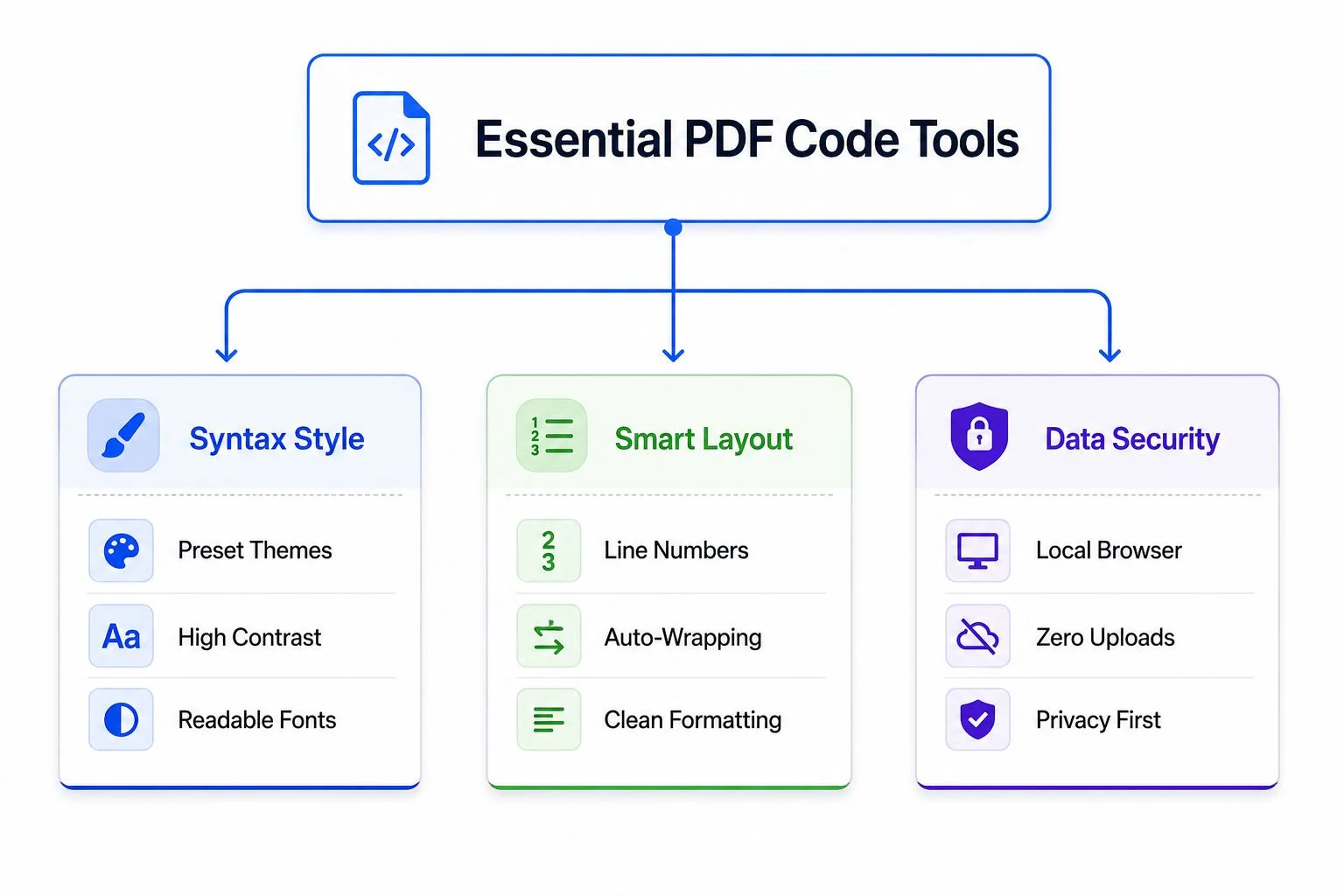
Client-Side Security: Source code contains proprietary logic, security controls, and trade secrets. Tools running fully within client-side sandboxes ensure raw code never touches remote databases.
Syntax Highlighting Profiles: Support for dark and light IDE themes (VS Code Dark+, GitHub Light, Solarized) ensures high legibility.
Preserved Line Numbers: Essential for code reviews so team members can reference specific lines (e.g., "Check line 42 for a missing dependency").
Intelligent Text Wrapping: Automatically wraps long type signatures without breaking the visual line numbering.
Clean Page Boundaries: Inserts logical padding so component functions remain visually intact across pages.
5. Comparison: How Do Different Code Export Methods Stack Up?
Feature / Method | Direct IDE Printing | Copy-Pasting into Docs/Word | Browser Print (CSS Media) | Dedicated Web Converter (e.g., Doxbar) |
Syntax Highlighting | Hit or Miss | Often Lost | Requires Custom CSS | Preserved Automatically |
Line Numbering | Inconsistent | Manual Formatting | Hard to Align | Native Support |
Setup Overhead | IDE Extensions | Heavy Manual Formatting | Writes Custom Rules | Zero Setup |
Code Security | Local | Local / Cloud Sync | Local | Local (Browser Context) |
Output File Size | Variable | Large | Variable | Optimized Vector |
6. How to Convert TSX Code to PDF (Step-by-Step)
1. Prepare Your TSX File:30 seconds.
Open your React project in your code editor (e.g., VS Code, WebStorm). Clean up unused imports or temporary console logs before exporting.
2. Copy or Upload to Doxbar:15 seconds.
Navigate to the code-to-PDF converter tool on Doxbar. Either paste the contents of your .tsx file directly into the input area or drag and drop the source file.
3. Select Theme and Layout Options:30 seconds.
Choose your preferred visual theme (e.g., Dark Mode for presentations, Light Mode for printing). Toggle Line Numbers on, and enable Word Wrap to prevent long code lines from cutting off at margins.
4. Generate and Preview:10 seconds.
Click Convert to PDF. Review the interactive preview to confirm page splits, spacing, and typography match your needs.
5. Download and Share:5 seconds.
Download the generated vector PDF file. You can now attach it to compliance tickets, archive it in internal documentation repositories like Notion, or submit it for academic assignments.
7. Honest Pros & Cons of PDF-Based Code Sharing
While PDFs are universally accessible, they aren't always the right tool for every software engineering task.
Advantages
Universal Rendering: Opens identically on Windows, macOS, iOS, Android, and Linux without needing an IDE or language runtime.
Immutable Snapshots: Preserves a fixed record of code at a specific point in time—ideal for security audits, legal compliance, and technical patent filings.
Print Ready: Easily prints physical paper copies for academic submissions, classroom handouts, or offline architectural reviews.
Limitations
Non-Executable: Reviewers cannot run live tests, hit breakpoints, or run static linters directly inside a PDF.
Not Ideal for Git Workflows: Diffing changes across two large PDF files is much harder than using traditional version control tools like GitHub.
8. Advanced FAQs: TSX to PDF Conversion
How does TSX differ from regular TypeScript when exporting to PDF?
TSX includes JSX markup elements (like <div> or custom React components) intermixed with standard TypeScript types. A reliable converter must correctly parse both type annotations and XML-like tags, assigning distinct colors to props, elements, and logic statements.
Will my proprietary code be saved on external servers?
When using client-side conversion tools on Doxbar, processing happens locally inside your browser memory using JavaScript and WebAssembly modules. Your source code isn't uploaded or stored on cloud servers.
Can I convert multiple TSX files into a single batch PDF?
Yes. You can paste multiple component files sequentially into the converter tool or use batch-merge utilities to combine individual component PDFs into a unified architecture document.
How do I prevent long lines of code from cutting off horizontally in the PDF?
Enable the Word Wrap or Soft Wrap setting before converting. This wraps long lines onto the next visual line while preserving the primary line number for clean reading.
Why do my code colors look faded when printed on paper?
Dark mode syntax themes use high-contrast text on black backgrounds, which can consume heavy ink or look muted when printed on white paper. Switch to a Light Mode theme before printing for optimal legibility.
Is PDF a good format for submitting computer science homework assignments?
Yes. Most educational portals (such as Canvas, Blackboard, or Moodle) prefer PDF submissions because they preserve font styles, indentation, and structure across different grading machines.
Can I copy text back out of the exported PDF?
Yes. Modern converters generate vector-based text layers rather than flat bitmap images. Reviewers can highlight, search (Cmd + F), and copy code directly from the resulting PDF document.
How do line numbers align on wrapped lines?
Standard code conversion tools display the primary line number alongside the first line of code, while leaving wrapped sub-lines indented without duplicating the line count.
Will TSX generic parameters like <T> render properly?
Yes. Using proper UTF-8 character encoding prevents generic angle brackets (<T>, <Props>) from being misinterpreted as raw HTML tags or missing character glyphs.
Can I customize the font size in the resulting document?
Yes. Adjusting the font size setting before export lets you balance code density with visual readability, fitting more logic onto fewer pages when needed.
Does Doxbar support other frontend file extensions like .jsx, .vue, or .svelte?
Yes. The conversion engine supports full tokenization for .jsx, .vue, .svelte, .ts, .js, and standard markup formats.
Can I include line highlights to draw attention to specific hooks or state changes?
Selected web conversion tools allow you to highlight specific line ranges (e.g., lines 12–18) to guide reviewers during code audits.
How are tab spaces handled during conversion?
Tabs are rendered using standardized indentation grids (typically set to 2 or 4 spaces) to ensure clean component indentation across all viewing screens.
Will converting TSX to PDF affect my project's source files?
No. The conversion process reads a copy of your source code text to generate a separate PDF document, leaving your original repository untouched.
Why shouldn't I just take a screenshot of my IDE code?
Screenshots produce static raster images (PNG/JPEG) that pixelate when zoomed, cannot be searched or copied, and don't scale cleanly across printed pages.
How does client-side PDF generation work under the hood?
Client-side PDF tools use JavaScript libraries to render HTML DOM nodes or canvas vectors, framing text into PDF document streams directly within your browser session. You can learn more about web performance and browser capabilities on Google Developers.
How do I format large design system documentation with dozens of TSX components?
For large component libraries, convert each component file with clear sub-headings or combine generated PDFs into a single document using an online PDF merger.
Does the PDF export include directory path headers?
You can opt to include file metadata—such as file name, path, creation date, and total line counts—in the document header or footer for reference.
What is the recommended orientation for wide React components?
If your component features wide table layouts or nested JSX structures, switching the PDF orientation setting from Portrait to Landscape provides extra horizontal space.
Why choose Doxbar for daily developer file utilities?
Doxbar provides fast, secure browser-native tools designed for everyday developer and administrative tasks—allowing you to convert, edit, and structure documents without complex software installs.
9. Conclusion
Converting .tsx code files into clean, readable PDF documents doesn't have to mean dealing with broken line wraps, missing syntax colors, or scrambled indentation. By using developer-aware conversion workflows, you can turn complex React components into polished documents ready for peer reviews, client presentations, or technical documentation.
When you need a quick, secure, and accurate conversion, head over to Doxbar.com to export your TSX components cleanly—right from your browser.
Need to Convert Document Formats?
Try our secure, lightning-fast PDF conversion suite. Convert Word, Excel, Images, and more with zero formatting loss.

Doxbar Editorial
Security & Privacy Team
We specialize in secure document architectures, parsing engines, and modern developer utilities. Keeping your files safe, lightweight, and perfectly formatted.
Join the Conversation
Share your thoughts or ask a question about this topic. This is a privacy-first system.