

XLSB to PDF: Convert Excel Binary Workbooks into Shareable Reports
Contents
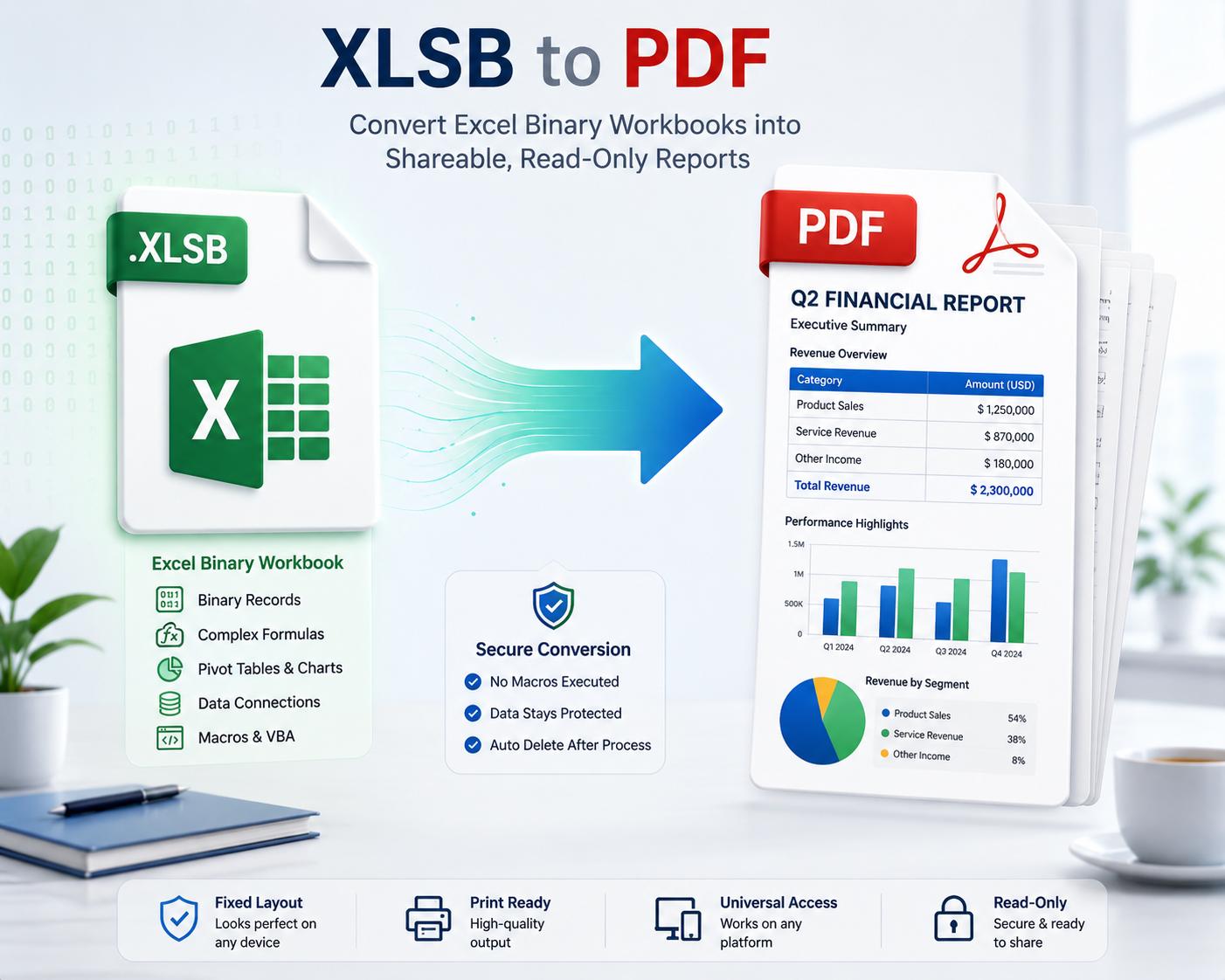
XLSB to PDF: Convert Excel Binary Workbooks into Shareable Reports

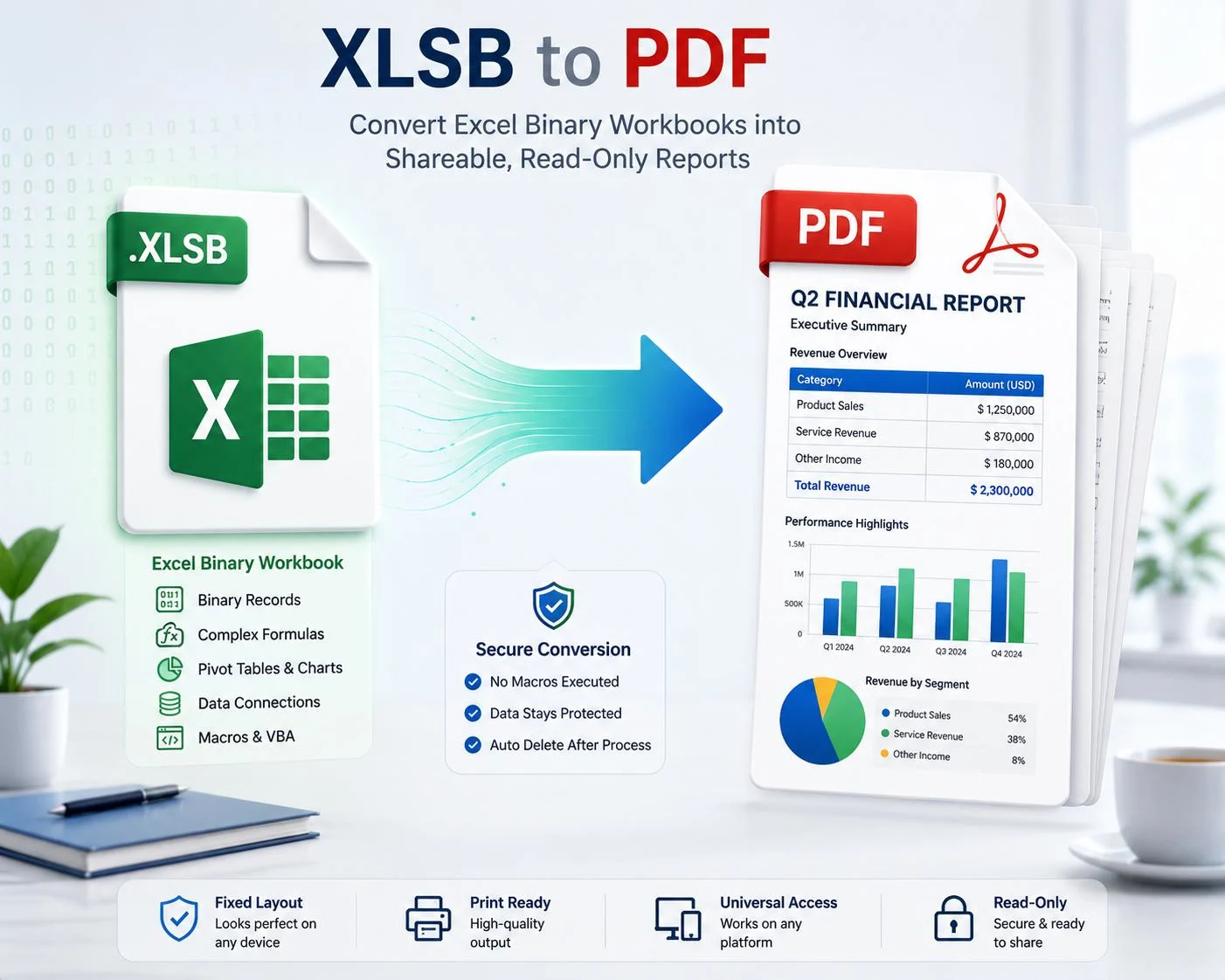

Table of Contents▼
Learn how to convert large XLSB binary workbooks to PDF without losing formatting, charts, or print areas. Simple, secure, and clear report sharing.
“Quick Answer: To convert XLSB to PDF, open the workbook in Excel and export or print it as PDF, or use a browser-based XLSB-to-PDF converter. Before conversion, check the print area, page orientation, scaling, and sheet selection to avoid cut-off columns or unwanted pages.
Why Convert XLSB to PDF?
Large Excel Binary Workbooks (.XLSB) are built for speed and heavy data processing, but they are rarely the best format for sharing finished work. If you need to distribute an executive summary, quarterly board deck, or financial dashboard, converting your XLSB workbook to a PDF ensures your layout, text, and numerical formatting remain exactly as intended on every device.
You just finished consolidating quarter-end financial figures, nested array formulas, and complex data models into a multi-megabyte binary workbook. On your primary desktop setup, the file opens instantly, handles thousands of rows effortlessly, and updates calculation trees without lag.
Then comes the urgent request from a department head: "Can you send over a summary PDF of this report for executive review before the meeting?"
Opening a large .xlsb file, manually setting print boundaries, adjusting page breaks, and exporting sheet by sheet can quickly become a frustrating task. Columns spill over onto blank pages, multi-sheet financial models get cut off halfway through pivot tables, and numbers become hard to read. Sending raw spreadsheets to clients or management also risks exposing confidential background data, broken formula links, or accidental edits.
Converting your binary spreadsheets to PDF creates a clean, read-only report that looks identical across mobile, desktop, and tablet displays.
What Is an XLSB File?
An XLSB (Excel Binary Workbook) file is a specialized spreadsheet format created by Microsoft Excel. Unlike standard .xlsx files—which store spreadsheet data using XML structures wrapped inside a ZIP container—XLSB uses Microsoft's Excel Binary File Format, which stores workbook content through binary records and related package parts.
Because binary stream reading bypasses extensive XML text parsing, XLSB workbooks open, save, and calculate faster. As detailed in Microsoft Learn, XLSB is commonly used for large or complex Excel workbooks where workbook size and performance are important considerations. Managing massive datasets with thousands of complex formulas.
XLSB vs XLSX vs CSV vs PDF
Format | Storage Architecture | Primary Use Case | Conversion Complexity |
XLSB | Excel Binary File Format with binary records | Heavy data models, large sheets, macro-enabled workbooks | Depends on sheet complexity and parsing engine |
XLSX | XML-based Office Open XML package | Standard business spreadsheets, cross-app compatibility | Standard XML structure parsing |
CSV | Plain-text delimited data | Raw data import/export, database dumps | Minimal (no layout, formatting, or formulas) |
Fixed-layout document format | Immutable, static report, print-ready sharing | Target output format |
Why XLSB Workbooks Are Difficult to Share
While XLSB offers clear benefits during data modeling, those same characteristics can create roadblocks when sharing files with broader teams:
Platform Compatibility Varies: Dedicated spreadsheet software is required to parse binary records reliably. Mobile viewers, non-Windows devices, or basic file previewers may render complex binary workbooks inaccurately.
Risk of Accidental Edits: Distributing live workbooks leaves cell formulas, macro triggers, and underlying source calculations vulnerable to unintended modifications.
Unintended Page Splits: Wide financial models tend to overflow standard page boundaries, leaving orphaned columns on separate pages when printed or viewed without custom margins.
Formatting and Font Shifts: Custom typography, conditional formatting rules, and visual gridlines can change depending on the recipient's installed software or system fonts.
Unnecessary File Overhead: Sending an entire multi-tab workbook when stakeholders only need a two-page summary wastes bandwidth and attachment limits.
How XLSB to PDF Conversion Works
Converting a binary spreadsheet into a fixed-layout document requires translating grid cells, embedded objects, and dynamic calculations into explicit document coordinates. During conversion, the workbook's cells, charts, formatting, and page settings are rendered into a fixed-layout PDF. Unlike an editable spreadsheet, the PDF stores the final visual representation rather than the workbook's live calculation structure.
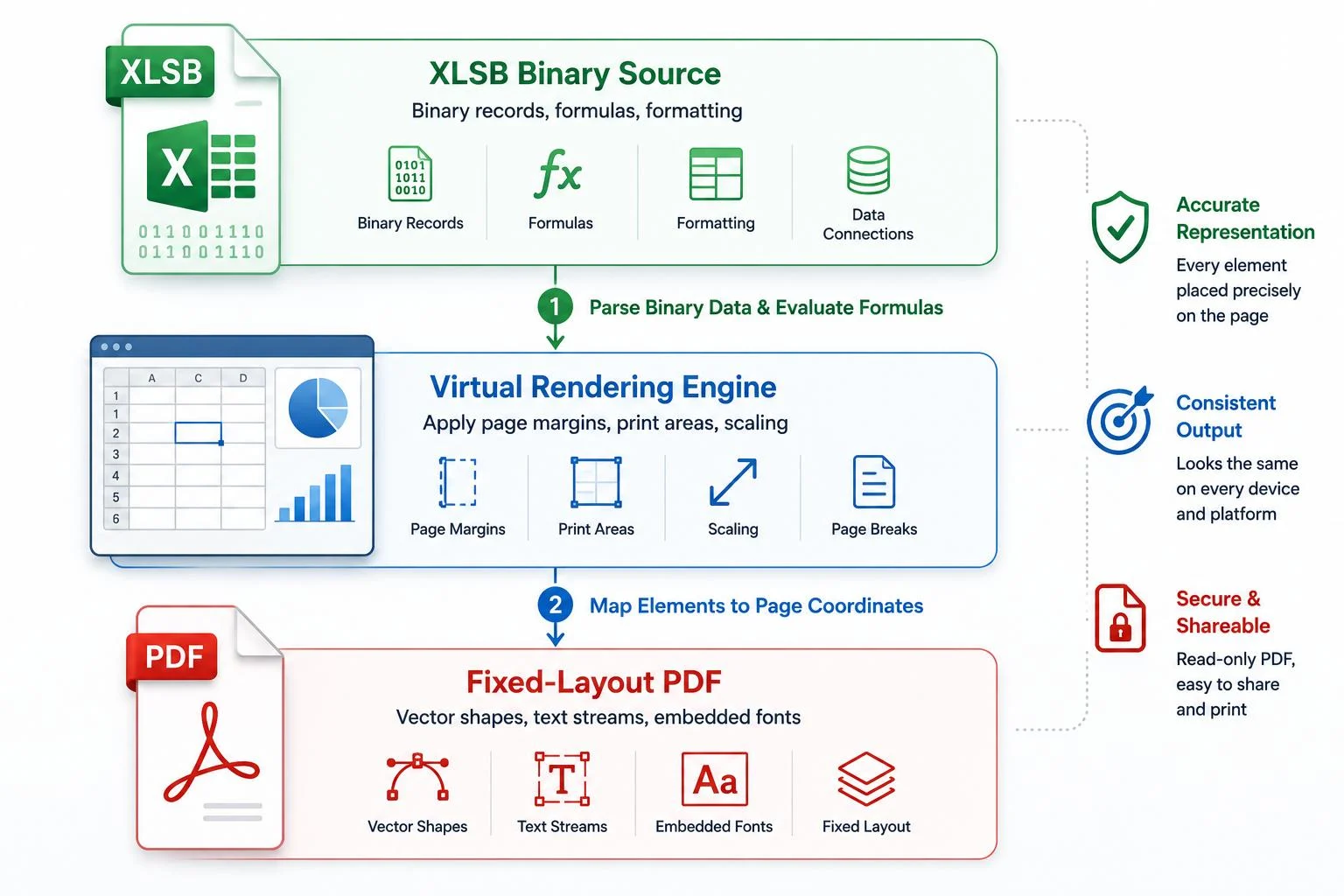
A technical infographic explaining how XLSB files are converted to PDF through a rendering pipeline: binary workbook data is parsed, formulas and document elements are processed, page settings are applied, elements are mapped to page coordinates, and the result is generated as a fixed-layout PDF.
When processing an .xlsb file, the conversion engine handles four core steps:
Binary Stream Parsing: Reading raw cell records, dynamic formulas, and structural sheet settings.
Page Boundary Mapping: Evaluating active cell ranges against defined page margins, paper sizes, and explicit print areas.
Typography Handling: Mapping source fonts and embedding font definitions when supported to minimize layout shifts across different operating systems.
Vector Object Rendering: Converting embedded charts, shapes, and grid lines into crisp vector graphics that maintain resolution when zoomed in.
What to Look for in an XLSB to PDF Converter
Choosing the right online conversion utility ensures your financial models remain legible, well-formatted, and protected:
Data Privacy in Transit: Ensure the converter uses secure encrypted connections (https://) to safeguard sensitive figures during transfer.
Layout and Scaling Preservation: Look for utilities that honor existing page orientation, explicitly defined print areas, and scaling parameters.
Worksheet Selection Controls: Choose tools that let you select specific sheets (such as a dashboard or summary tab) rather than forcing you to export every hidden calculation tab.
File Size and Processing Limits: Server-side conversion should process complex multi-tab workbooks rapidly without exhausting your local system's memory.
Cross-Device Accessibility: The utility should run smoothly in standard modern browsers like Chrome, Edge, Safari, or Firefox without requiring local software installations.
Modern Workflow Comparison
Comparing legacy desktop software against modern online tools highlights how workflow expectations have evolved:
Capability | Legacy Desktop Software | Traditional Web Converters | Modern Browser Workflow (Doxbar) |
Processing Setup | Uses local CPU and RAM | Slow server queues | High-performance cloud rendering |
Layout Accuracy | High (Requires manual page setup) | Variable (Risk of truncated columns) | High (Preserves print areas & scaling) |
System Dependence | Requires full Office suite installed | OS independent | Universal modern web browser access |
File Handling | Bound by local hardware resources | Often restricted to tiny uploads | Optimally calibrated for large workbooks |
Data Protection | Local disk storage | Unclear retention practices | Secure transit with automatic file purging |
How to Convert XLSB to PDF with Doxbar
Transforming your binary workbook into a clean, shareable report takes just four simple steps:
Step 1: Upload Your Workbook
Go to the dedicated Doxbar XLSB to PDF Converter in your web browser. Drag and drop your .xlsb file into the upload zone, or browse to select it from your local storage drive.
Step 2: Choose Page and Sheet Preferences
Select whether you want to convert the full workbook or isolate specific tabs—such as an executive dashboard or financial statement tab—for export.
Step 3: Start Conversion
Select Convert. Doxbar’s server-side engine parses the binary records, evaluates active print ranges, and transforms the layout into a structured PDF document.
Step 4: Preview and Download
Preview your output pages to verify that the column boundaries, tables, and charts are aligned correctly. Download the final PDF file to your computer or send it directly to your team.
What Happens to Formulas, Macros, Charts, and Formatting?
Knowing how specific spreadsheet features behave during conversion helps prevent surprises in your final PDF:
Formulas and Calculations
PDF documents store static values rather than dynamic calculation trees. During export, the PDF captures the displayed or calculated results available to the conversion workflow rather than preserving Excel's live calculation model. (such as SUM, XLOOKUP, or nested logic) and captures their resulting visual values at the moment of export.
VBA Macros
PDF conversion normally captures the workbook's rendered visual content rather than preserving VBA as executable code. An XLSB workbook can contain VBA projects, but PDF output does not preserve those macros as executable Excel VBA.
Embedded Charts and Graphics
Charts, trendlines, and corporate logos are rendered into vector graphics or high-resolution images. To prevent visual overlaps, set chart properties to "Move and size with cells" within your spreadsheet application before exporting.
Hidden Rows, Columns, and Sheets
Hidden elements are generally excluded from the rendered output when your workbook's print settings exclude them. However, it is always wise to preview your converted file to confirm sensitive background data isn't displayed.
Common XLSB to PDF Problems and Fixes
Problem 1: Columns Cut Off Across Pages
Cause: The active worksheet width exceeds standard paper dimensions without a scaling rule applied.
Fix: Open page setup options in your spreadsheet tool and select "Fit All Columns on One Page" before conversion, or select a landscape page orientation.
Problem 2: Missing Gridlines
Cause: Displaying gridlines on screen does not automatically mean they are enabled for print rendering.
Fix: Gridlines appear in the PDF when the worksheet's print configuration explicitly enables "Print Gridlines."
Problem 3: Font Shifts or Overlapping Text
Cause: The source file uses custom or proprietary local fonts unavailable on standard server environments.
Fix: Stick to standard corporate typography (such as Arial, Calibri, or Helvetica) or use fonts that support standard embedding guidelines.
Security and Privacy Considerations
Handling proprietary business intelligence or financial figures requires careful attention to file safety:
🔒 HTTPS Encryption in Transit -> ⚙️ Secure Server Processing -> 🗑️ Automatic Server File Purge
Encryption in Transit: Verify that your upload session is protected by standard https:// encryption, which shields your data during transfer over public networks.
Automatic File Deletion: Choose conversion platforms that automatically delete source files and rendered outputs from cloud storage once processing is complete.
Sanitize Metadata and Notes: Remove internal cell comments, revision notes, or personal author details before sharing documents externally.
Final Visual Audit: Always perform a quick page-by-page check of key totals, footers, and visual elements before client distribution.
Frequently Asked Questions
What is an XLSB file?
An XLSB file is an Excel Binary Workbook format. Instead of saving data as XML files like XLSX, XLSB uses binary records (.bin), making large spreadsheets load faster and use less storage space.
How do I convert XLSB to PDF?
Upload your .xlsb file to an online converter like Doxbar, configure page settings or sheet selections, click Convert, and download your generated PDF document.
Can I convert XLSB to PDF without Excel installed?
Yes. Web-based converters parse the .xlsb binary data structures on cloud servers, meaning you can convert files without installing local office software.
Is online XLSB to PDF conversion secure?
Yes, as long as you use a service that enforces HTTPS transit encryption and automatically purges uploaded files from its servers after processing.
Will formulas remain active inside the PDF?
No. PDFs are static, read-only documents. Conversion calculates all cell formulas and renders their resulting values as text and numbers.
What happens to VBA macros during conversion?
PDF conversion captures the visual layout and data values of your worksheet. Underlying VBA macro scripts are not executable within a PDF file.
Why are columns getting cut off in my converted PDF?
This happens when a table is wider than the target page width. Adjust your page setup to "Fit All Columns on One Page" or switch to landscape orientation before converting.
Can I convert only one worksheet from a multi-tab workbook?
Yes. Most conversion tools let you select a specific worksheet—such as an executive summary or dashboard tab—to render into a standalone PDF.
Will charts and custom formatting be preserved?
Yes. Formatted tables, cell highlights, vector shapes, and charts are rendered into corresponding elements on the PDF page.
Can I convert large XLSB files online?
Yes, provided the workbook falls within your chosen platform's file size limits. Web-based platforms optimize cloud memory to process multi-megabyte files smoothly.
Can I convert XLSB files on a mobile device?
Yes. Because modern online converters run inside web browsers (Chrome, Safari, Edge), you can convert .xlsb files on smartphones and tablets.
What happens to hidden rows and columns?
Hidden rows, columns, and hidden sheets are generally excluded from printed output when print parameters are configured correctly. Always preview your output file to confirm.
Conclusion
Excel Binary Workbooks (.xlsb) provide the performance needed to build complex, data-heavy models, but PDF remains the best format for sharing polished results. Converting an XLSB workbook to PDF creates a static version of the report, so recipients cannot edit the original workbook's formulas or workbook structure through the PDF. It keeps your formatting aligned and ensures every stakeholder receives an easy-to-read report on any device.
If you need to turn a complex binary spreadsheet into a clear, print-ready document, try the Doxbar XLSB to PDF Converter to generate clean reports in seconds.
Need to Convert Document Formats?
Try our secure, lightning-fast PDF conversion suite. Convert Word, Excel, Images, and more with zero formatting loss.

Doxbar Editorial
Security & Privacy Team
We specialize in secure document architectures, parsing engines, and modern developer utilities. Keeping your files safe, lightweight, and perfectly formatted.
Join the Conversation
Share your thoughts or ask a question about this topic. This is a privacy-first system.