

Why Didn't My PDF File Size Get Smaller After Removing Pages?
Contents
Why Didn't My PDF File Size Get Smaller After Removing Pages?

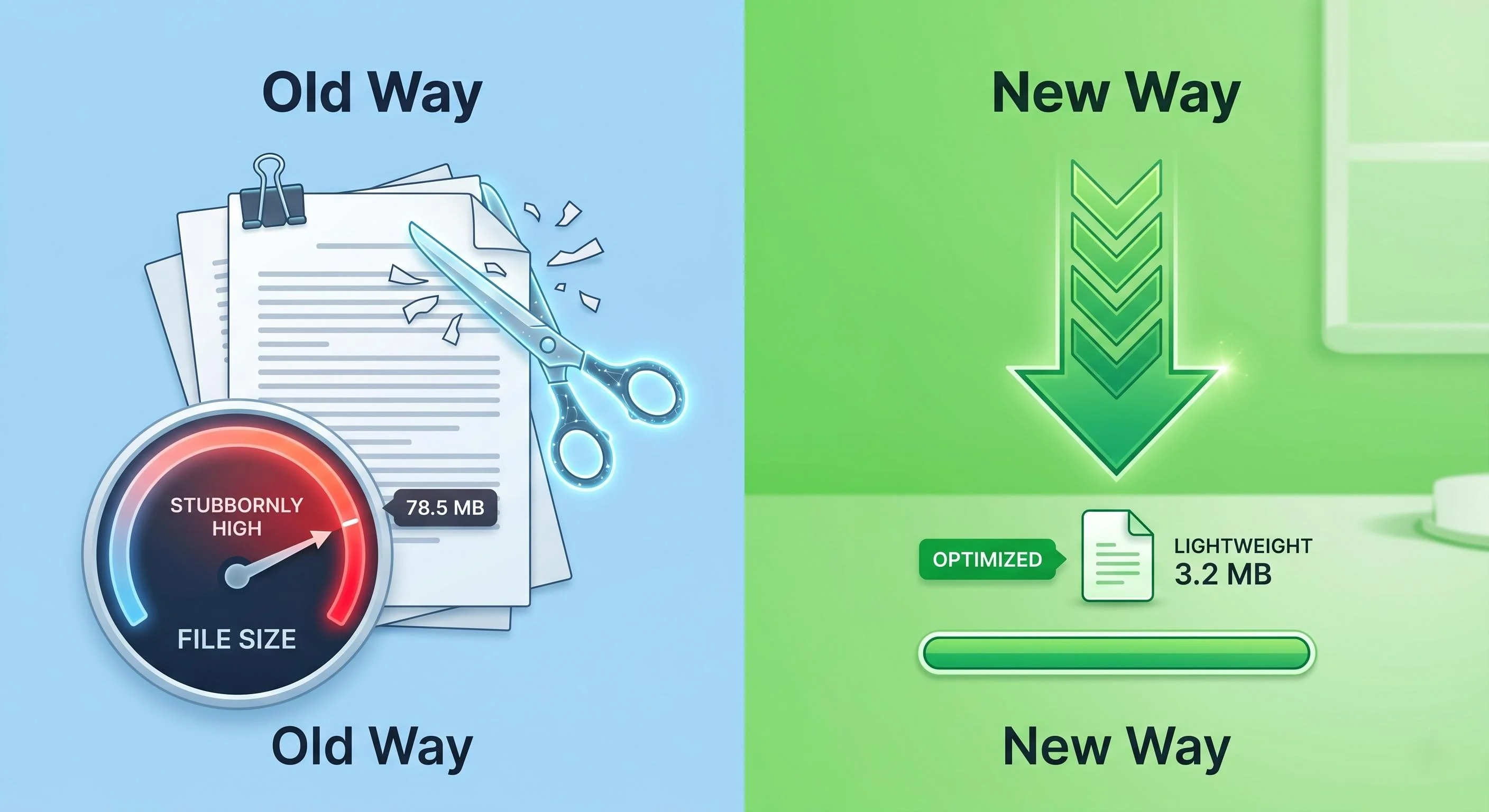

Table of Contents▼
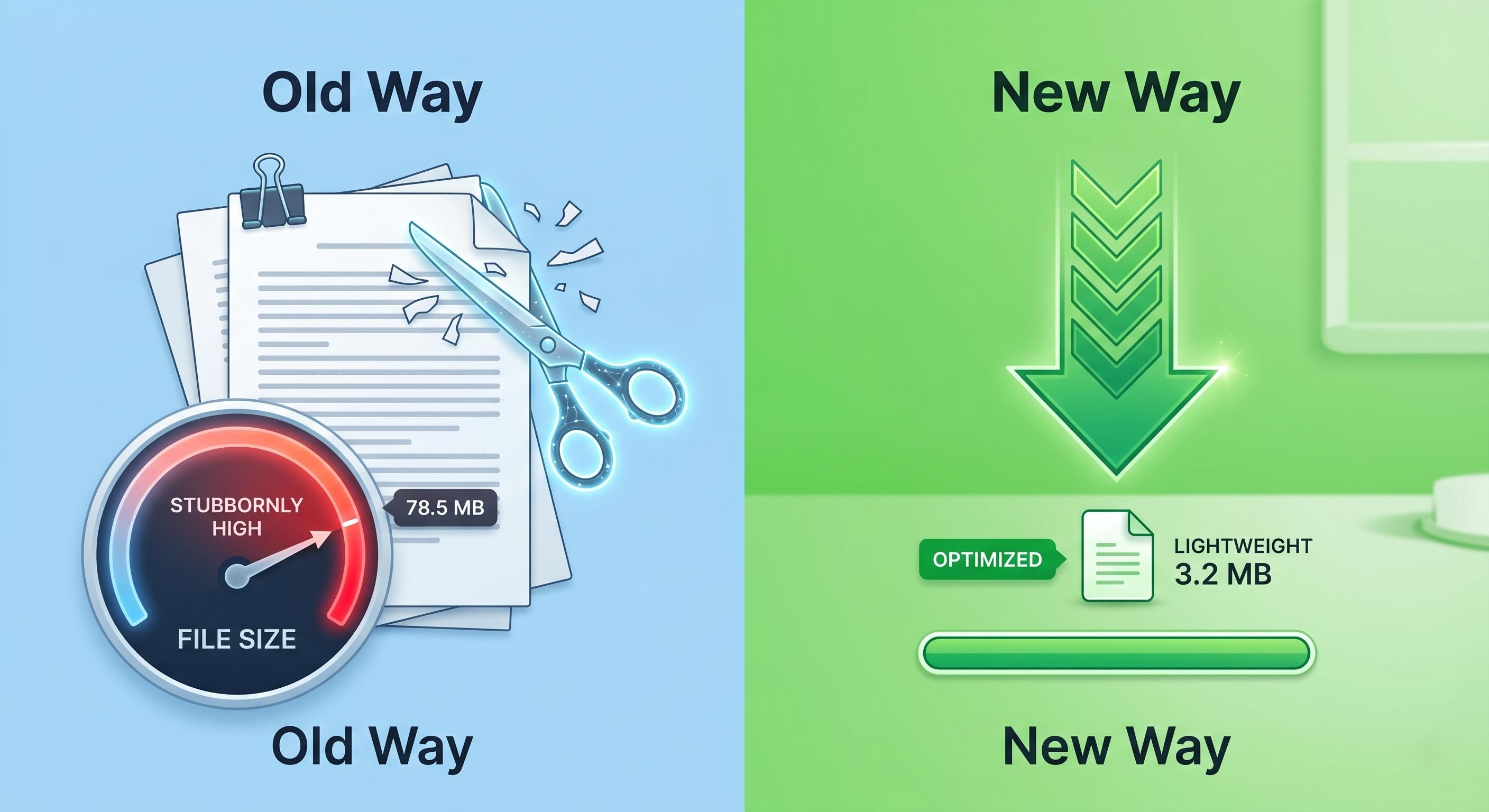
Deleted pages from your PDF, but the file size stayed the same? Learn how to permanently reduce PDF size after deleting pages by cleaning hidden metadata.
⚡ Quick Answer:
If your PDF file size did not decrease after deleting pages, the deleted content may still exist inside the document. Many PDF editors use incremental saving, which hides removed pages instead of permanently deleting the underlying images, fonts, and metadata. To truly reduce PDF size after deleting pages, you need to optimize and rebuild the PDF structure.
Many users wonder why deleting pages doesn't reduce PDF file size even after saving the document. In most cases, the removed pages are no longer visible, but the underlying images, fonts, metadata, and document objects remain stored inside the PDF. Until the file is optimized or rebuilt, these hidden resources continue to occupy space.
The Phantom Megabytes: Why Trimming Your PDF Didn't Shrink It
Picture this: You are rushing to upload a crucial business proposal, a legal contract, or a final project. The portal has a strict 5MB limit, but your document is sitting at a bulky 12MB. You figure the solution is obvious. You open your PDF editor, delete ten heavy pages containing high-resolution images, and hit save.
You check the file properties, expecting a lightweight document. Instead, it is still 12MB.
It feels like a glitch. You deleted nearly half the content, so where is that weight still coming from? This frustration is incredibly common for freelancers, accountants, and remote teams. Logic dictates that removing parts of a file should make it lighter, but the underlying architecture of a PDF does not work like a standard text document.
When you delete pages, the file often hides them rather than erasing them from existence. Navigating these quirks requires understanding how to permanently reduce pdf size after deleting pages, what happens behind the screen when you hit save, and how modern browser-based tools handle file optimization without breaking your layout.
The Problem Breakdown: Why File Size Defies Logic
Most people treat PDFs like Microsoft Word documents, assuming that deleting a paragraph or a page instantly frees up storage space. A PDF, however, is a highly complex container.
[ Traditional Word Document ] -> Edits overwrite old data directly. [ Adobe-Style PDF Structure ] -> Edits append data to the end (Incremental Saving).
Several hidden mechanics prevent your file size from dropping after an edit:
Incremental Saving: Many traditional PDF editors use a system called incremental saving to speed up processing. Instead of rewriting the entire file every time you make a change, the software simply appends a note at the end of the file structure saying, "Hey, don't display pages 5 through 10 anymore." The actual data for those pages, including high-res photos, remains buried inside the file.
Shared Font and Asset Libraries: If an image or a custom font was embedded on a page you deleted, but a tiny fragment of that asset is referenced anywhere else in the document, the entire asset stays embedded.
Hidden Object Metadata: Structural data, hidden layers, and color profiles do not disappear just because a page is gone. According to Adobe's PDF specification, metadata can sometimes consume more space than the visible text itself.
Slow Desktop Software Overhead: Older desktop programs prioritize saving speed over file efficiency. Re-indexing a massive PDF structure takes processing power, so desktop apps opt for the lazy route: marking pages as invisible rather than purging them from the hard drive.
Educational Deep Dive: Inside the Architecture of a PDF
To understand why formatting breaks and files bloat, it helps to look under the hood. A PDF (Portable Document Format) is essentially a visual map. Unlike a .docx file, which flows dynamically based on screen size, a PDF uses absolute positioning. It maps objects to specific coordinates on a digital canvas.
Why PDFs Behave Differently from DOCX
A Word document is XML-based. When you delete a page, the text strings vanish, and the document reflows. A PDF treats every image, font, and vector path as an independent object stored in an internal database. If you delete a page, you merely delete the pointer to that page. The underlying objects stay in the database until the file undergoes a full "garbage collection" routine.
The Role of Cross-Reference (XREF) Tables
Every PDF contains an XREF table. This table acts as an index, telling your PDF reader exactly where to find Object A (an image) or Object B (a block of text). When you delete pages using basic editors, the editor updates the XREF table to ignore those objects, but it doesn't actually delete the raw bytes from the file stream. If you are handling sensitive information, you specifically need an online pdf optimizer to strip hidden metadata and images to ensure those invisible bytes are permanently gone.
Font Embedding and Subsetting
Fonts are surprisingly heavy. If a document uses a specialized font, the creator might embed the entire font file. If you delete pages containing that font, the font library remains in the document background. True optimization requires font subsetting—stripping out every character of the font that isn't actively used in the remaining text.
Modern Solution Framework: What Users Should Look For
If you want to actually shrink your documents after editing them, relying on standard "Save" buttons won't cut it. You need an environment designed to rebuild the file from scratch. Here is what a modern workflow needs:
True Linearization: Also known as "Fast Web View," this reorganizes the PDF structure so that unnecessary objects are permanently purged, and the file can be streamed over the internet efficiently.
Garbage Collection Algorithms: The tool must actively scan the XREF table, identify orphaned objects (images or fonts no longer linked to any visible page), and erase them from the source code.
Privacy-First Architecture: Your files shouldn't sit on a random server forever. If you handle payroll or legal documents, you should seek out a safest online pdf tool that deletes files instantly from server memory.
Batch Processing Capability: For enterprise users, a bulk pdf compression tool without losing quality for business workflows saves hundreds of hours by cleaning multiple files simultaneously.
How Different PDF Workflows Stack Up
Feature | Legacy Online Converters | Desktop Software (e.g., Acrobat Pro) | Modern Browser-Based (Doxbar) |
File Compression Accuracy | Hit or miss; often just compresses images without cleaning hidden data. | Excellent, but hidden behind expensive subscription walls. | Excellent; cleans object trees instantly. |
Speed & Accessibility | Slow uploads; heavily gated by captcha codes and ads. | Heavy installation; can slow down older computers. | Instant; runs directly via modern web protocols. |
Privacy & Security | Files often stored on external servers for hours. | Local processing is secure, but cloud syncing can pose risks. | High security; temporary memory streams with instant deletion. |
Ease of Use | Confusing UI with misleading download buttons. | Complex menus with steep learning curves. | Minimalist, single-click operations. |
Step-by-Step Workflow: How to Truly Clean and Shrink Your PDF
If your file is still too large after you've deleted pages, follow this clean-up routine to force the file to rewrite itself properly.
1. Execute the Page Deletions: Step 1.
Use your standard editing tool to delete the unnecessary pages. Do not worry if the file size remains high at this stage; you are establishing the new structural layout.
2. Avoid Incremental Saves: Step 2.
Instead of hitting Ctrl + S, select Save As and save it as a new file. This forces some basic PDF readers to perform a soft re-index of the document, though it may still retain hidden assets.
3. Upload to Doxbar Optimization Engine: Step 3.
Open your browser and navigate to Doxbar. Upload your document into the compression engine. Doxbar's system automatically performs garbage collection, scrubbing the XREF table clean.
4. Download and Verify Structural Integrity: Step 4.
Download the fully optimized PDF. Check the new file size properties to confirm the massive reduction, and verify that the remaining pages keep their original visual clarity.
Balanced Pros & Cons of Digital Optimization
Pros
True Size Reduction: Properly purging unreferenced objects can reduce file sizes by up to eighty percent without destroying image quality.
Faster Loading Times: Optimized PDFs stream faster, meaning clients or systems won't experience delays when opening your links.
Data Protection: Stripping hidden data protects your privacy by removing edit histories and older revision paths.
Cons
Loss of Undo History: Once a PDF is fully optimized and orphaned objects are purged, you cannot recover the deleted pages. You must always keep a backup copy of your original file.
Potential Font Alterations: If a font wasn't properly subsetted, heavy compression might occasionally substitute a rare font with a standard operating system font like Arial.
Advanced FAQ Section
Why does my PDF stay the same size after deleting pages?
This occurs because of incremental saving. Your editor marks the deleted pages as hidden but leaves the actual data, including images and fonts, inside the file structure so it can save the document instantly.
How do I permanently reduce PDF size after deleting pages?
You must run the file through an optimization engine or use a full "Save As" function that supports garbage collection. This process rewrites the internal index table and completely purges unreferenced objects.
Can an online PDF tool strip hidden metadata and images safely?
Yes. A specialized online pdf optimizer to strip hidden metadata and images scans the internal asset directory, removes orphaned image arrays, and deletes XML metadata without altering your visible text.
Is there a bulk PDF compression tool without losing quality for business use?
Yes. Modern SaaS platforms like Doxbar offer batch processing options that optimize hundreds of corporate documents simultaneously while preserving high-resolution font subsets and clean vector layouts.
What is the safest online PDF tool that deletes files instantly from the server?
Doxbar utilizes a secure, transient processing architecture. Files are processed in temporary memory streams and are completely deleted from the system the millisecond your download finishes.
What is an orphaned object in a PDF?
An orphaned object is a piece of data—like an image, vector graphic, or font style—that remains inside the file's code but is no longer linked to or displayed on any existing page.
Why are PDF files often larger than Word documents?
PDFs contain absolute layout data, embedded color spaces, font files, and raw postscript drawing commands. Word documents are compressed text files that rely on your operating system to supply fonts and rendering styles.
What is PDF linearization?
Linearization, or "Fast Web View," reorganizes a PDF file so it can be read linearly. This allows a web browser to display the first page of a document while the rest of the file is still downloading in the background.
Does removing images always shrink a PDF?
Only if the image data is completely cleared from the underlying code. If the image is still stored in the document resources portfolio, deleting it from the page layout saves zero bytes.
How do I check what is making my PDF so large?
Advanced PDF tools offer an "Audit Space Usage" feature. This displays a breakdown of exactly how many megabytes are being consumed by fonts, images, document overhead, and structural metadata.
Why do scanned PDFs get so massive?
Scanned PDFs are essentially a collection of high-resolution photograph images wrapped in a PDF container. Until they undergo compression or OCR optimization, they retain the full weight of raw graphic files.
Does OCR text recognition increase or decrease file size?
OCR adds a thin layer of searchable text on top of your scanned image. While the text layer itself adds a tiny amount of data, the process often includes image optimization, which usually results in a net decrease in file size.
Why does my PDF size increase after I compress it?
If a file has already been highly optimized, running it through an inferior compression tool can wrap it in redundant metadata layers or alter font embedding styles, unintentionally increasing the size.
Can I strip metadata to save space?
Yes. Metadata like author names, creation dates, camera profiles, and editing software logs can be stripped out. While it only saves a few kilobytes to a megabyte, it improves privacy.
What is font subsetting?
Font subsetting embeds only the specific characters used in your document instead of the entire character library. For example, if your document only uses the letters 'A', 'B', and 'C', only those characters are saved.
Why do form-fillable PDFs take up so much space?
Interactive forms require complex JavaScript engines, widget annotations, and visual state variations for every single checkbox and text field, adding substantial code weight to the document.
Do embedded hyperlinks increase PDF size?
Hyperlinks themselves are tiny text strings, so they have a negligible impact on file size. However, the visual borders or annotation markers associated with them can add minimal structural overhead.
Can I compress a password-protected PDF?
Most optimization engines cannot read or restructure an encrypted PDF. You must first input the password to decrypt the file, run the optimization process, and then re-encrypt it if necessary.
Why does a PDF look different on my phone compared to my laptop?
If fonts aren't properly embedded or if the PDF uses non-standard color profiles (like CMYK meant for print instead of RGB for screens), different devices will render the document differently based on their local system configurations.
What is the ideal PDF size for email attachments?
Most email servers cap attachments at 20MB to 25MB. For professional workflows, keeping your PDFs under 5MB ensures they clear corporate firewalls and open instantly on mobile networks.
Technical Integrity and File Expectations
When optimizing your files, transparency matters. It is a mathematical impossibility to compress a file infinitely without eventually sacrificing structural information. If a document consists of fifty pages of uncompressed vector graphics, there is a hard limit to how small it can get before the lines lose their sharpness.
Understanding the constraints of the format prevents frustration. True file management isn't about magical shrinkage; it is about keeping your digital data tidy, stripping away hidden redundancies, and utilizing modern tools designed to clean up structural leftovers.
Conclusion
The mystery of the un-shrinking PDF comes down to a messy internal file structure. Deleting a page simply hides it from view while leaving the underlying data intact. To truly drop the file size, you must use tools that scan the document's core layout, delete orphaned assets, and compile a brand-new, clean file. For a fast, secure, and modern approach to document maintenance, try running your files through Doxbar to clear out the digital clutter instantly.
Need to Convert Document Formats?
Try our secure, lightning-fast PDF conversion suite. Convert Word, Excel, Images, and more with zero formatting loss.

Doxbar Editorial
Security & Privacy Team
We specialize in secure document architectures, parsing engines, and modern developer utilities. Keeping your files safe, lightweight, and perfectly formatted.
Join the Conversation
Share your thoughts or ask a question about this topic. This is a privacy-first system.