

PDF to LaTeX Converter Guide: Extract Equations & Clean Source Code
Contents
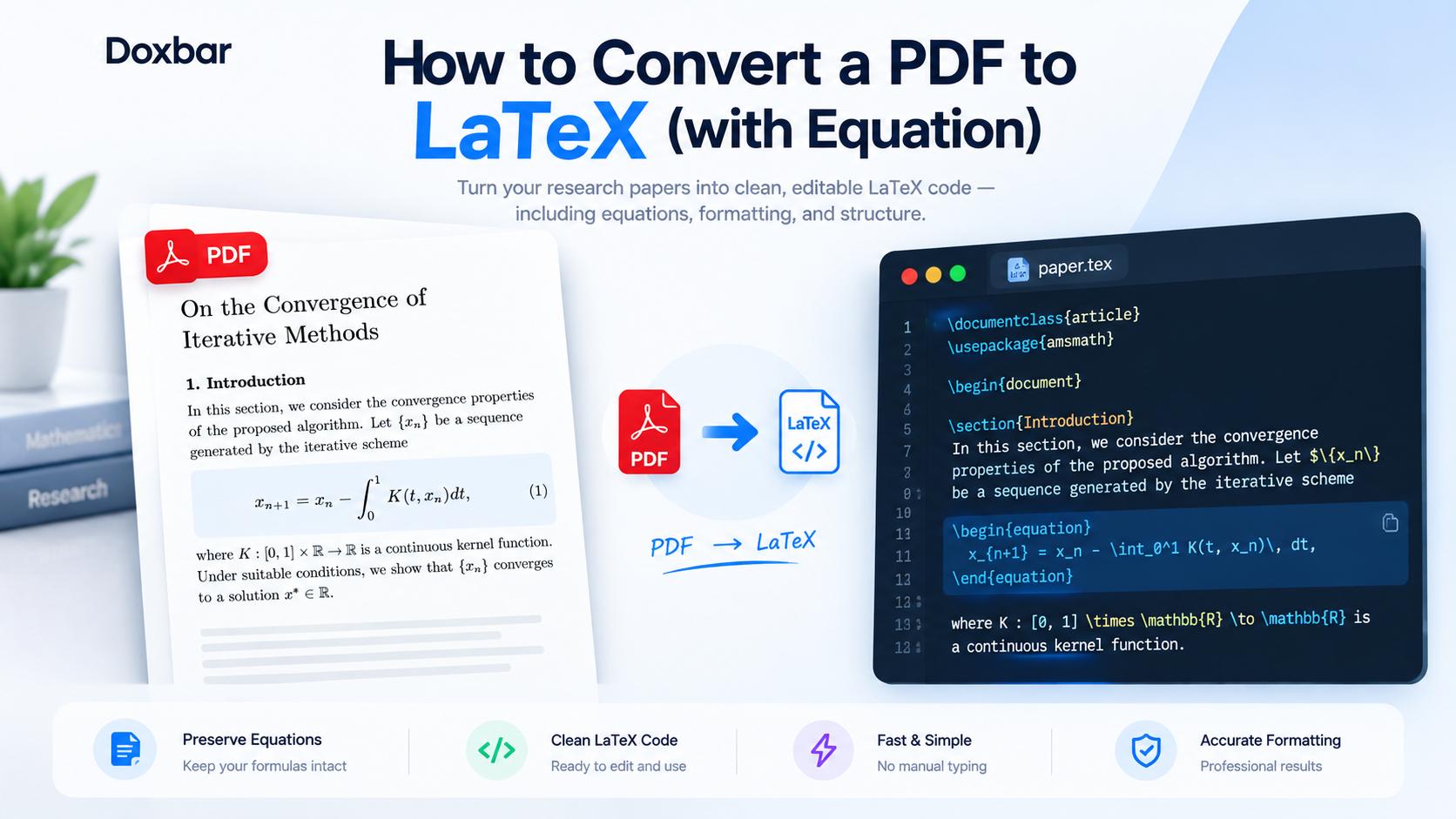
PDF to LaTeX Converter Guide: Extract Equations & Clean Source Code

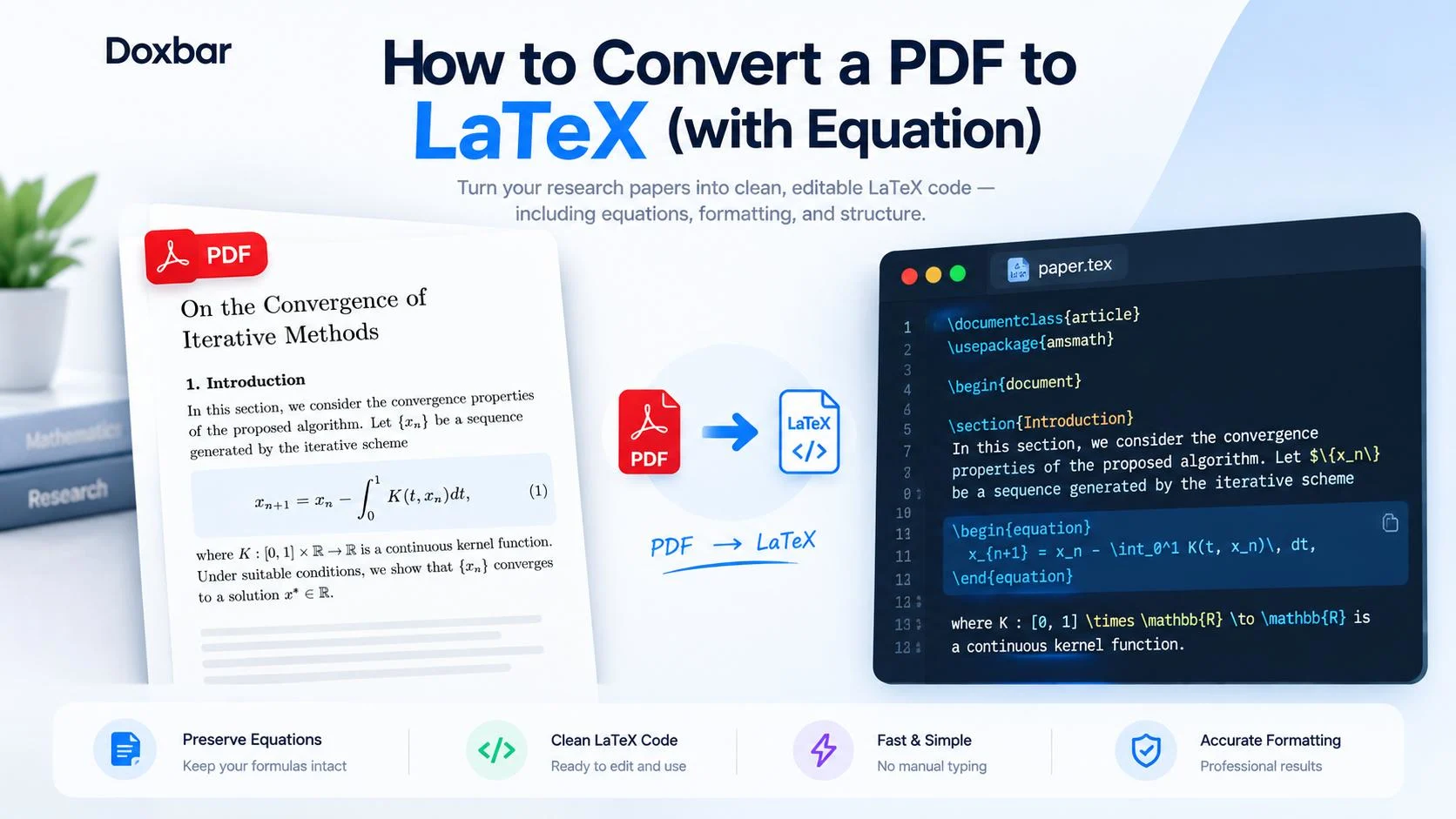

Table of Contents▼
Learn how to convert scientific and academic PDFs into editable LaTeX code. Understand equation extraction, layout limits, Overleaf workflows, and manual fixes.
Quick Answer: Can a PDF be converted directly to editable LaTeX?
Yes, but with functional limitations. An automated converter or mathematical OCR engine can extract text hierarchy, tabular structures, and standard mathematical formulas into .tex markup. However, because compiled PDFs flatten document logic into raw 2D visual coordinates, the output will rarely compile without manual verification. You will typically need to declare missing packages (like amsmath), correct subtle equation syntax errors, and manually restore BibTeX bibliography files.
The Core Problem: Compiled PDFs vs. Reconstructed Source Code
It is a familiar scenario in research and academic workflows: you need to revise a thesis chapter, conference paper, or preprint, but the original .tex source files have been lost, corrupted, or left behind by a previous collaborator. All you have is the compiled PDF.
Attempting to recover the document by copying directly from a standard PDF viewer and pasting into Overleaf creates immediate structural breakage:
“Plaintext
% Typical raw copy-paste result from a PDF viewer: f(x) = Z ∞ 0 e^-st g(t) dt
In this flattened text, integral bounds disappear, subscripts blend into variable names, and multiline expressions collapse into broken strings. In two-column academic formats, text often copies horizontally straight across the central gutter, blending sentences from column one into column two.
While retyping an entire paper by hand provides complete syntactic control, it is exceptionally time-consuming. Modern document extraction pipelines provide an efficient middle ground by reverse-engineering the visual layout into a functional .tex draft. To use these tools effectively, you must understand what automated parsers can recover, what the PDF format permanently flattens, and where manual oversight remains non-negotiable.
Why PDF to LaTeX Conversion Is Structurally Difficult
A PDF is not an editable document tree containing semantic sections or programmatic environments. Under the ISO 32000-1 (PDF 1.7) Specification, a PDF is fundamentally a fixed, two-dimensional canvas instruction set optimized for visual consistency across screens and physical printers.
Original Source (.tex) • Semantic hierarchy: \section{}, \begin{align}, \ref{} • Dynamic typographic layout engine ↓ (Compiled / Flattened)
Exported PDF • Fixed visual coordinates: (x, y) glyph placement • Isolated vector paths & geometric rules • Complete loss of semantic tags & source comments ↓ (Reverse-Engineering Pipeline)
Target LaTeX (.tex) • Inferred section hierarchy & reading order • Reconstructed mathematical syntax • Standardized environments (amsmath, tabular)
When a document compiles via engines like pdfLaTeX or XeLaTeX, high-level code is translated into raw drawing commands:
"Place font glyph 'x' at coordinate (142.5, 710.2)."
"Place scaled font glyph '2' at coordinate (146.1, 715.8)."
"Draw a horizontal vector stroke of 0.5pt thickness from (130.0, 700.0) to (160.0, 700.0)."
A PDF converter must reverse-engineer these low-level drawing calls back into semantic logic, which creates several technical challenges:
Loss of Semantic Environments: High-level blocks like \begin{theorem}, \begin{proof}, and custom \newcommand macros are flattened into generic text strings with specific visual styles. The parser must infer hierarchy based purely on font size, boldness, and whitespace geometry.
Two-Column Reading Gaps: While many modern layout engines use vertical whitespace detection to read down one column before jumping to the next, column-spanning figures, footnotes, and wide display equations can disrupt reading order.
Mathematical Token Disintegration: A single fraction containing a square root consists of independent vector lines, radicals, and character glyphs. The extraction model must analyze the 2D spatial arrangement of these tokens to reconstruct correct nesting order.
Scanned Documents vs. Digital Text Layers: If a PDF was scanned from physical paper or rasterized during export, it contains no digital character stream—only a grid of pixels. In such cases, the file must first pass through optical character recognition before any LaTeX code can be synthesized.
How Mathematical OCR and Extraction Pipelines Work
Standard Optical Character Recognition tools designed for general prose—such as standard implementations of the Tesseract OCR engine—rely on linguistic dictionaries to interpret words. This architecture fails when processing technical and scientific documents:
The mathematical variable x is often misread as the multiplication operator.
The summation operator is frequently misidentified as an uppercase Greek letter or the Latin letter E.
Natural-language dictionaries attempt to "auto-correct" mathematical notations into standard English words.
“Visual Input: [ \sum_{i=1}^{n} x_i ] Standard OCR: "E i=1 n xi" (misinterpreted as text string) Mathematical OCR: "\sum_{i=1}^{n} x_i" (identifies operator, limits, and subscript)
Specialized Mathematical OCR
Advanced scientific extraction systems combine computer-vision token classifiers with two-dimensional spatial grammars. Once individual symbols are detected, the system calculates relative bounding boxes to establish syntactic relationships:
Vertical Baseline Tracking: Accurately distinguishing subscripts (ai), baseline text (a), and superscripts (a2).
Radical Boundaries: Determining the precise horizontal range enclosed beneath a square root bar (\sqrt{...}).
Matrix and Alignment Grids: Detecting horizontal and vertical token symmetry to reconstruct matrices or multi-line \begin{align} blocks.
Architecture: Client-Side vs. Cloud Conversion Workflows
Online document conversion tools handle processing through two primary architectures:
1. Client-Side (Browser-Native)
Certain lightweight utilities execute conversion logic directly within the browser using WebAssembly. This architecture keeps document data strictly on your local machine, which is advantageous for sensitive documents. However, executing deep neural networks for complex mathematical OCR locally can place significant demands on client system memory.
2. Server-Side Cloud Workflows
Complex equation parsing and OCR processing on multi-page scanned files typically rely on dedicated cloud infrastructure. When handling confidential or unpublished research, do not assume that all services automatically discard files. Always confirm that the platform operates over encrypted connections (HTTPS/TLS) and maintains an explicit data-retention policy detailing when temporary uploads are permanently cleared from processing storage.
Workflow Comparison: Document Recovery Methods
Workflow Method | Setup Requirement | Equation Quality | Layout Integrity | Primary Trade-Off |
Manual Retyping | Text Editor | High (Complete human oversight) | High | Extremely labor-intensive and slow for long papers |
Raw Copy-Paste | Standard PDF Reader | Poor (Broken characters, lost limits) | Poor (Frequent column bleeding) | Requires tedious, line-by-line manual debugging |
Specialized Math Converters | Web Browser / Cloud Tool | Moderate to High (Requires syntax check) | Moderate to High (Engine dependent) | Generated code requires verification before compilation |
Generic Desktop OCR | Local Installation | Low (Formulas often rasterized as images) | Moderate | Lacks scientific typesetting grammar |
Case Study: An Illustrated Conversion & Debugging Breakdown
To understand what automated document parsers produce versus what requires human intervention, consider this representative extraction from a two-column physics paper draft.
1. Visual Source in the PDF
A two-column section containing an inline equation, a display equation with limits, and an academic citation:
“The system follows the Hamiltonian formulation where H = T + V. The canonical partition function is expressed as:
𝒵 = ∑ᵢ₌₁ᴺ e⁻ᵝᴱⁱ
which corresponds to earlier experimental benchmarks [12].
2. Raw Extracted Code from Automated Parser
The automated engine successfully segments the two-column layout, but produces minor syntactic discrepancies:
“Code snippet
The system follows the Hamiltonian formulation where H=T+V. The canonical partition function is expressed as: \begin{equation} \mathcal{Z} = \sum_{i=1}^{N} e^{-\beta E_i \end{equation} which corresponds to earlier experimental benchmarks [12].
3. Error Analysis and Manual Fixes
Attempting to compile this raw snippet directly in Overleaf reveals three distinct issues:
Unclosed Braces: In the display equation, the exponent group ^{-\beta E_i lacks its closing brace (}). Left uncorrected, this triggers a fatal Runaway argument? compilation error.
Missing Preamble Packages: The calligraphic symbol \mathcal{Z} and advanced math environments require standard AMS definitions (amsmath, amssymb) declared in the preamble.
Static Citation String: The citation [12] was captured as raw text. To make it functional in a research workflow, it should be replaced with a dynamic citation key (\cite{author2024}).
4. Final Corrected and Compilable Code
“Code snippet
\documentclass{article} \usepackage[utf8]{inputenc} \usepackage{amsmath, amssymb} % Declares mathematical symbols and fonts \begin{document} The system follows the Hamiltonian formulation where H=T+V. The canonical partition function is expressed as: \begin{equation} \mathcal{Z} = \sum_{i=1}^{N} e^{-\beta E_i} % Fixed: closed the exponent brace \end{equation} which corresponds to earlier experimental benchmarks~\cite{benchmark2024}. \end{document}
Step-by-Step Workflow: Converting and Compiling Cleanly
Following a structured process prevents compounding compilation errors when converting documents.
Step 1: Evaluate the Source PDF
Open your PDF in any viewer and try selecting a sentence with your cursor:
Selectable Text: If text highlights cleanly, the PDF contains an embedded font layer, enabling faster character extraction.
Scanned Image: If selecting text highlights nothing, the PDF is a flat image. You will need an OCR-enabled extraction workflow, and scan quality should ideally be 300 DPI or higher for reliable symbol parsing.
Step 2: Extract the Content
Process the document through your preferred scientific extraction utility or Doxbar's online PDF converter. If your document consists primarily of standard textual prose without formulas, converting via Doxbar PDF to Word can provide a clean editorial baseline. For scanned pages, ensure an OCR extraction path is selected.
Step 3: Establish a Stable Compiler Preamble
Open your editor (such as Overleaf or a local TeX Live installation) and ensure your preamble includes fundamental mathematical and structural packages.
For standard pdfLaTeX documents:
“Code snippet
\documentclass{article} \usepackage[utf8]{inputenc} \usepackage{amsmath, amsfonts, amssymb} % Essential for formulas \usepackage{graphicx} % Required if figures were extracted \usepackage{booktabs} % Enhances reconstructed tabular rules \begin{document}
For XeLaTeX or LuaLaTeX documents (especially multi-language texts):
“Code snippet
\documentclass{article} \usepackage{fontspec} % Modern font management for XeLaTeX/LuaLaTeX \usepackage{amsmath, amssymb} \usepackage{graphicx} \begin{document}
(Refer to the Overleaf Documentation on Multilingual Typesetting for detailed language-specific rules).
Step 4: Audit Common Extraction Pitfalls
Before running a full compilation, run a quick global search for common parser oversights:
Unescaped LaTeX Characters: Check that literal percentages, dollar signs, and ampersands have proper escape slashes (\%, \$, \&).
Text-Mode Underscores: Verify that underscores (_) do not appear accidentally in regular prose, which causes Missing $ inserted errors.
Bracket Parity: Ensure every opening { has an equivalent closing } in complex nested fractions and exponents.
What Automated Converters Can and Cannot Reconstruct
Understanding functional limits helps prevent unrealistic expectations regarding automated extraction:
What Works Reliably
Basic Text Hierarchy: Section headings, subsections, enumerated points, and standard paragraphs translate into structural markup.
Standard Math Formulas: Single-line equations and basic expressions usually map into standard \begin{equation} or \begin{align} blocks.
Grid Tables: Standard rectangular tables with explicit lines map into workable \begin{tabular} skeletons.
What Requires Manual Rebuilding
Active BibTeX Databases: Converters capture the bibliography as printed text entries inside a thebibliography block. Recovering an active .bib database requires exporting references from managers like Zotero or Mendeley.
Vector Graphics vs. Raster Images: Embedded bitmap images (PNG, JPEG) can be extracted into asset folders. However, complex vector drawings (such as native TikZ diagrams) cannot be reverse-engineered into programmatic code; they remain static image assets.
Original Custom Macros: Any custom shortcuts (e.g., \newcommand{\R}{\mathbb{R}}) created by the original author were expanded when the PDF was compiled. The parser only reconstructs the resulting standard markup.
Frequently Asked Questions
Can a PDF be converted completely back to its original LaTeX source?
No. Compiling a LaTeX document flattens author comments, custom macros, and dynamic database links. Converters reverse-engineer the visual presentation back into valid, compilable LaTeX syntax, but they cannot restore original code comments or personal formatting shortcuts.
Why does my converted .tex file fail to compile in Overleaf?
The most frequent cause is a missing package in the preamble. If your document contains matrices, blackboard bold fonts, or advanced math operators, verify that \usepackage{amsmath} and \usepackage{amssymb} are declared at the top of your file.
How do conversion tools handle two-column layouts?
Most modern layout engines analyze vertical whitespace gutters to read down the left column before parsing the right column. However, reading order can still be disrupted if the page includes complex layout elements like spanning figures, tables, or unbordered text sidebars.
Can low-resolution scanned documents be converted accurately?
Accuracy drops significantly on low-quality scans. Documents with noticeable page tilt, low contrast, or resolutions under 300 DPI will exhibit higher character error rates, particularly for indices, accents, and mathematical subscripts.
Are extracted mathematical formulas editable?
Yes, provided you use a dedicated mathematical extraction engine. Rather than saving equations as static raster images, mathematical OCR models translate symbols into editable LaTeX commands (such as \frac, \sqrt, and \int). However, manual syntax checks are still needed to fix bracket mismatches.
Will automated conversion restore my original .bib file?
No automated tool can regenerate your original .bib source file from a compiled PDF alone. The converter will recreate the References section as static text items inside a bibliography block, which you can manually link to your reference library.
What causes tabular columns to misalign after conversion?
Table extraction relies on geometric whitespace detection. If the converter misinterprets a column boundary, verify that ampersand delimiters (&) align with the column specification (e.g., {|l|c|r|}) in the table header.
How are multilingual documents handled in LaTeX?
Standard Latin characters convert reliably. However, non-Latin scripts (such as Arabic, Devanagari, or East Asian characters) require specific compiler settings—typically XeLaTeX or LuaLaTeX with packages like fontspec or language-specific babel/polyglossia configurations.
Is document confidentiality maintained during conversion?
Always review the privacy policy of any online service before uploading sensitive files. Established platforms use encrypted HTTPS connections and run scheduled cleanup tasks to remove uploaded files from processing servers.
Summary
Losing your original .tex source files is frustrating, but it does not mean retyping an entire paper from scratch. Modern document extraction tools bridge the structural gap by translating visual PDF layouts into functional, editable markup.
By letting automated tools generate the baseline layout, section headings, and initial equation scaffolding, you can direct your attention where it matters most: verifying formulas, organizing packages, and finalizing your research.
Need to Convert Document Formats?
Try our secure, lightning-fast PDF conversion suite. Convert Word, Excel, Images, and more with zero formatting loss.

Doxbar Editorial
Security & Privacy Team
We specialize in secure document architectures, parsing engines, and modern developer utilities. Keeping your files safe, lightweight, and perfectly formatted.
Join the Conversation
Share your thoughts or ask a question about this topic. This is a privacy-first system.