

PPTM to PDF: How to Convert Macro-Enabled PowerPoint Files
Contents
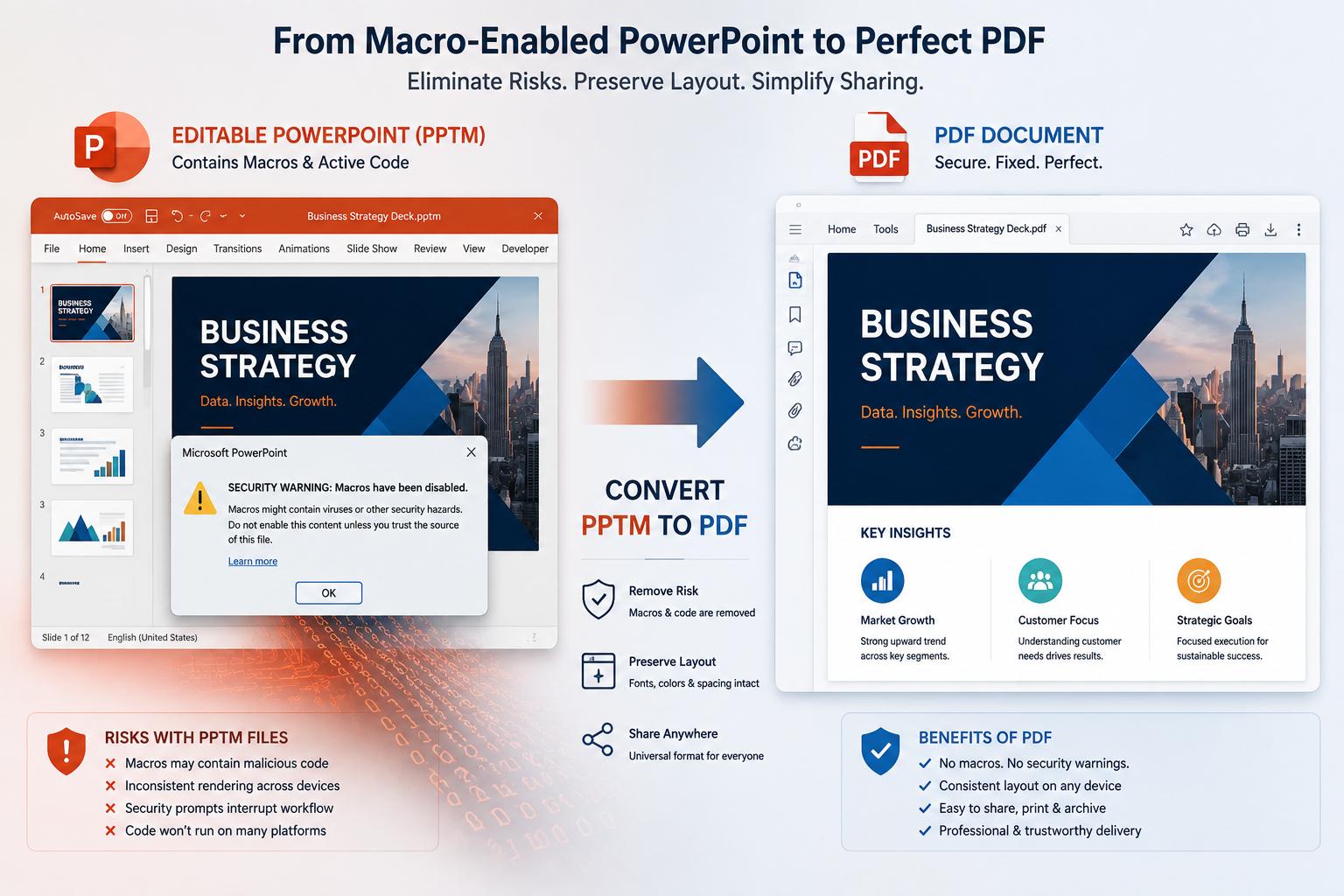
PPTM to PDF: How to Convert Macro-Enabled PowerPoint Files

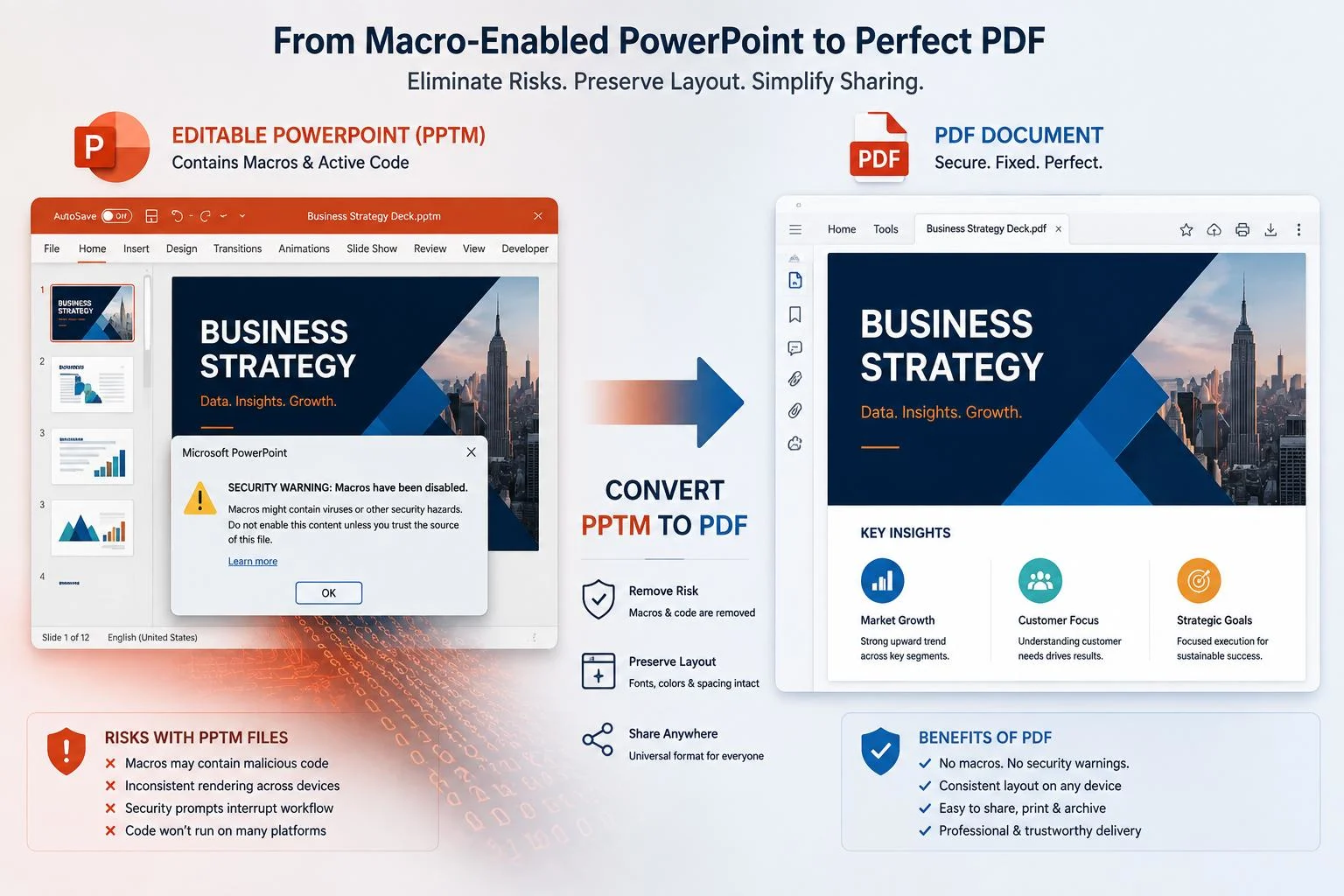

Table of Contents▼
Learn how to convert PPTM macro-enabled PowerPoint presentations to PDF online or with desktop tools. Preserve slide layout, understand what happens to VBA macros, and share a static PDF safely.
Quick Answer
“Can You Convert a PPTM File to PDF?
Yes. You can convert a PPTM (PowerPoint Macro-Enabled Presentation) file to PDF using Microsoft PowerPoint or a compatible online converter. The PDF contains the presentation's rendered slide content, but VBA macros, animations, and other dynamic PowerPoint features do not remain executable in the PDF. Review the exported file before sharing to confirm that fonts, images, hyperlinks, and slide layout look correct.
The Presentation Nightmare Nobody Warns You About
You just spent hours polishing an automated PowerPoint dashboard. You wrote custom VBA code to pull live metrics, automated the slide transitions, and generated dynamic charts. It works like a charm on your machine.
Then comes the real-world test: sending it to a client or your executive team.
Minutes after hitting send, the emails start trickling in.
“The formatting looks completely scrambled on my iPad.”
“Our IT security blocker quarantined your attachment because of macros.”
“It’s asking me to enable active content, and I don’t feel comfortable clicking that.”
It is an exhausting, familiar headache. You created a powerful .pptm file to make your job easier, but the recipient just wants a clean, static document they can open on their phone during a commute without triggering corporate security alerts.
When you need to turn dynamic, macro-enabled decks into universal, secure presentation materials, converting your PPTM file to PDF is the most reliable workaround.
Why Modern Workflows Clash with PPTM Files
PowerPoint Macro-Enabled Presentations (.pptm) are phenomenal for internal productivity. They allow power users to automate complex reporting, trigger interactive quiz elements, and handle custom data integrations directly within Microsoft Office.
However, as soon as a .pptm file leaves your local network, friction begins.
1. The IT Security Wall
Macro code (VBA) has historically been an attack vector for malicious scripts. Because of this, enterprise email gateways like Microsoft Defender for Office 365 and modern spam filters flag or outright quarantine emails containing attached macro-enabled files.
2. Device and App Incompatibility
The native macro functionality relies heavily on desktop-grade Office environments. If your client opens a .pptm file on an Android tablet, an iPhone, or even through a browser preview in Google Drive, the embedded scripts usually fail to execute, and fonts often default to local fallbacks—wrecking your custom design.
3. Accidental Script Execution and Data Tampering
Sending a live .pptm file to a client means giving them raw access to your underlying VBA scripts. Someone might accidentally run a macro that resets data ranges or triggers an unwanted dynamic update right before presenting to board members.
The Technical Reality: How PPTM to PDF Conversion Works
To understand why a PDF export solves these issues, it helps to take a brief peek under the hood of presentation formats.
A standard PPTX file and a macro-enabled PPTM file are both structured as compressed XML archives (you can actually rename their extension to .zip and extract them to view the underlying markup). The core difference is that a PPTM file contains a binary stream usually named vbaProject.bin. This stream houses the compiled VBA macro routines.
When you convert a PPTM to a PDF, the processing engine does two primary things:
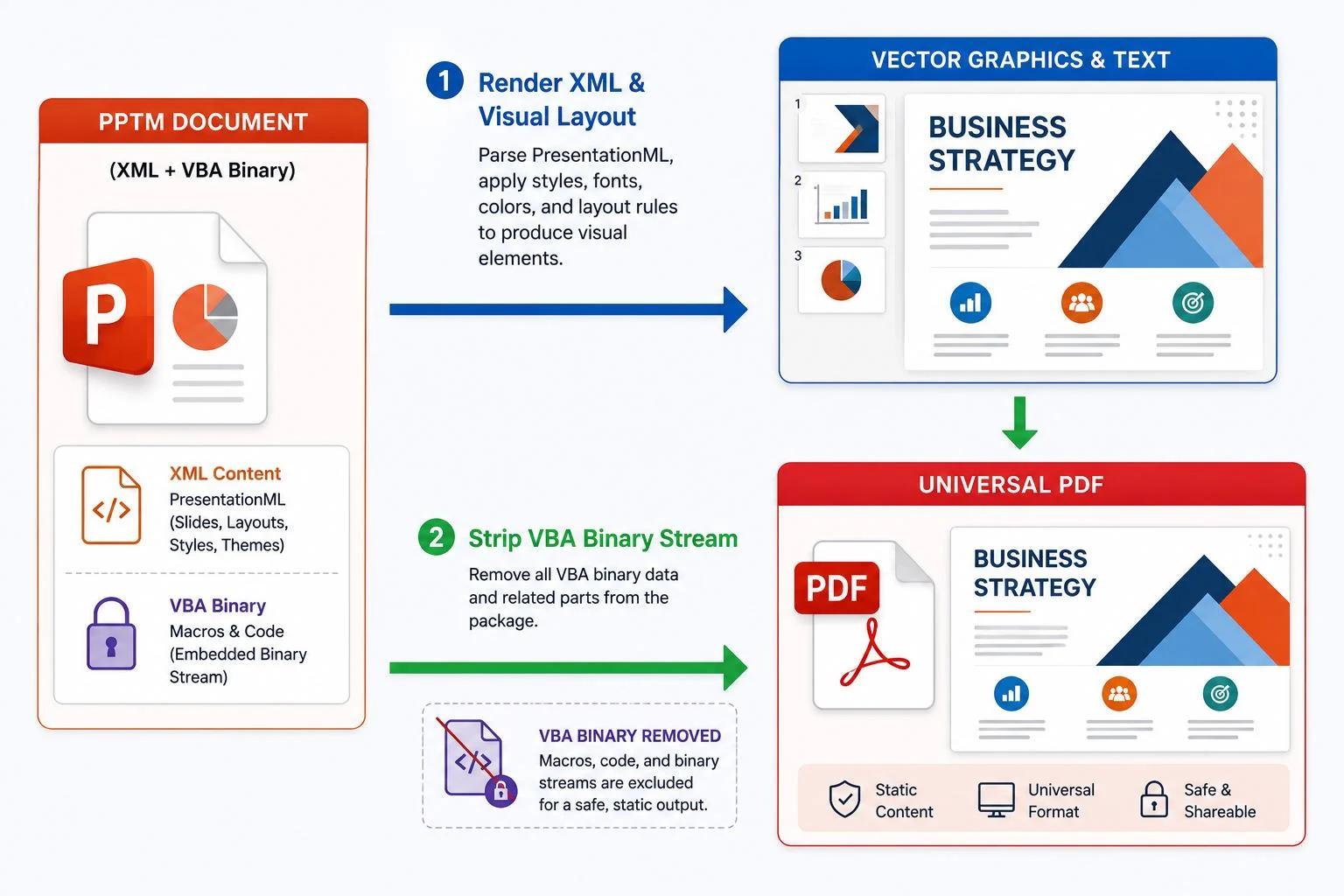
A technical workflow showing how a PPTM presentation is rendered into visual elements; VBA binary data is excluded, and the result is generated as a static, universal PDF.
Strips the Binary Stream: The resulting PDF does not retain the PPTM file's VBA macros as executable PowerPoint code. This makes the PDF a static distribution format rather than an editable macro-enabled presentation.
Freezes Visual States: The underlying XML structure (text nodes, embedded vector shapes, layout grids, and slide coordinates) is rendered onto a fixed canvas using vector commands defined by the open PDF standard maintained by Wikipedia's PDF Reference.
Why Do Fonts and Layouts Break During Conversion?
If you have ever converted a deck only to find your custom header text overlapping a chart, the issue usually stems from font mapping.
PDFs rely on font embedding. If an online conversion engine does not host the exact custom typography used in your original .pptm file, it will substitute standard system fonts like Arial or Times New Roman. Because character widths vary across typefaces, text boxes overflow and break line wrappers.
Modern document tools like When using an online converter, output quality depends on how the service renders PowerPoint fonts, images, shapes, and slide dimensions. Always review the resulting PDF before sending it externally. that analyze font metrics and fallbacks, ensuring structural alignment stays locked down to the exact pixel coordinates of your original slides.
What to Look for in a Modern File Converter
Not all conversion utilities handle macro-enabled files gracefully. If you rely on browser-based tools to streamline your daily administrative stack, keep these factors in mind:
Zero-Trace Privacy & Security: Ensure uploaded files are encrypted via TLS during transit and automatically purged from server storage shortly after processing.
Precise Layout Preservation: Your background vectors, drop shadows, gradient fills, and custom slide ratios (16:9 vs. 4:3) must remain intact.
Handout & Slide Selection Flexibility: Look for engines that let you select specific slide ranges or split decks into individual pages without forcing you to re-open heavy desktop apps.
Cross-Platform Browser Processing: The conversion pipeline should function identically whether you are working on a Chromebook, macOS device, or Windows workstation.
Comparing Options: Legacy Tools vs. Desktop Apps vs. Modern Converters
Feature / Capability | Legacy Online Tools | Desktop Office Software | Modern Browser Workflows (e.g., Doxbar) |
Setup Required | None | High (License & Software Installation) | None |
Macro Security | Variable (often slow parsing) | Prompts warning dialogs | Automatically stripped safely |
Mobile Accessibility | Poor UI / Heavy Ads | Requires dedicated local apps | Native responsive browser engine |
Batch Processing | Heavily restricted behind paywalls | Fast local processing | Fast cloud processing |
Layout Accuracy | Frequent font/alignment shifts | 100% Native | High-fidelity vector mapping |
Step-by-Step: Converting PPTM Files to PDF Swiftly
Here is a straightforward visual workflow to convert your macro-enabled presentations into crisp, shareable documents using a modern browser engine:
Step 1: Select Your Source File
Drag and drop your .pptm document directly into the conversion area on Doxbar. Upload your PPTM file through the converter's secure connection and start the conversion.
Step 2: Choose Target Settings
Select PDF as your desired export format. If you only need specific slides for client delivery, upload the PPTM file and choose PDF as the output format. If you only need selected slides, you can convert the deck and then extract the required pages using a PDF splitter.
Step 3: Strip Macros & Render Pages
The conversion pipeline parses your presentation's XML layout, strips out all underlying VBA macro layers, converts embedded shapes into static vector paths, and locks in page dimensions.
Step 4: Download and Verify
Save the output PDF to your local device. Open it in standard viewers like Adobe Acrobat Reader or directly inside modern web browsers like Chrome or Firefox to double-check that your layout matches your expectations.
The Trade-Offs: Pros and Cons of Converting PPTM to PDF
The Advantages
Universal Access: Recipients do not need Microsoft PowerPoint installed; PDFs open natively across every modern smartphone, desktop, and tablet OS.
Fewer Macro Warnings: A PDF does not carry executable PowerPoint VBA macros, so it avoids the macro-enabled file warning associated with the original PPTM attachment.
Read-Only Lockout: Prevent accidental modifications to embedded dynamic elements, form fields, or slide calculations.
Compact File Size: Stripping binary VBA code and optimizing images during conversion frequently reduces overall file weight for fast email attachments.
The Limitations
Loss of Interactivity: Active VBA scripts, automated buttons, dynamic live-data updates, and automated animations will no longer function.
No Re-Editable Text Fields: Unless converted using OCR or opened in dedicated PDF editing suites, the text layout becomes fixed canvas output.
Frequently Asked Questions
What happens to my custom VBA macros after converting PPTM to PDF?
The conversion process permanently strips all VBA code from the target document. The resulting PDF is a clean, static document showing only the visual layout of your slides as they appeared at the moment of conversion. Your original .pptm file remains completely untouched on your local device.
Can I convert a PPTM file to PDF if the presentation is password-protected?
If the file requires a password to open, you will need to enter the password during the upload step so the converter engine can decrypt and render the slide content. If the password only restricts macro editing, the converter can usually process the visual slides without issues.
Will my slide animations work inside the PDF file?
No. The PDF standard does not natively support PowerPoint slide transitions or custom object animation timelines. Each slide is converted into a static single page representing the final state of that slide.
Why does my layout look slightly altered after converting online?
Layout shifts generally happen when custom, non-standard fonts are used in the original presentation. If the conversion engine does not host those exact fonts, standard fallback fonts are substituted, which can affect line wrapping and text box margins.
How do I convert only selected slides from a large PPTM presentation?
You can either specify slide ranges (e.g., slides 1-5, 8, 12) during the conversion process on platforms like Doxbar, or convert the entire presentation first and then use a PDF splitting tool to extract specific pages.
Is it safe to upload confidential corporate presentations containing macros?
Yes, provided you use trusted conversion platforms that leverage TLS/SSL encryption for file transfers and enforce strict automatic file deletion policies shortly after the conversion completes.
Can I convert PPTM files to PDF on an iPhone, iPad, or Android device?
Yes. Cloud-based conversion platforms process files on remote server infrastructure rather than relying on local device power, allowing you to convert .pptm decks inside any modern mobile web browser like Safari or Chrome without installing third-party apps.
Will converting a PPTM file to PDF reduce its file size?
In most cases, yes. Removing embedded macros, flattening visual elements, and applying stream compression to image assets usually shrinks the overall file footprint significantly.
Does converting a PPTM file affect hyperlinked slide elements?
Standard web URLs embedded in text boxes generally remain clickable within the generated PDF document. However, internal macros tied to custom interactive buttons (e.g., "Click here to run script") will be rendered as standard static shapes.
What is the primary structural difference between PPTX and PPTM?
PPTX is the standard XML-based format for PowerPoint decks without executable code. PPTM is structured identically, but contains an additional binary component (vbaProject.bin) designed to store Microsoft Visual Basic for Applications (VBA) macro routines.
Can I turn my speaker notes into a PDF alongside the slides?
Yes. Many workflow options allow you to choose between exporting full-screen slides or exporting slide handouts that include your accompanying presenter notes beneath each slide preview.
Why do corporate security filters automatically block PPTM email attachments?
Security filters flag macro-enabled files because malicious actors can craft hidden VBA routines designed to execute harmful scripts when opened. Converting your deck to PDF eliminates these security triggers.
Do I need Microsoft Office installed on my computer to convert PPTM to PDF?
No. Modern browser-based converters utilize independent cloud-rendering pipelines that parse the underlying presentation code directly without needing desktop Microsoft Office software installed.
Can I convert a PDF back into a PPTM file later on?
You can convert a PDF back into a PowerPoint deck (.pptx), but you cannot automatically reconstruct the underlying VBA macros that were stripped during the initial export. The code must be manually re-added to the presentation.
How does converting to PDF preserve brand consistency for client handoffs?
Because PDF files lock in the vector graphics, layout coordinates, and font structures on a universal canvas, the document displays identically on any screen, guaranteeing that client-facing decks match your brand guidelines perfectly.
What should I do if my presentation contains embedded audio or video clips?
Embedded media players do not translate directly into standard static PDF pages. The media frames will appear as still poster images within the PDF document.
How fast is the online PPTM to PDF conversion process?
For standard presentations (10–50 slides), cloud engines usually finish parsing and generating the PDF output in under 10–15 seconds, depending on your current internet upload bandwidth.
Does converting to PDF help with document accessibility compliance?
Yes, converting slide presentations to structured PDFs allows screen readers to parse slide content more predictably, especially when visual slide elements are flattened into a logical reading order.
Can I batch-convert multiple PPTM files at once?
Yes. Platforms built for business utility let you drag and drop multiple presentation files into the queue simultaneously, processing them into individual PDFs or a single consolidated archive.
What is the maximum recommended file size for converting PPTM decks online?
While processing capabilities vary across platforms, most browser engines comfortably handle presentations up to 50MB to 100MB without performance degradation.
EEAT & Trust Signals: Workflow Security Realities
When handling proprietary company presentations, automated financial models, or internal training materials, safety should always remain top of mind.
Here are three simple operational habits to adopt when managing file conversions:
Keep Local Source Backups: Always retain your original .pptm master files on secure, backed-up storage. Treat converted PDFs strictly as view-only delivery formats for external stakeholders.
Audit Macro Dependencies First: If your slide deck relies on dynamic macros to pull live figures from external web APIs or database servers, run those update routines before initiating the conversion so your static slides capture the latest dataset.
Verify Data Redaction: Keep in mind to review the final PDF for any content that you intentionally exported, including notes or handout elements, and separately review the source presentation for sensitive information that should never be distributed. Always preview your output document before sending it to clients or publishing it publicly.
Simplify Presentation Handoffs with Doxbar
Navigating file format compatibility shouldn't stand between you and a successful project delivery. While .pptm files remain the ultimate tool for built-in presentation automation, static PDFs remain the undisputed king of universal, hassle-free document distribution.
When you need to send clean, macro-free, and perfectly rendered presentation decks to your clients or colleagues, turn to Doxbar for rapid, reliable, and secure browser-native file conversions.
Need to Convert Document Formats?
Try our secure, lightning-fast PDF conversion suite. Convert Word, Excel, Images, and more with zero formatting loss.

Doxbar Editorial
Security & Privacy Team
We specialize in secure document architectures, parsing engines, and modern developer utilities. Keeping your files safe, lightweight, and perfectly formatted.
Join the Conversation
Share your thoughts or ask a question about this topic. This is a privacy-first system.