

Resize PDF vs Compress PDF: How to Choose the Right Fix
Contents
Resize PDF vs Compress PDF: How to Choose the Right Fix

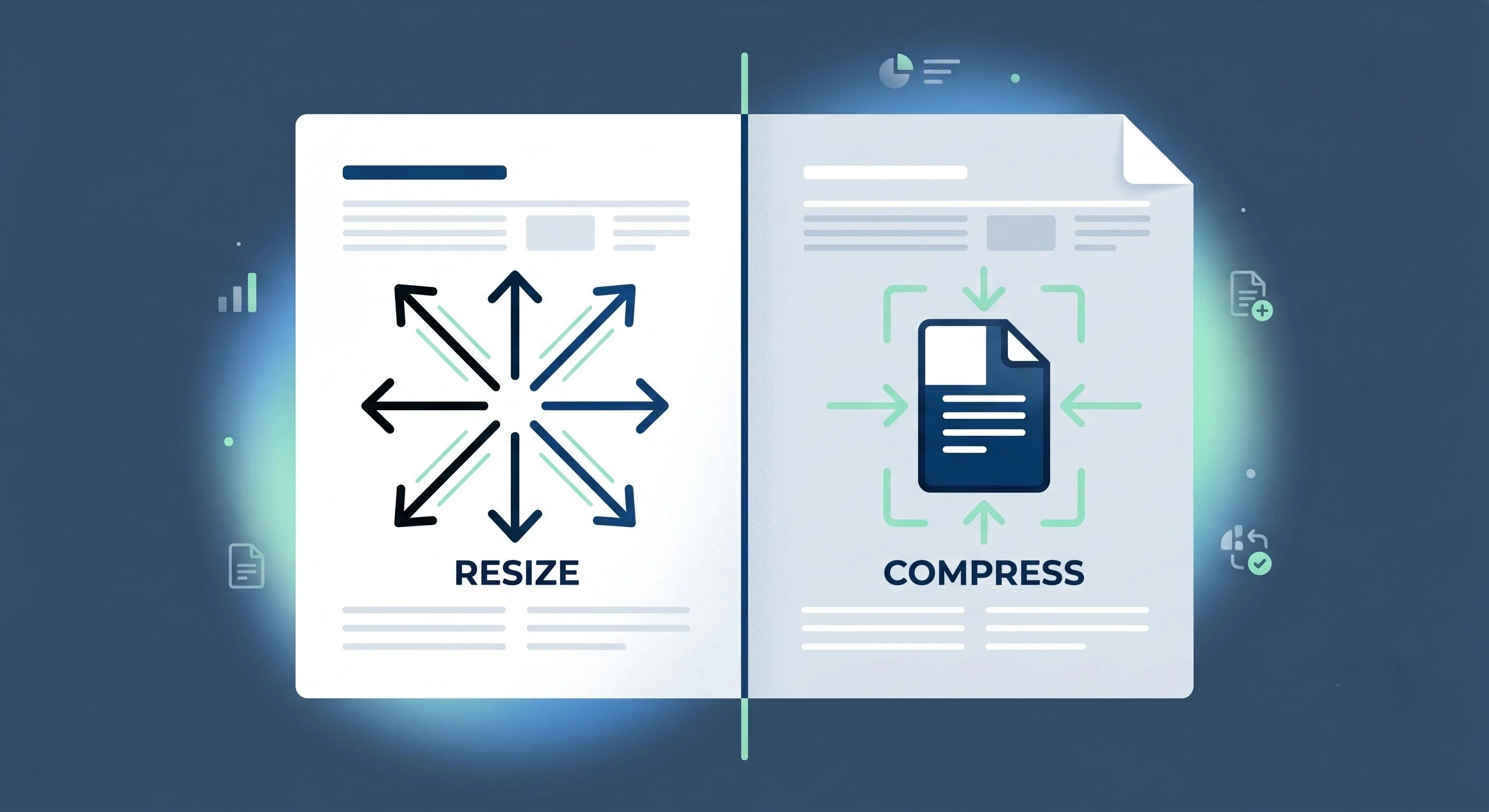

Table of Contents▼
Confused between resizing and compressing a PDF? Learn how to change PDF page dimensions, reduce file size without losing quality, and fix upload errors.
The Friday Afternoon PDF Panic
Imagine this: It’s 4:55 PM on a Friday. You’re trying to upload a crucial proposal, university application, or business document to a strict government portal. You hit "Submit," and an error message pops up in aggressive red text.
Many users hit a wall and search for immediate solutions when their PDF is too large to upload to application portals or corporate systems. But here’s the catch—what exactly is the portal complaining about?
Sometimes, it rejects the file because the digital footprint is too heavy, leaving you searching for a way to reduce PDF file size without losing quality. Other times, it's a structural rejection because the document layout doesn't match standard paper dimensions, forcing you to look up how to change PDF page dimensions to fit specific guidelines.
If you confuse these two actions, you might spend your evening degrading the image quality of your document, only to realize the portal is rejecting it because your canvas layout is incorrect.
Quick Answer
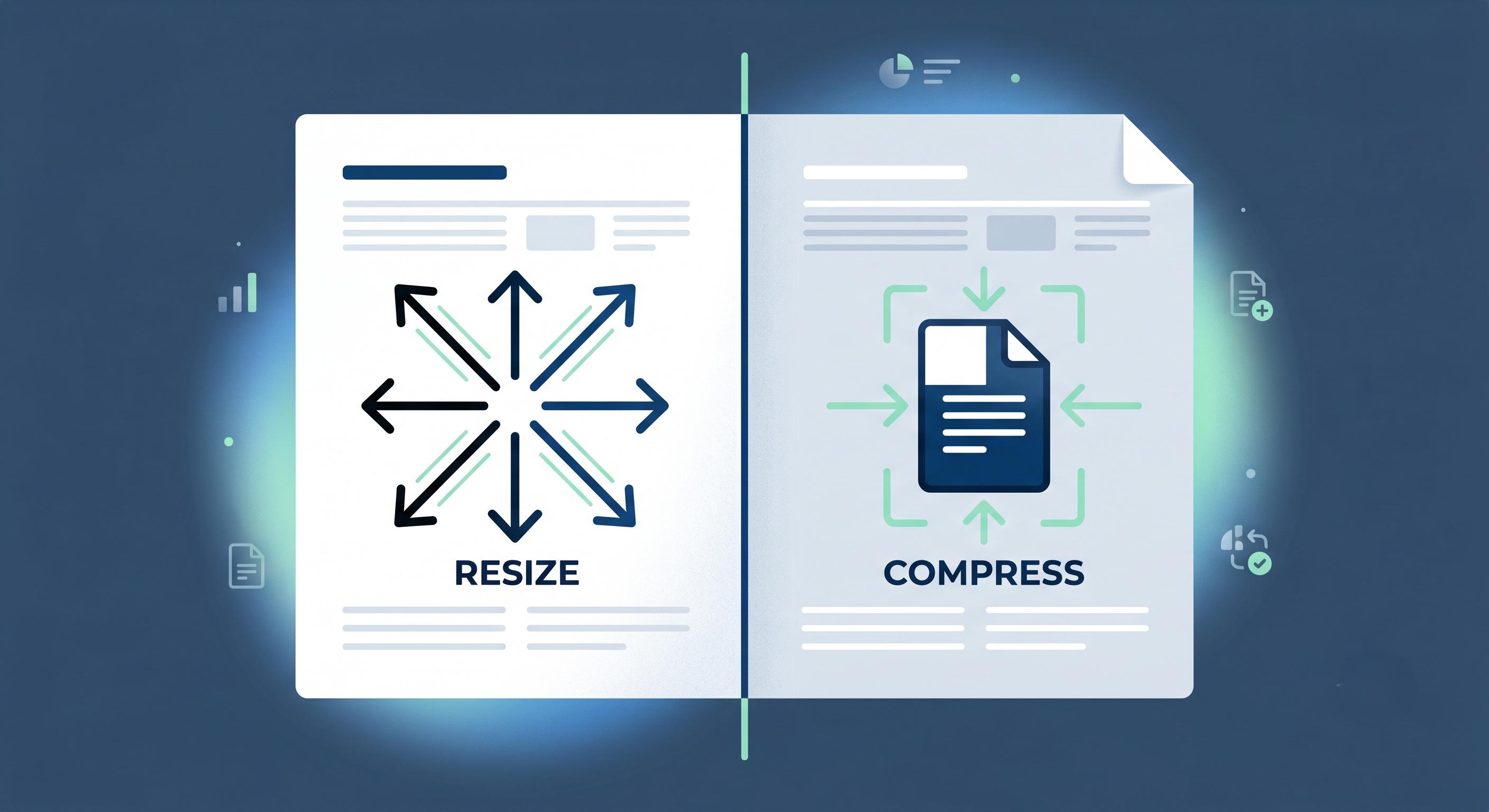
Resizing a PDF changes the page dimensions or layout size (e.g., converting Letter to A4), while compressing a PDF reduces the digital file size (megabytes) without altering the page dimensions. Use resizing when a document must match specific paper size requirements. Use compression when you need to meet strict upload limits or email attachment restrictions.
Why Do PDFs Cause So Much Friction?
PDFs are everywhere, yet they remain one of the most rigid file formats we interact with daily. Unlike a standard text document or a fluid web page, a PDF is designed to look the same on a high-end desktop monitor, an old smartphone, or a commercial printer. This rigidity is its greatest strength, but it's also why workflows frequently break down.
The Underlying Complications
Fixed Layouts vs. Reflowable Text: Microsoft Word documents use reflowable layouts. Adobe designed the PDF format to mimic digital paper; every character, image, and line has absolute coordinates on a grid. If you change the page size without adjusting these coordinates, your content can clip or distort.
The Desktop Software Drag: Historically, fixing a layout issue required heavy desktop suites like Adobe Acrobat Pro. These tools are often slow to launch, require expensive subscriptions, and overwhelm users with menus.
Device Incompatibility: Trying to adjust file configurations on a tablet or mobile browser using legacy software is notoriously difficult. If the tool isn't optimized for modern, cloud-native environments, the formatting often breaks.
Hidden Data Overload: A PDF that looks like simple text might actually contain uncompressed high-resolution images, embedded fonts, and structural metadata that balloon the file size without adding visual value.
Educational Deep Dive: Dimensional Change vs. Data Reduction
To choose the right solution, it helps to understand what happens to a file's code during these operations.
What is PDF Resizing? (Geometric Manipulation)
When you look for a PDF page size converter or need to resize pdf pages, you are executing a geometric change. Resizing alters the actual physical scale or canvas dimensions of the document pages. It changes the boundary boxes—known in technical terms as the MediaBox and CropBox.
For instance, if an official portal requires an international standard, you will specifically need to resize pdf to a4. When you run this process, you are altering layout metadata. The file size might change slightly because the canvas coordinates update, but the resolution of the internal assets remains untouched.
What is PDF Compression? (Data Optimization)
When you need to compress pdf or specifically compress pdf to 200kb or lower for strict forms, you are performing data optimization. Compression alters the digital weight (megabytes) of the file without changing the physical dimensions of the canvas. If your document is an A4 page before compression, it remains an A4 page afterward.
Compression algorithms look for redundancies within the data stream. They compress text structures, strip out duplicate metadata, and, most importantly, downsample images. For example, a 300 DPI (dots per inch) image might be downsampled to 150 DPI, making the file significantly lighter for attachments while preserving visual readability.
File Type | Target Dimensions | Visual Result | Expected File Size |
Original PDF | 8.5" x 11" (Letter) | Baseline Document | 15 MB |
A4 Paper | Changes Page Layout | ~14.8 MB (Unchanged) | |
8.5" x 11" (Letter) | Optimizes Data/Images | 2 MB (Reduced) |
Need a Quick Fix?
If your PDF is being rejected because of wrong page dimensions or layout mismatches, use a PDF resizing tool.
If the problem is strict upload limits or email attachment restrictions, use a PDF compression tool.
Modern browser-based platforms like Doxbar allow you to handle both workflows instantly without installing desktop software.
What to Look For in a Modern Document Tool
If you want to avoid formatting issues and security risks, look for tools that follow these modern design practices:
Privacy-First Security: Your documents contain sensitive information. Avoid platforms that store your files permanently. Look for services that use end-to-end encryption (HTTPS) and automatically purge your data from their servers shortly after processing.
True Visual Layout Preservation: A reliable tool handles the mathematics of coordinate scaling behind the scenes, ensuring text elements don't overlap when dimensions change.
Browser-Native Agility: You shouldn't need to install an executable file or an extension. Modern web standards allow platforms like Doxbar to handle complex rendering directly via your web browser (Chrome, Safari, Firefox), ensuring seamless cross-platform compatibility.
Tested Across Multiple Ecosystems: To ensure absolute reliability, ensure the tool handles heavy rendering and conversions smoothly across all major operating systems, including Windows, macOS, Android, and iOS.
Workflow Comparison: Legacy vs. Modern Cloud
Feature / Scenario | Legacy Online Converters | Desktop Software Suites | Modern Browser-Based (Doxbar) |
Processing Speed | Slow, queue-dependent | Fast, but heavy on RAM | Fast, cloud-optimized |
Privacy & Security | Uncertain data retention | Secure, but local to one machine | Secure, automated file purging |
User Experience | Ad-heavy, confusing UI | Complex, steep learning curve | Clean, minimalist, intuitive |
Cross-Device Access | Poor mobile responsiveness | Bound to desktop licenses | Fully responsive on any browser |
Cost Barrier | Often gated by paywalls | Expensive recurring fees | Highly accessible / Free tiers |
Step-by-Step: How to Execute Clean Conversions
Whether you need to switch profiles or scale down a layout, using a modern tool makes the process effortless:
Step 1: Upload Securely
Navigate to the tool interface on your browser. Drag and drop your file into the secure target zone. Ensure the platform displays secure transfer indicators, such as the padlock symbol in your browser address bar, verified by secure HTTPS encryption.
Step 2: Set Your Objectives
For Geometric Changes: If your goal is to change pdf page size online, select your target page dimensions (e.g., Letter, A4, Legal) or input custom dimension scales.
For File Size Reduction: If you want to reduce pdf file size, select your desired compression profile (e.g., Balanced for clear text, or Maximum Compression for strict limits).
Step 3: Let the Cloud Engines Run
Click the action button. The cloud infrastructure processes the file, running layout math or data optimization algorithms in seconds.
Step 4: Download and Verify
Save the output file to your local storage. Open it briefly to verify that text formatting, tables, and signature blocks remain intact before sending it off.
The Pros & Cons of Digital Document Tuning
Resizing PDF Pages
Pros: Achieves compliance with strict institutional layout criteria; corrects mixed-page size errors within merged documents.
Cons: Can create unwanted white space or tight margins if the aspect ratio of the target size differs drastically from the original.
Compressing PDFs
Pros: Shrinks files significantly for email attachments; speeds up upload times on slow networks; saves cloud storage space.
Cons: Over-compression can cause fine text to blur and high-resolution images to pixelate.
Advanced FAQ
1. Does resizing a PDF automatically reduce its file size?
Not necessarily. Resizing changes the layout canvas metadata (e.g., from Letter to A4). If the document contains heavy, uncompressed embedded images, the file size will remain large despite the smaller page dimensions.
2. How can I reduce PDF file size without losing quality?
To retain crisp text and clear images while lowering weight, use a tool that optimizes internal data structures, strips redundant metadata, and uses smart vector compression rather than aggressively lowering image DPI.
3. How do I change PDF page size online for a specific portal?
You can use a web-native pdf page size converter like Doxbar. Upload your document, select the exact standard size required by the portal (such as A4 or Letter), and run the conversion to update the internal coordinate layout instantly.
4. What should I do if my PDF is too large to upload to a government site?
If the portal rejects the document based on a size limit (e.g., "File must be under 2MB"), you should run the file through a compression tool to optimize the data stream and lower its megabyte weight.
5. Will compressing a PDF invalidate digital signatures?
Yes, aggressive compression can invalidate cryptographic digital signatures. Cryptographic signatures rely on the exact binary state of the file; altering internal streams or downsampling images changes the file hash, causing validation tools to flag the signature as altered.
6. What is the fastest way to compress PDF to 200KB or less?
The fastest way is to use a web-native compression engine. Choose a "High Compression" or "Maximum Compression" profile, which downsamples non-essential images to 72 DPI and optimizes structural data streams to hit low file-size targets.
7. How does Doxbar protect my uploaded data?
Doxbar uses encrypted communication channels (HTTPS) to process files. Uploaded documents are kept temporarily to process your request and are automatically wiped from the servers shortly after, ensuring your data remains private.
8. How can I easily resize pdf to a4 format?
Upload your document to a page sizing tool, select "A4 ($210 \times 297\text{ mm}$)" from the dropdown preset menu, and hit convert. The engine will automatically recalculate the layout bounding boxes.
9. Why are scanned PDF files always so large?
Scanned PDFs are essentially a collection of high-resolution photographs saved inside a PDF format container. Because they lack native text code, they take up significantly more storage space than a document generated directly from a word processor.
10. Does reducing a PDF's size affect its searchability?
Standard compression does not affect the underlying text strings or search indexes. Your document will remain fully searchable as long as the compression tool preserves the native font maps and text objects.
11. Can I change PDF print size settings for a single page in a document?
Yes, advanced editors allow you to target specific pages—like changing an embedded landscape spreadsheet page to match portrait text pages—though uniform resizing across the entire file is more common for standard submissions.
12. What does DPI mean in PDF optimization?
DPI stands for Dots Per Inch. It measures image resolution. For high-quality printing, 300 DPI is standard. For web viewing or email attachments, 72 to 150 DPI is usually sufficient and keeps file sizes small.
13. Why do some PDF files refuse to compress further?
If a PDF file was generated using highly optimized settings or has already been heavily compressed, optimization engines won't find any additional data redundancies to remove.
14. Is it safe to use free web tools for sensitive medical or financial documents?
You should only use tools that explicitly outline their data retention policies. Look for platforms like Doxbar that prioritize user privacy, don't require personal accounts for basic operations, and automatically delete files post-session.
15. How do I fix a PDF that is cut off at the margins?
This usually occurs when a document configured for a large page format is forced into a smaller print canvas without scaling. Applying a proper proportional layout resize operation fixes this alignment.
16. What is the maximum file size limit for standard email clients?
Most popular email providers, such as Google Gmail and Microsoft Outlook, cap total attachment sizes at 25 MB per email. If your document exceeds this, you must shrink the file size before sending.
17. Can I compress or resize password-protected PDFs?
You must decrypt or unlock the document using its owner's password before an external tool can modify its internal layout geometry or compression streams.
18. Why do some fonts look different after a layout conversion?
If a PDF uses custom fonts that aren't embedded directly in the file code, the viewing device or conversion engine will substitute them with fallback fonts (like Arial or Times New Roman), which can alter spacing and margins.
19. What are the layout terms MediaBox and CropBox?
The MediaBox defines the physical boundaries of the page medium (the paper size). The CropBox defines the region to which the page contents are clipped when displayed or printed.
20. Can mobile browsers handle PDF resizing smoothly?
Yes. If you use a cloud-optimized, modern web application rather than desktop-dependent software, your mobile device's browser can easily manage complex file configurations smoothly across Android and iOS.
Strategic Takeaway: Choosing the Right Tool for the Job
Before modifying your documents, confirm the specific constraints of the platform you are uploading to:
If the system rejects your file due to megabytes or upload speed, you need to perform file optimization to reduce its digital weight.
If the system flags structural mismatches, printing alignment errors, or margin limits, you need to execute a page dimension change.
For a fast, reliable, and privacy-conscious solution to these document issues, consider using Doxbar. It offers modern, web-native utilities designed to process your files securely, keeping your workflow moving without annoying delays.
Need to Convert Document Formats?
Try our secure, lightning-fast PDF conversion suite. Convert Word, Excel, Images, and more with zero formatting loss.

Doxbar Editorial
Security & Privacy Team
We specialize in secure document architectures, parsing engines, and modern developer utilities. Keeping your files safe, lightweight, and perfectly formatted.
Join the Conversation
Share your thoughts or ask a question about this topic. This is a privacy-first system.