

ZIP vs PDF: Which Format Should You Use? (When to Convert Both Ways)
Contents
ZIP vs PDF: Which Format Should You Use? (When to Convert Both Ways)

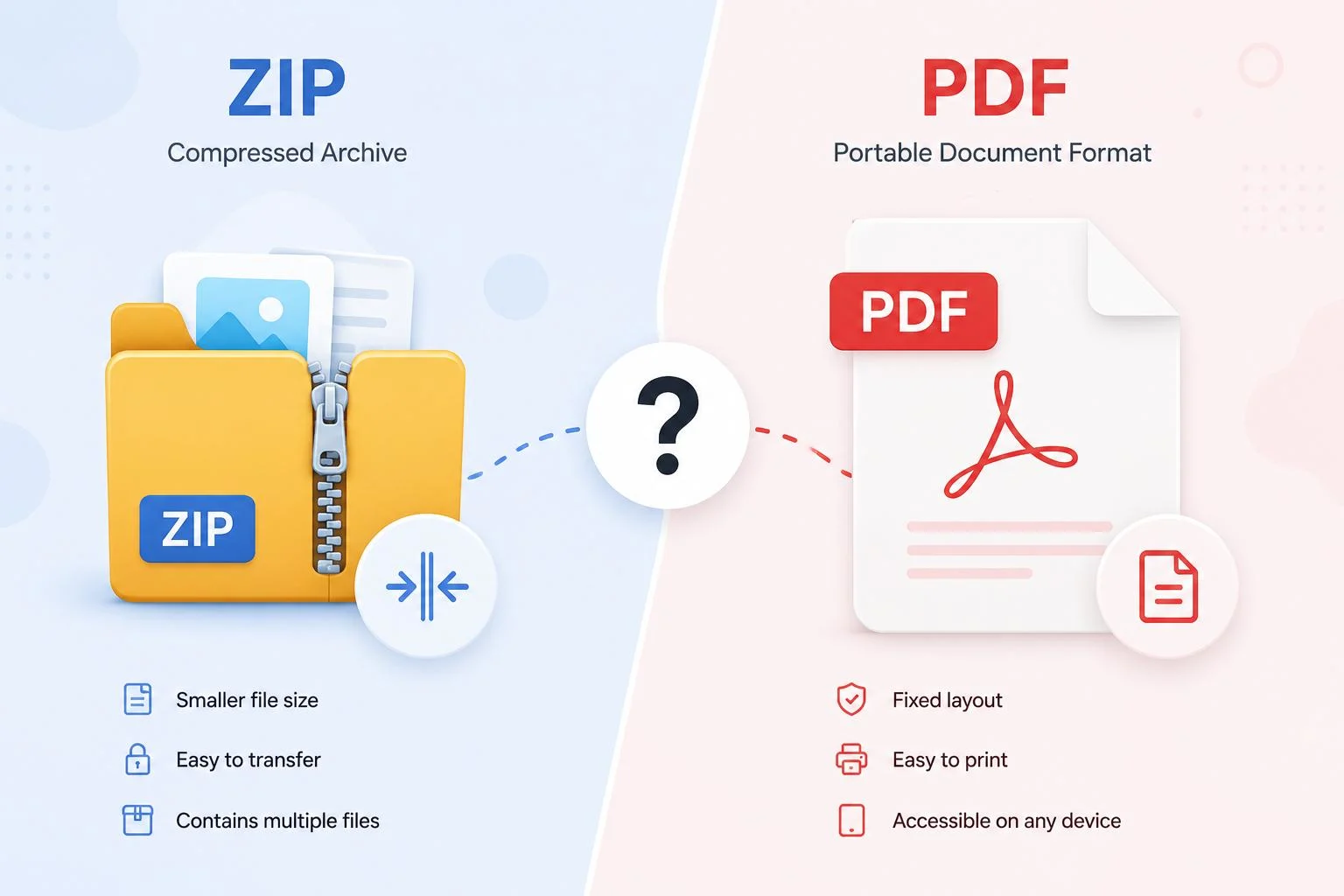

Table of Contents▼
It's 4:58 PM on a Friday. You've just finished a 15-page proposal. The client needs it by 5:00 PM. You hit send, and Gmail pops up: "File too large. Maximum attachment size is 25 MB.
Panic sets in. You start googling frantically—"ZIP vs PDF," "how to send large files," "PDF compressor."
Meanwhile, across town, another professional has the opposite problem. She has twelve separate PDFs from a project she just wrapped up. The client wants everything in one go. Sending twelve attachments in one email feels messy and might trigger spam filters.
Two people. Two different problems. Both point to the same question: ZIP or PDF—which format should I use?
This guide breaks down the ZIP vs PDF decision, explains when to convert between them, and helps you choose the right format for every situation.
ZIP vs PDF: Quick Comparison at a Glance
Feature | ZIP | |
Primary Purpose | Compress and bundle multiple files | Present and share documents |
Best For | Sending multiple files, archiving, and reducing size | Final documents, contracts, reports, ebooks |
Opens On | Needs extraction software (built-in on most OS) | Almost every device natively |
File Size Impact | Reduces the size significantly for text files | Already compressed, minimal further reduction |
Security | Password protection available | Password protection, digital signatures, encryption |
Editing | Cannot edit files inside without extraction | Limited editing requires specialized software |
Recipient Experience | Must extract files before viewing | Opens immediately |
This table answers the core ZIP vs PDF question for most users. But let's dive deeper.
ZIP vs PDF: What's the Actual Difference?
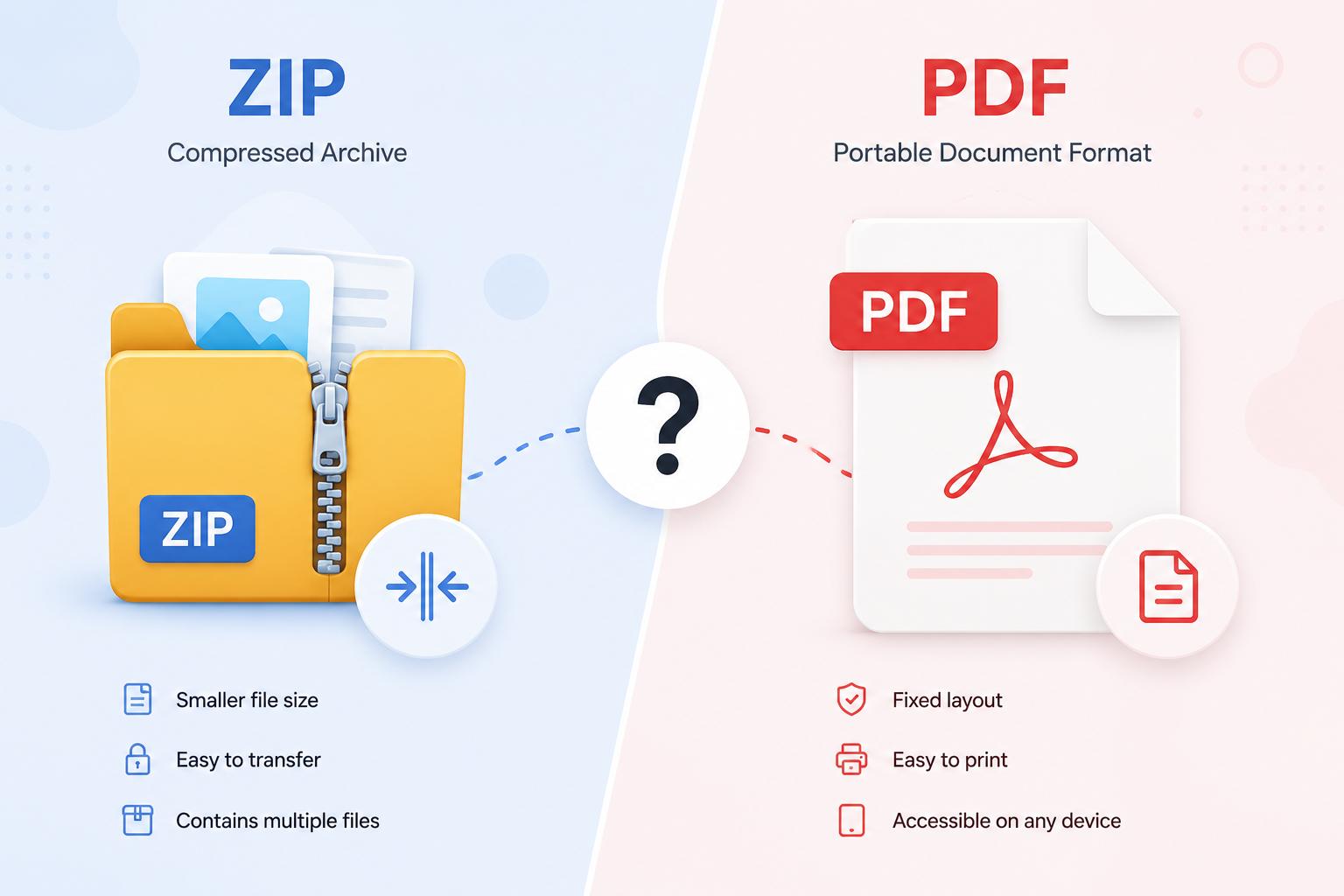
A lot of people think ZIP and PDF are just two different types of files. But they're actually fundamentally different creatures.
PDF is a document format. Its entire purpose is to preserve how something looks. Open a PDF on a Windows laptop, a MacBook, or an Android phone—it'll look pretty much the same. Fonts stay put. Images don't shift. Margins remain intact. Adobe created this format back in the early 1990s, and it's become the global standard for document sharing.
ZIP is not a document format at all. It's a container—like a digital suitcase. You throw files into it, and it compresses them so they take up less space. The files inside could be anything: PDFs, Word docs, photos, videos, even other ZIP files. Phil Katz developed this technology in 1989, and it's been a core part of computing ever since.
Think of it this way: PDF is the final product. ZIP is the shipping box.
When to Use PDF
PDF is your default choice for almost any document you want someone to read.
Contracts and agreements. Sending a signed contract? PDF is the standard. Professional, unalterable, opens anywhere.
Reports and presentations. Quarterly reports, school projects—PDF preserves your charts, tables, and branding.
Ebooks and white papers. Publishing downloadable content? PDF is the most accessible format.
Forms and applications. Official forms are often PDFs because they can include fillable fields while maintaining layout.
Resumes and portfolios. Job applications? PDF ensures your resume looks exactly as intended.
Print-ready documents. Going to a professional printer? PDF is the standard format.
Should you use ZIP or PDF for a single document? PDF, always. The recipient can open it immediately without any extra steps.
When to Use ZIP
ZIP shines in situations where you're managing, moving, or storing multiple files.
Sending multiple files via email. Instead of attaching 15 separate files, bundle them into one ZIP. Cleaner, faster, less likely to trigger spam filters.
Archiving project files. When a project wraps up, ZIP all related files—documents, images, spreadsheets—and store them together.
Reducing file size for storage. ZIP reduces file size using lossless compression. Especially effective for text-based files.
Organizing downloads. Offering multiple templates or resources? A ZIP download is more convenient for users.
Backing up related documents. Keep related files together in one compressed package.
Should you use ZIP or PDF for multiple documents? ZIP. It bundles everything into one file and reduces the overall size.
Should You ZIP a PDF Before Sending It?
This is one of the most common questions in the ZIP vs PDF debate.
Short answer: Usually not.
PDFs already have built-in compression. When you save a PDF, the software automatically compresses images and text. So zipping a PDF often does very little—sometimes nothing at all.
File Type | ZIP Compression Effect |
Text files (.txt) | Excellent (often 60-80% reduction) |
Word documents (.docx) | Good (often 20-40% reduction) |
Spreadsheets (.xlsx) | Good (often 20-40% reduction) |
PDFs | Minimal (often 0-10% reduction) |
JPEG images | Minimal (already compressed) |
MP4 videos | Minimal (already compressed) |
Depending on the file contents, ZIP may significantly reduce the size of text-based files, while already compressed formats like PDF, JPEG, and MP4 often see little or no reduction.
What should you do instead? Use a dedicated PDF compressor tool. It'll reduce PDF size more effectively than zipping.
When to Convert ZIP to PDF
Converting ZIP to PDF is useful when you have multiple files in an archive and want to present them as a single, unified document.
You received a ZIP folder with images and need a single PDF portfolio. A client sends 50 event photos in a ZIP. They want a single PDF portfolio for their boss. Converting ZIP to PDF does this in seconds.
You have archived documents in various formats and need a unified PDF. An architect receives floor plans in CAD, scanned images, and Excel sheets. The client doesn't have CAD software. Converting everything to PDF makes it accessible.
Legal documents need to be compiled for court submission. Law firms often receive case files in ZIP archives. Converting to a single PDF for court submission preserves formatting and page numbers.
Scanned documents inside a ZIP need text extraction. Converting to PDF with OCR (Optical Character Recognition) makes scanned text searchable and selectable.
Can you convert ZIP to PDF without extracting files? Yes, modern tools extract and convert automatically in one step.
When to Convert PDF to ZIP
Converting PDF to ZIP is useful when you have multiple PDFs to send together or archive.
Sending multiple PDFs to a client. A freelance accountant has 15 invoices to send. Bundling them into a single ZIP is cleaner and more professional than attaching 15 files.
Reducing file size for email. Zipping multiple PDFs reduces total size. Corporate email servers often have strict limits.
Archiving project documents. Project manager wrapping up a year-long initiative? ZIP all final reports, presentations, and meeting notes together.
Organizing resources for download. Offering multiple templates? ZIP them for one convenient download.
Preparing documents for backup. All invoices for a quarter? ZIP them for organized backup.
Can you convert PDF to ZIP online for free? Yes, many tools offer free browser-based PDF to ZIP conversion.
ZIP vs PDF for Email Attachments
This is one of the most common scenarios in the ZIP vs PDF debate.
For a single document, use PDF. The recipient opens it immediately. No extraction needed.
For multiple documents, use ZIP. But there are two caveats:
Some corporate email systems block ZIP files as a security measure
Recipients must extract the ZIP before viewing
Best practice for large PDFs:
Try PDF compression first
If still too large, consider cloud storage (Google Drive, Dropbox)
ZIP as a last resort (may not reduce size much)
Is ZIP or PDF better for email? For a single document, PDF. For multiple documents, ZIP—but check if your recipient's system accepts ZIP attachments.
ZIP vs PDF for Cloud Storage
Storing files in Google Drive, Dropbox, or OneDrive? Here's the ZIP vs PDF comparison.
PDF is better for individual documents you want to preview online. Most cloud services have built-in PDF viewers.
ZIP is better for organizing related files. Upload one ZIP instead of 20 individual files. But you can't preview content without downloading and extracting.
Storage impact: ZIP saves space, but cloud storage is cheap. The organization benefits often outweigh the storage savings.
ZIP vs PDF for Security
Both formats offer security, but they work differently.
PDF security:
Password protection to prevent opening
Digital signatures for authentication
Restrictions on printing, copying, and editing
Redaction tools to remove sensitive information
AES-256 encryption
ZIP security:
Password protection with AES-256 encryption
Cannot restrict specific actions (extract all or nothing)
Older tools may use weaker encryption (avoid ZipCrypto)
For sensitive documents, PDF offers more granular security controls. For simply password-protecting a bundle of files, ZIP is fine.
ZIP vs PDF: Pros and Cons
ZIP Pros
Bundles multiple files into one
Reduces file size (especially for text files)
Organizes related documents
Platform-independent
Built-in support in Windows and macOS
ZIP Cons
Recipients must extract files
Blocked by some corporate email systems
Limited security options
No preview without extraction
PDF Pros
Opens on any device immediately
Preserves exact formatting
Advanced security options
Professional appearance
Supports multimedia and interactivity
PDF Cons
Larger file size than ZIP for multiple files
Editing requires specialized software
Conversion can be complex
Not designed for bundling unrelated files
Step-by-Step: ZIP to PDF Conversion
Open a browser-based ZIP to PDF tool
Select the ZIP file (no upload needed with client-side tools)
Choose which files to convert (all or specific ones)
Set output to PDF
Start conversion (automatic extraction + conversion)
Download your PDF(s)
Quick quality check—verify formatting
Step-by-Step: PDF to ZIP Conversion
Open a browser-based PDF to ZIP tool
Select the PDFs you want to bundle
Click the compress or ZIP option
Download the ZIP
Check the size for your intended use
Comparison: Legacy Tools vs Modern Tools
Feature | Older Online Tools | Desktop Software | Modern Browser Tools |
Privacy | Files go to servers | Local only | Local only (browser) |
Speed | Depends on upload | Very fast | Instant (no upload) |
Device Access | Any browser | Installed device only | Any browser |
Cost | Hidden fees sometimes | One-time purchase | Free or freemium |
Updates | Manual or none | Manual installation | Always current |
Frequently Asked Questions
What is the difference between ZIP and PDF?
PDF is a document format for presenting content. ZIP is a container format for compressing and bundling files. PDF is for reading; ZIP is for packing.
Is ZIP or PDF better for email?
For a single document: PDF. For multiple documents: ZIP. Check if your recipient's email system accepts ZIP attachments.
Should I ZIP a PDF before sending it?
Usually no. PDFs are already compressed, so zipping doesn't reduce size much. Use a PDF compressor instead.
Can I convert ZIP to PDF without extracting files?
Yes. Modern tools extract and convert automatically in one step. You don't need to manually extract anything.
Can I convert PDF to ZIP online for free?
Yes, many browser-based tools offer free PDF to ZIP conversion. No registration required.
Is ZIP better than PDF?
Neither is "better." They serve different purposes. ZIP is for bundling and compressing files. PDF is for presenting documents.
ZIP vs PDF for storage—which is better?
ZIP saves space and keeps related files together. PDF preserves document formatting. Choose based on what you're storing.
Why doesn't ZIP compress PDFs much?
PDFs already use built-in compression. The data is already optimized, so ZIP can't reduce it much further.
Can a ZIP file contain PDFs?
Yes, ZIP can contain any file type, including PDFs, Word documents, images, and videos.
What's the best format for sending multiple documents?
ZIP. It bundles everything into one file and reduces total size.
What's the best format for sending a single document?
PDF. The recipient opens it immediately without any extra steps.
Does ZIP reduce image quality?
No, ZIP uses lossless compression. The quality remains identical to the original.
Can I password-protect a ZIP file?
Yes, using tools like 7-Zip, WinRAR, or WinZip. Use AES-256 encryption for better security.
Can I password-protect a PDF?
Yes, using Adobe Acrobat or free tools. You can restrict opening, printing, and editing.
What's a PDF Portfolio?
Adobe's feature to bundle multiple files inside a PDF wrapper. Unlike ZIP, recipients browse files directly in a PDF reader.
Why do some email providers block ZIP files?
Corporate email systems may block ZIP files as a security measure—they can contain viruses or malware.
Can I open a ZIP file on my phone?
Yes. Android and iOS both support ZIP extraction natively. Third-party apps offer additional features.
What should I do if my PDF is too large for email?
Try PDF compression first. If still too large, try ZIP (though reduction may be minimal). Consider cloud storage for very large files.
Is ZIP or PDF more secure?
PDF offers more granular security: passwords, digital signatures, print restrictions. ZIP offers basic password protection.
Can I convert a ZIP folder to PDF without extracting it?
Yes, modern ZIP to PDF tools handle this automatically. No manual extraction required.
What's the difference between ZIP and PDF for archiving?
ZIP keeps files organized and saves space. PDF preserves document formatting and is more suitable for long-term document preservation (consider PDF/A).
Which ZIP tool should I use?
Windows: built-in works. 7-Zip for advanced features (free). macOS: Archive Utility (built-in).
What's OCR and when do I need it?
OCR extracts text from scanned images. You need it when converting scanned documents in a ZIP to searchable PDFs.
Can I convert ZIP to PDF on mobile?
Yes, browser-based tools work on mobile. File management is a bit trickier than on the desktop.
Common Tools Reference
Tool | Platform | Main Use |
Adobe Acrobat | Windows, Mac | PDF creation, editing, and security |
7-Zip | Windows, Mac, Linux | ZIP creation and extraction (free, open-source) |
WinRAR | Windows, Mac | ZIP/RAR creation and extraction |
WinZip | Windows, Mac | ZIP creation and extraction (paid) |
macOS Archive Utility | Mac | Built-in ZIP support |
Windows ZIP | Windows | Built-in ZIP support |
Browser | PDF tools, ZIP conversion, compression |
The Bottom Line
Here's the simplest way to decide in the ZIP vs PDF debate:
Use PDF if:
You're sending a document for someone to read
You need to preserve formatting exactly
You want something that opens on any device
You need advanced security like digital signatures
Use ZIP if:
You're sending multiple files together
You need to reduce file size (for text-based files)
You're archiving related files
You're backing up project files
Convert ZIP to PDF if:
You have archived files you want to present as one document
Recipients should view content without extraction
Convert PDF to ZIP if:
You have multiple PDFs to send together
You want organized backup or archiving
And if you're dealing with large PDFs specifically, try PDF compression before zipping. It's often more effective.
Need help with ZIP vs PDF conversions? Explore Doxbar's browser-based tools. No account required. No hidden charges.
Need to Convert Document Formats?
Try our secure, lightning-fast PDF conversion suite. Convert Word, Excel, Images, and more with zero formatting loss.

Doxbar Editorial
Security & Privacy Team
We specialize in secure document architectures, parsing engines, and modern developer utilities. Keeping your files safe, lightweight, and perfectly formatted.
Join the Conversation
Share your thoughts or ask a question about this topic. This is a privacy-first system.