













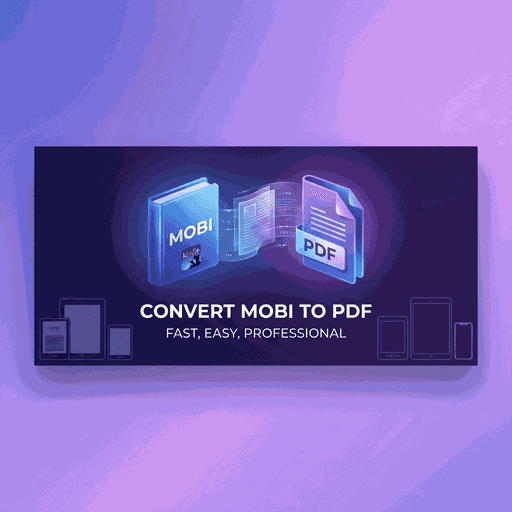
MOBI (Mobipocket/Kindle) to PDF conversion process
MOBI to PDF Conversion: Complete Kindle Format Guide
MOBI (Mobipocket) files powered Amazon's Kindle empire before being superseded by AZW3 and KFX formats. Despite this evolution, billions of MOBI files exist—personal documents, legacy purchases, and sideloaded content on older Kindles. Converting MOBI to PDF liberates this content from Amazon's ecosystem.
This comprehensive guide explains MOBI structure, DRM considerations, conversion techniques, and quality optimization for creating perfect PDFs from your Kindle library.
Understanding MOBI Format
MOBI originated with Mobipocket SA (founded 2000, acquired by Amazon 2005). The format combined PalmDOC compression with enhanced ebook capabilities—tables of contents, images, JavaScript, and DRM support. Amazon adopted MOBI as Kindle's foundation, creating the dominance we see today.
MOBI Technical Specs
- Palm DOC Base: Text compressed using LZ77-variant algorithm for size reduction
- MOBI Header: Extended metadata including ASIN, publisher, language code
- HTML Content: Books stored as HTML fragments with minimal CSS
- Image Support: JPEG and GIF embedded directly in file structure
DRM Warning
Amazon Kindle Store purchases are protected with DRM (Digital Rights Management). Our converter only works with DRM-free MOBI files. To convert protected books, you must first remove DRM using Calibre's DeDRM plugin (legal only for books you own).
Why Convert MOBI to PDF?
🔓 Break Free from Kindle
Read MOBI books on non-Kindle devices. iPads, Android tablets, Kobo readers, and computers all open PDFs without restrictions.
🖨️ Print Your Library
MOBI's reflowable layout prevents consistent printing. PDF's fixed pages enable professional printing for study guides, annotated classics, or archival copies.
📚 Archival Stability
Amazon discontinued MOBI downloads in 2022 (now forcing AZW3). PDF ensures your library remains accessible regardless of format wars.
💼 Professional Use
Share reports, manuals, or documentation created in MOBI format with colleagues using standard PDF—no Kindle app required.
MOBI to PDF Conversion Process
Step 1: Decompression
MOBI uses PalmDOC compression. The converter:
- • Reads MOBI header to detect compression type
- • Decompresses text records using LZ77 algorithm
- • Extracts embedded images (JPEG/GIF) to temporary storage
- • Parses NCX table of contents for chapter structure
Step 2: HTML Rendering
MOBI content is HTML-based. A headless browser renders each chapter, applying basic CSS styles. Amazon's proprietary tags (like mbp:pagebreak) are converted to standard page break commands.
Step 3: Layout Optimization
Font sizing is normalized. MOBI's relative font sizes become absolute PDF points. Page breaks are calculated to avoid orphaned headings and split images—mimicking professional book layout.
Step 4: PDF Assembly
Chapters are compiled into a single PDF. Table of contents becomes interactive bookmarks. Cover image (if present) becomes the first page. Metadata (title, author, ISBN) transfers to PDF properties.
Frequently Asked Questions
Can I convert AZW3 or KFX files?
Not directly. AZW3/KFX are newer Kindle formats. First convert them to MOBI using Calibre (free, open-source). Then use our tool for MOBI→PDF conversion. Two-step process, but maintains highest quality.
What about DRM-protected Kindle purchases?
DRM removal is legally complex. Use Calibre's DeDRM plugin for books you legitimately own. We cannot and will not process encrypted files—conversion will fail. Only upload DRM-free MOBI files.
Will page numbers match my Kindle?
No. Kindle uses "locations" not pages. MOBI is reflowable—page numbers depend on font size. PDFs have fixed pages. We optimize breaks logically (avoiding split paragraphs), but page numbers won't match Kindle locations.
Are highlighted notes preserved?
MOBI files don't contain highlights—those are stored separately on your Kindle device or in Amazon's cloud. Only the book's original text converts. Export highlights from Kindle separately if needed.
Can I batch convert my entire Kindle library?
Yes. Upload hundreds of MOBI files at once. Download options: merged PDF (entire library in one file), ZIP of individual PDFs, or separate download links for each book.
Free Your Kindle Library Today
Convert MOBI to PDF and read anywhere. No Kindle required. Perfect for archiving, printing, or sharing your digital book collection. Fast, free, unlimited conversions.
100% Private. Files deleted after conversion. Start now.