


Flatten PDF: Merge Layers & Lock Your Forms Instantly
Convert editable forms, annotations, and multi-layered content into a single, non-editable base layer. Secure your data and ensure correct printing.
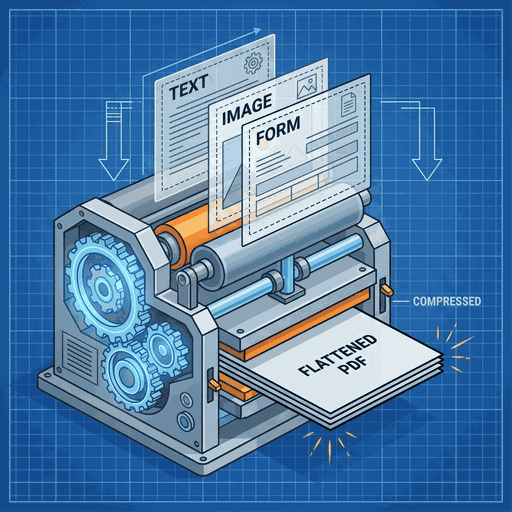
What Does It Mean to Flatten a PDF?
A standard PDF is often more than just a flat image. It acts like a sandwich made of multiple transparent stacked layers. The base layer might contain the main text, while floating layers on top hold interactive forms, digital signatures, comments, sticky notes, and images with transparency.
When you Flatten a PDF, you are essentially performing a "Merge Down" operation similar to Photoshop. All these separate, edible, and interactive elements are rasterized or ingrained into the single background layer.
The result is a document that looks exactly the same but behaves very differently. Form fields become uneditable text. Comments become permanent marks. The file becomes "read-only" in a visual sense, ensuring that what you see is exactly what everyone else sees (and prints).
Top Reasons to Flatten Your PDF
Locking Fillable Forms
You send a contract or interactive form to a client. They fill it out. If you don't flatten it before archiving, they (or anyone else) can still change the values later. Flattening "burns in" the data, making the form non-editable.
Fixing Printing Errors
Printers sometimes struggle with transparency layers or complex vector overlays, causing items to vanish on paper. Flattening simplifies the render path, guaranteeing that the physically printed page matches the screen 100%.
Universal Compatibility
Some mobile PDF viewers drop "Annotation Layers" completely. By flattening annotations into the content stream, you ensure your comments and markups are visible on every device, from iPhones to Kindles.
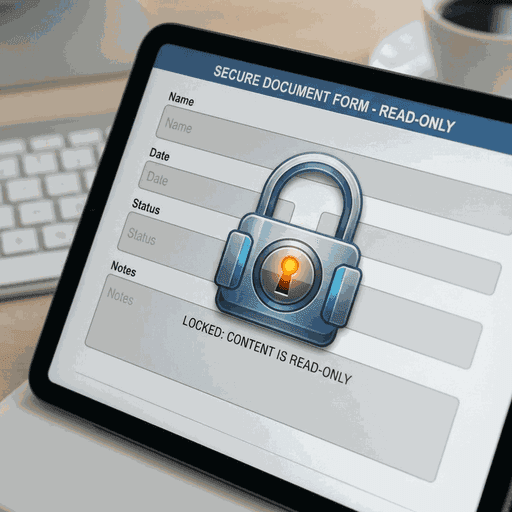
Read-Only Mode: Ensure form data cannot be tampered with after signing.
How It Works: Stream Compression

From a technical perspective, flattening involves parsing the PDF's Document Object Model (DOM). We look for dictionaries tagged as `/Annots` (Annotations) or `/Widget` (Form fields).
For each visible annotation, our engine:
- Rasterizes or Vectorizes the appearance stream of the annotation.
- Draws this visual representation onto the main `/Contents` stream of the page.
- Removes the original interactive object from the Page Tree.
This process effectively "bakes" the interactive elements into the canvas. It can also result in smaller file sizes if complex layer structures are simplified into standard content streams.
Frequently Asked Questions
Can I un-flatten a PDF?
No. Flattening is a destructive one-way process. Once the layers are merged into the base image/content, you cannot separate them back into editable fields. Always keep a backup of your original file!
Does flattening reduce file size?
It depends. If you have many rigorous vector layers, flattening might simplify them and reduce size. However, if flattening forces a large number of vector elements to become high-res images, size might increase slightly.
Does Doxbar keep a copy?
Never. Your files are processed in-memory within your secure browser session. Once you close the tab, all data is wiped.
Secure Your Forms Now
Prevent unwanted edits and ensure perfect printing by flattening your PDF today.










