


The Definitive Guide to PDF Linearization: Optimizing for Fast Web View
A deep dive into the architecture of PDF Byte-Streaming. Learn how to transform sluggish documents into instant-loading web assets, improve Core Web Vitals, and master the technical nuances of the PDF 1.7 Standard.
Introduction: The Latency Bottleneck
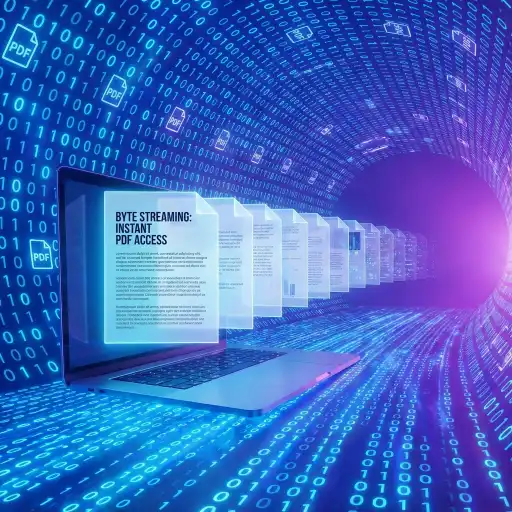
In the modern digital ecosystem, performance is not just a feature; it is the primary user interface. As web standards evolve with technologies like HTTP/3 and 5G, user tolerance for latency has plummeted. While HTML, CSS, and JavaScript have seen massive optimization revolutions (minification, tree-shaking, SSR), the Portable Document Format (PDF) often remains a relic of a slower era—a monolithic block of data that refuses to render until fully consumed.
This guide aims to demystify PDF Linearization, a standard-compliant method to modernize how PDFs behave on the web. Often colloquially termed "Fast Web View," linearization is the mechanism that allows a PDF to mimic the behavior of streaming video: immediate playback (rendering) while the remainder of the data buffers in the background.
We will explore the internal object structure of PDF files, the mechanics of HTTP Byte-Range requests, server-side configurations for Nginx and Apache, and the verifiable impact on User Experience (UX) and Search Engine Optimization (SEO).
Historical Context: Why PDFs Are Slow by Default
To understand the solution, we must understand the problem's origin. The PDF format was created by Adobe Systems in the early 1990s, based on the PostScript language. Its primary goal was "document fidelity"—ensuring a file looked exactly the same on a Macintosh, a Windows PC, or a printer.
In this desktop-centric era, files were stored on local hard drives or floppy disks. Random Access Memory (RAM) was scarce. To optimize format efficiency, the PDF specification allowed objects (images, fonts, text blocks) to be written to the file in any order. A dictionary called the Cross-Reference Table (XRef) was placed at the end of the file.
This architectural decision meant that to open a PDF, the reader application had to:
- Seek to the end of the file.
- Read the XRef table (the map).
- Jump back to specific byte offsets to assemble the page.
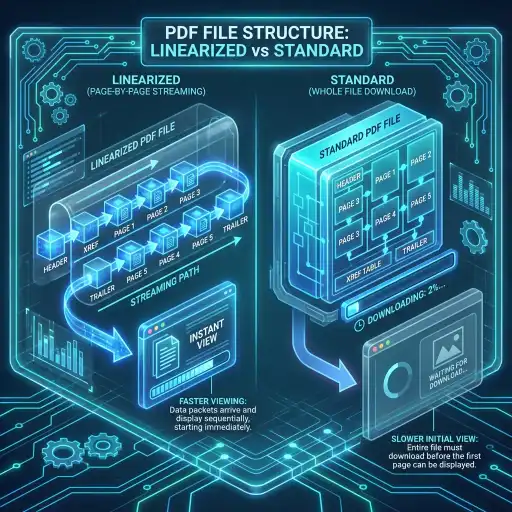
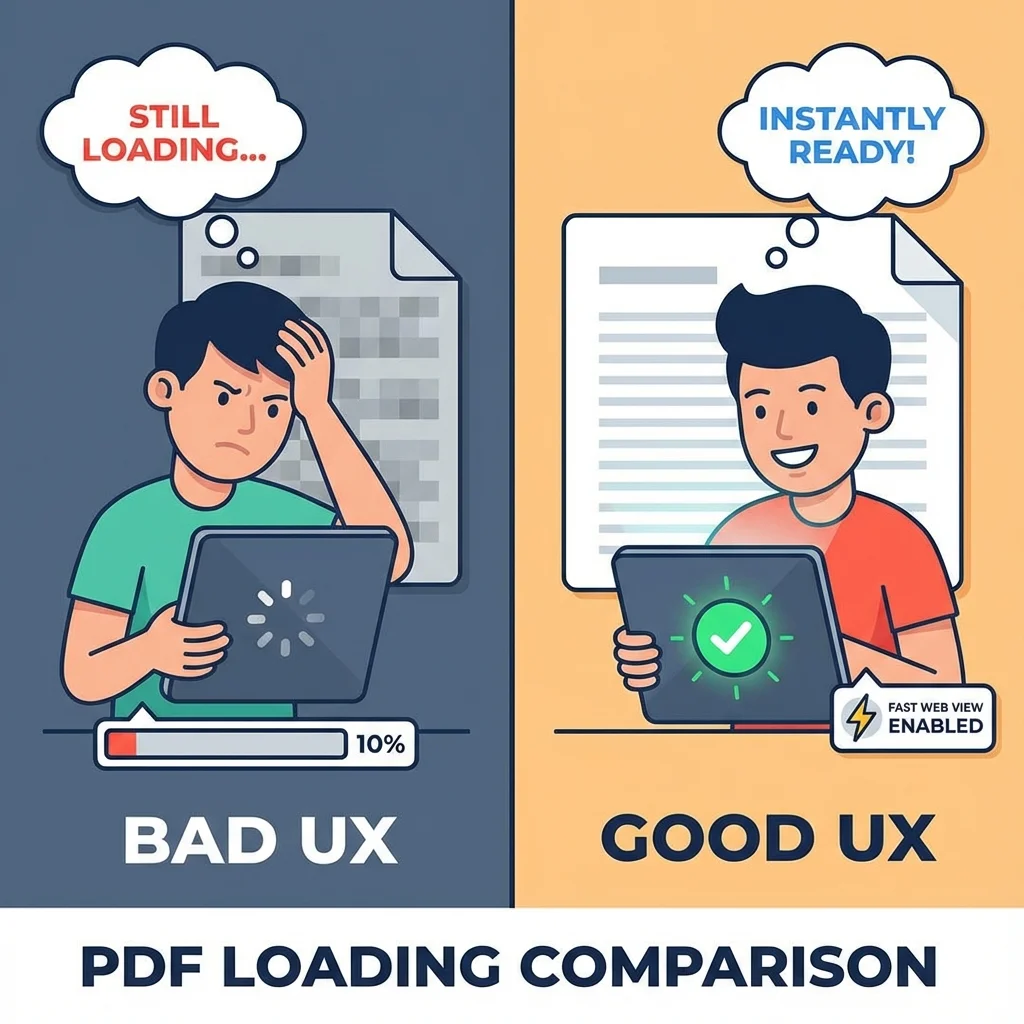
On a local disk, this "seeking" takes milliseconds. But on the web, "seeking" to the end of a file that hasn't finished downloading is impossible. The browser must wait for the last byte to arrive before it can even read the XRef table to find out what is on Page 1. For a 50MB brochure on a 3G connection, this results in a blank white screen for 45+ seconds.
Deep Dive: The Anatomy of Linearization
Linearization (defined in Annex F of the ISO 32000-1:2008 standard) structurally reorganizes the PDF to overcome the "trailing XRef" limitation. It enforces a strict physical order of objects within the file stream.
The Linearized Dictionary
A linearized PDF is identified by a special dictionary located within the first 1024 bytes of the file. This simple object acts as a flag to PDF readers, signaling "I am ready to stream."
// Example of a Linearization Parameter Dictionary
1 0 obj
<<
/Linearized 1.0 // Version
/L 543210 // Total file length in bytes
/H [ 1200 450 ] // Offset and length of the primary hint stream
/O 50 // Object number of the first page's content
/E 35000 // Offset of the end of the first page
/N 150 // Total number of pages
/T 530000 // Offset of the main cross-reference table
>>
endobj
The Two Critical Areas
To achieve linearization, the tool must physically move data into two distinct groups:
1. The First Page Data
This includes the Header, the Linearization Dictionary, the "Primary Hint Stream", and every single object needed to render Page 1 (fonts, images, content streams). This block is placed at the very beginning.
2. The Remainder
Pages 2 through N, along with shared resources (like logos used on multiple pages) and the main XRef table, follow sequentially.
Understanding Hint Tables
The "Hint Tables" are the secret sauce. Since the main XRef table is no longer the first thing read, the browser needs a way to know where Page 10 is located without downloading lines 1 through N.
A Hint Table is compact index composed of data streams that map page numbers to byte offsets. It tells the reader: "Page 5 starts at byte 400,500 and ends at 450,000." This enables the browser to request exactly those 50KB using a Range Request.
The Network Layer: HTTP 206 Partial Content
Linearization relies heavily on the underlying protocol of the web: HTTP. Specifically, it leverages Byte Serving. Here is the handshake that happens between a Browser (Client) and Server when a linear PDF is requested:
# Initial Request
GET /document.pdf HTTP/1.1
# Server responds with headers indicating support for Ranges
HTTP/1.1 200 OK
Accept-Ranges: bytes
Content-Length: 50000000
# Browser detects PDF, requesting just the first chunk to check for linearization
GET /document.pdf HTTP/1.1
Range: bytes=0-1024
# Server sends back just that 1KB slice
HTTP/1.1 206 Partial Content
Content-Range: bytes 0-1024/50000000
*This efficient conversation continues as the user scrolls, fetching only what is needed.
Real World Impact: Case Studies
Case Study A: The Retail Catalog
Context: A furniture retailer hosts a 150-page seasonal catalog (PDF, 85MB) full of high-res images.
The Problem: Analytics showed a 75% bounce rate on the catalog download page. Mobile users (60% of traffic) were abandoning the download after 5 seconds.
Linearization Solution: By optimizing the PDF, the first page (cover) loaded in 0.8 seconds on 4G.
Result: Bounce rate dropped to 20%. Average session duration increased by 300% as users could start browsing immediately.
Case Study B: Core Web Vitals & SEO
Google's Largest Contentful Paint (LCP) metric measures how long it takes for the main content to load. For pages embedding PDFs, a non-linearized PDF destroys this score.
By implementing Fast Web View, a government portal improved their LCP score from "Poor" to "Good". Since LCP is a ranking factor, this technical optimization directly contributed to a 15% increase in organic search traffic.
Server-Side Prerequisite
Linearizing a file is only half the battle. Your web server must support Range Requests. Most modern servers do this out of the box, but misconfigurations can disable it. Here describes how to ensure your server sends the crucial `Accept-Ranges: bytes` header.
Nginx Configuration
# In your nginx.conf or site block
location ~ \.pdf$ {
root /var/www/html;
# Force range support (enabled by default)
proxy_force_ranges on;
add_header Accept-Ranges bytes;
}
Apache (.htaccess)
# In .htaccess file
<FilesMatch ".pdf$">
Header set Accept-Ranges bytes
</FilesMatch>
# Ensure mod_headers is enabled
Warning regarding CDNs: Some Content Delivery Networks (CDNs) strip the `Range` header to cache entire files more aggressively. Ensure your CDN settings allow "Range Requests" or "Byte-Range Caching" for PDF file types.
Comprehensive FAQ
Does linearization affect digital signatures?
Yes, it invalidates existing signatures. Because linearization fundamentally rearranges the byte order of the file, the hash of the document changes. You must linearize the document before applying any digital signatures.
Can I linearize an encrypted PDF?
Generally, no. You must decrypt (unlock) the PDF first. The linearization process requires full access to read and reorganize objects, which encryption prevents. Once linearized, you can re-apply security, though standard encryption often negates some benefits of streaming.
Is this distinct from "Optimized" PDF?
Yes and no. "Optimized" usually refers to downsampling images, removing metadata, and compressing streams to reduce file size. "Linearized" refers to the structure. However, Doxbar's tool does both: it performs structural linearization AND acts as a garbage collector to remove unused objects, effectively optimizing the file simultaneously.
Why doesn't every PDF generator do this by default?
Linearization is computationally expensive. It requires the generator to hold the entire document in memory, calculate offsets for every object, and then write it out. For standard "Print to PDF" drivers, speed of generation is prioritized over web-readiness. It is an optional post-processing step.
Start Optimizing in 3 Steps
- Select your fileDrag and drop your PDF into the upload zone above. We support files up to 100MB.
- Automatic Structural AnalysisOur backend engine (powered by PyMuPDF) parses the XRef table, reorganizes objects into the linearized order, and generates Hint Tables.
- Download Web-Ready AssetSave your file. It is now ready for instant deployment to your web server.
The Verdict
In an era where 53% of mobile visits are abandoned if a site takes longer than 3 seconds to load, PDF Linearization is not optional—it is essential hygiene for web documents. It bridges the gap between biological usage patterns (instant gratification) and technical limitations (large file sizes). Don't let your valuable content remain hidden behind a loading spinner.










