


Reverse PDF Pages: The Ultimate Guide to Reordering Documents
Correct scanning errors, fix printing sequences, and reorganize your digital documents by reversing page order from last to first in seconds—securely and completely free.
Why Reverse Page Order? The Common "Backward Scan" Problem
In the modern digital workflow, the transition from physical paper to digital PDF is not always seamless. One of the most frustrating and common issues users face is the Backward Scan. This typically occurs when a stack of documents is fed into an Automatic Document Feeder (ADF) in the wrong orientation—face-up instead of face-down, or vice versa. The scanner dutifully captures every page, but in the exact reverse order of what you intended.
Suddenly, your 50-page legal contract or 100-page thesis starts at Page 50 and ends at Page 1. Reading it requires clicking "Previous Page" instead of "Next Page," which is disorienting and unprofessional. Manually dragging and dropping dozens of thumbnails in a PDF editor to fix this is tedious, time-consuming, and prone to human error.
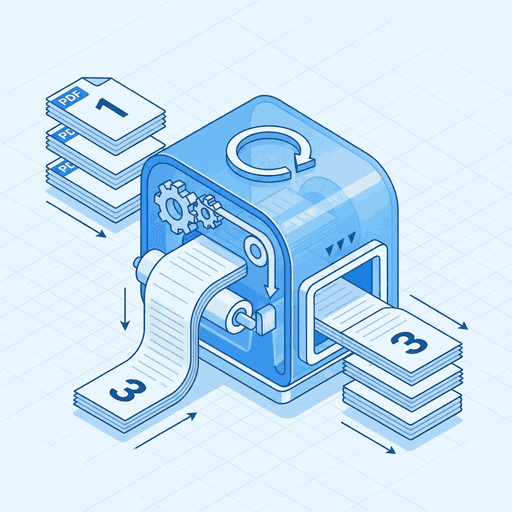
The Solution: Our Reverse PDF tool automates this correction instantly. By applying a simple algorithmic reversal to the document's page array (transforming `[1, 2, 3... n]` to `[n... 3, 2, 1]`), we restore the natural reading order of your file without touching the content itself. Whether you have 5 pages or 500, the process takes mere seconds.
Strategic Use Cases for Reverse PDF
Pre-Press & Printing Optimization
Printing logic can be complex. Some older laser printers and high-volume commercial offset presses output pages "face-up," meaning the first page printed ends up at the bottom of the stack. To ensure the final physical stack is in order (1 on top), print operators often need to feed the digital file in reverseorder. Our tool is essential for this pre-press preparation.
Manga, Arabic, & Hebrew Formats
Not all languages read Left-to-Right (LTR). Languages like Arabic and Hebrew, as well as Japanese Manga formats, use a Right-to-Left (RTL) reading direction. When converting these physical booklets to PDF, pages often end up in standard LTR order, effectively backward for the reader. Reversing the page order is a critical step in localizing or digitizing this content correctly.

"Order Reversed Successfully" - Restoring productivity in the office.
How It Works: Technical Deep Dive

Under the hood, a PDF document acts as a container for pages. Each page is an object referenced in a "Root" catalog. The order of pages is defined by a specific array usually called the "Kids" array in the Page Tree.
When you use our tool, we don't rasterize (turn to image) or alter the content of your pages. Instead, we parse this structured Page Tree and simply rewrite the index of pointers.
- Lossless Reordering: Because we move pointers, not pixels, quality is preserved 100%. Text remains selectable, and vector graphics remain sharp.
- Metadata Preservation: Links, bookmarks, and comments attached to a page travel with it to its new position.
- Instant Speed: The operation is incredibly lightweight, allowing us to reverse large documents in milliseconds within your browser.
Sequence Assistance.
Does this work on scanned PDFs?
Yes, absolutely. Since scanned PDFs are essentially sequences of page images, our tool reorders these images perfectly based on their internal index. It is the primary tool for fixing backward scans.
Is my file uploaded to a server for reversal?
No. Doxbar uses client-side WebAssembly technology. Your file remains entirely within your browser; the reversal logic runs locally on your device for absolute privacy and security.
Can I undo the reversal?
Yes. Reversing a document twice brings it back to its original state. Simply run the reversed file through the tool again to restore the original sequence.
Can I move just one specific page?
This tool is designed for bulk reversal. If you need fine-grained control to drag and drop individual pages, please use our 'Organize PDF' tool instead.
Does reversing help with RTL languages?
Highly effective. For languages like Arabic, Hebrew, or Manga formats that read from Right-to-Left, this tool is essential for reorienting digital versions into their correct cultural reading order.
Ready to Fix Your Document?
Join thousands of users who save hours of manual work every day with Doxbar's intelligent PDF tools.










