OTT to PDF
Contents
OTT to PDF Converter | Free Online OTT to PDF
Contents


OTT to PDF – Convert OpenDocument Template to PDF Online Free | DoxBar
📌 This is a comprehensive guide to converting OTT files to PDF. To experience the tool yourself, visit the OTT to PDF Tool Page.
1. Introduction
OTT (OpenDocument Template) is the template format for LibreOffice Writer, OpenOffice Writer, and other OpenDocument-compatible word processors. Templates are the foundation of consistent document creation—they contain predefined styles, layouts, formatting, and placeholders that ensure brand consistency across all your documents.
Whether you're creating:
- Business Letters – Company letterheads and formal correspondence
- Invoices – Consistent billing documents with your logo and branding
- Contracts – Standardized legal agreements with consistent formatting
- Reports – Professional reports with consistent headers, footers, and styles
- Proposals – Standardized proposals with consistent branding
OTT templates are essential for maintaining a professional, consistent brand identity. However, OTT files are not universally accessible. Clients and stakeholders may not have software to open OTT files, and they need to see what the final documents will look like before approving the template design.
2. What is an OTT File?
OTT stands for OpenDocument Template. It is the template format for OpenDocument-compatible word processors.
Key Characteristics of OTT Files
| Feature | Description |
|---|---|
| Purpose | Foundation for creating consistent documents |
| Styles | Contains predefined styles and formatting |
| Placeholders | Can contain content placeholders |
| Editable | ✅ Yes – can be modified |
| Reusable | ✅ Yes – create multiple documents from one template |
| Brand Consistency | ✅ Yes – ensures consistent brand identity |
OTT vs. ODT vs. PDF
| Aspect | OTT (Template) | ODT (Document) | PDF (Distribution) |
|---|---|---|---|
| Purpose | Foundation for creating documents | Final editable document | Final distribution |
| Editable | ✅ Yes | ✅ Yes | ❌ No |
| Styles | ✅ Yes | ✅ Yes | Preserved |
| Placeholders | ✅ Yes | ❌ No | N/A |
| Universal Access | ❌ No | ❌ No | ✅ Yes |
3. Why Businesses Use OTT Templates
| Reason | Explanation |
|---|---|
| Brand Consistency | Ensure all documents have consistent branding |
| Time Savings | Create new documents quickly from templates |
| Professional Appearance | Maintain a professional, polished look |
| Standardization | All documents follow the same format |
| Quality Control | Reduce errors and inconsistencies |
| Ease of Use | Anyone can create documents from templates |
4. Who Uses OTT Templates?
| User Type | How They Use OTT |
|---|---|
| Businesses | Letterheads, invoices, proposals, reports |
| Marketing Teams | Brand templates for all communications |
| Legal Professionals | Standardized contract templates |
| Designers | Template design and client previews |
| Government Offices | Official document templates |
| Non-Profits | Communication templates |
| Educational Institutions | Assignment templates, lesson plan templates |
5. What is OTT to PDF?
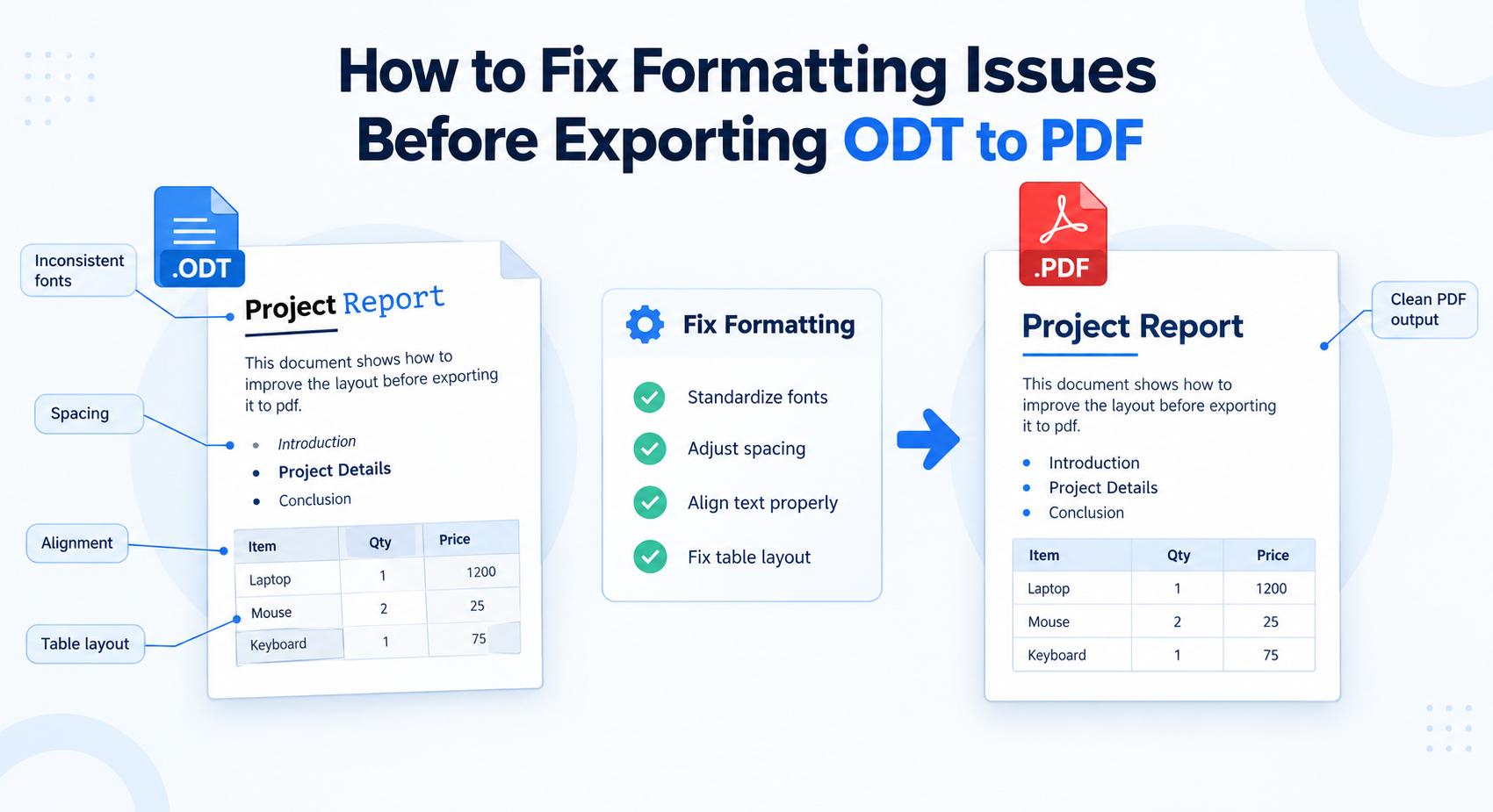
OTT to PDF is a tool that converts OpenDocument Template (OTT) files into PDF documents. The conversion process preserves all styles, fonts, images, tables, and layout from the original template.
How It Works
- Upload – Upload your OTT files
- Process – The tool converts the template to PDF format
- Download – Download your professional PDF document
Supported Formats
| Format | Support | Description |
|---|---|---|
| OTT | ✅ Yes | OpenDocument Template |
| ODT | ✅ Yes | OpenDocument Text Document |
| FODT | ✅ Yes | Flat OpenDocument Text |
| ODS | ✅ Yes | OpenDocument Spreadsheet |
| FODS | ✅ Yes | Flat OpenDocument Spreadsheet |
6. Why Convert OTT to PDF?
1. Client Approvals
Show clients the template design before creating documents. They can review and approve the design without needing to install template software.
2. Brand Consistency
Ensure everyone sees the correct template design. PDFs show exactly what the final documents will look like.
3. Template Documentation
Document all templates in a PDF catalog. Easy to browse and share.
4. Training Materials
Show new employees how templates work. PDFs are easy to share in training materials.
5. Template Examples
Share example documents created from templates. Clients can see what the final output looks like.
6. Client Review
Get client feedback on template designs. PDFs are easier for clients to review and annotate.
7. Print-Ready Templates
Create print-ready PDFs from templates. Perfect for professional printing.
7. Key Features
Core Features
| Feature | Description |
|---|---|
| OTT Support | Convert OpenDocument Templates to PDF |
| ODT Support | Convert OpenDocument Text to PDF |
| FODT Support | Convert Flat OpenDocument Text to PDF |
| ODS Support | Convert OpenDocument Spreadsheets to PDF |
| FODS Support | Convert Flat OpenDocument Spreadsheets to PDF |
| Batch Processing | Convert multiple files at once |
| Formatting Preservation | Preserves styles, fonts, layout, images, and tables |
| Clipboard Support | Paste content directly with Ctrl+V |
Security & Privacy
| Feature | Description |
|---|---|
| Secure Processing | All uploads are protected |
| Auto-Deletion | Files are automatically deleted after processing |
| No Permanent Storage | Files are not stored permanently |
| Anonymous Processing | No registration or personal information required |
8. How to Convert OTT to PDF
Step-by-Step Guide
Step 1: Visit the Tool Page
Open your browser and navigate to doxbar.com/convert-to-pdf/ott-to-pdf .
Step 2: Upload Your Files
- Click the upload area or drag and drop your files
- Supported formats: OTT, ODT, FODT, ODS, FODS
- Use Ctrl+V to paste content directly
Step 3: Review Files
- Review all uploaded files
- Remove any unwanted files
Step 4: Click "Convert"
- Click the "Convert" button
- Conversion begins automatically
Step 5: Download Your PDF
- Once conversion is complete, click the download button
Step 6: Done!
- Your files are automatically deleted after processing
9. Common Use Cases
🏢 Business Templates
Convert business letter templates, invoice templates, and report templates to PDF. Share with clients and colleagues.
🎨 Brand Templates
Share brand templates with marketing teams and agencies. PDFs allow everyone to see the approved design.
📝 Template Examples
Generate example documents from templates and convert to PDF. Show clients what their final documents will look like.
📋 Forms and Contracts
Convert contract templates and form templates to PDF. Share with clients for approval.
📚 Template Library
Document your template library. Convert all templates to PDF for easy browsing.
📧 Sharing with Non-OpenDocument Users
Share templates with users who don't use LibreOffice or OpenOffice. PDFs are universally accessible.
10. Best Practices
Preparation Best Practices
| Practice | Why It Matters |
|---|---|
| Check Template Styles | Ensure styles are correctly defined |
| Verify File Integrity | Ensure files are not corrupted |
| Organize Files | Group related templates together |
Conversion Best Practices
| Practice | Why It Matters |
|---|---|
| Check Formatting | Ensure fonts, styles, and layout are preserved |
| Review Output | Ensure PDF looks correct |
| Check Images | Ensure images and logos are included |
Post-Conversion Best Practices
| Practice | Why It Matters |
|---|---|
| Rename the File | Easy identification |
| Organize in Folders | Maintain tidy workspace |
| Save Template Examples | Keep PDF examples with templates |
11. Tips
Expert Tips
-
Use Ctrl+V – The quickest way to add content. Just paste from your clipboard.
-
Check Styles – Always verify that template styles are preserved in the PDF.
-
Create Template Libraries – Convert all your templates to PDF for easy browsing.
-
After conversion, you can organize PDF pages for better structure.
-
Use the merge PDF tool to combine with other documents.
-
After conversion, compress PDF to reduce file size.
-
Use protect PDF to secure the document.
-
Share PDF examples alongside your OTT templates for client reference.
12. Frequently Asked Questions
Q1: What is OTT to PDF? A: OTT to PDF is a tool that converts OpenDocument Template files into PDF documents.
Q2: Is DoxBar OTT to PDF free? A: Yes, it is free to use with no hidden charges.
Q3: What file formats are supported? A: OTT, ODT, FODT, ODS, and FODS files are supported.
Q4: What is an OTT file? A: OTT is an OpenDocument Template file used by LibreOffice and OpenOffice.
Q5: How is OTT different from ODT? A: OTT is a template (styles only), while ODT is a full document (styles + content).
Q6: Why convert OTT to PDF? A: To show clients and stakeholders what the template looks like without requiring OpenDocument software.
Q7: Can I paste content from clipboard? A: Yes, you can use Ctrl+V to paste content directly.
Q8: Can I convert multiple files at once? A: Yes, you can convert multiple files in batch.
Q9: What happens to my files after processing? A: They are automatically deleted after processing.
Q10: Do I need to create an account? A: No, you don't need to create an account.
Q11: Which browsers are supported? A: Chrome, Firefox, Edge, Safari, Opera, and Brave.
Q12: Are my files secure? A: Yes, we use secure processing and auto-deletion.
Q13: Do you store my files? A: No, files are not stored permanently.
Q14: Can I use this for brand templates? A: Yes, perfect for converting brand templates to PDF for client review.
Q15: Can I convert StarOffice documents? A: Yes, SWW files are supported.
13. Explore More PDF Tools
- ODT to PDF – Convert ODT files to PDF
- FODT to PDF – Convert FODT files to PDF
- Image to PDF – Convert images to PDF
- Screenshots to PDF – Convert screenshots to PDF
- Organize PDF Pages – Organize your PDF
- Split PDF – Divide the document
- Compress PDF – Reduce file size
- Merge PDF – Combine documents
14. Conclusion
Summary
Converting OTT files to PDF is an essential task for anyone who uses OpenDocument templates. Whether you're a business professional, marketer, designer, or legal professional, having the ability to convert OTT templates to PDF ensures your templates are accessible to everyone.
DoxBar's OTT to PDF tool offers the perfect solution—it's:
- ✅ Free to Use – No hidden charges
- ✅ Fast – Convert in seconds
- ✅ Formatting Preserved – Fonts, styles, layout, and images
- ✅ Easy – No registration or installation
- ✅ Versatile – Supports OTT, ODT, FODT, ODS, FODS
- ✅ Secure – Auto-deletion after processing
Ready to try it yourself?
Last Updated: August 14, 2026
Reviewed By: DoxBar Editorial Team
Content Policy: Editorial Guidelines
Comprehensive Guide to OTT to PDF
How to use OTT to PDF?
Upload Your File
Drag and drop your OTT file into the DoxBar upload zone. Transferred over HTTPS.
File Parsing
Our engine reads the full text and layout content and maps it appropriately.
PDF Rendering
The content is rendered onto a PDF page grid with clean formatting, proper margins, and page breaks.
Secure Download
Your PDF downloads immediately. Source files are deleted per our data retention policy.
100% Free, Secure, and Instant Processing.
Benefits
- Share files professionally in the universally readable PDF format.
- Archive OTT files as permanent PDF documents.
- Print content cleanly with proper page breaks and margins.
- Convert files to PDF for documentation and distribution.
Who should use this tool?
Professionals & Teams
Convert OTT files to PDF for documentation and sharing with clients.
Writers & Creators
Export drafts and documents to PDF for review and distribution.
Students & Researchers
Convert OTT study notes to PDF for printing and offline reading.
Business Users
Turn reports and data exports to professional PDF documents.
Common Use Cases
Archiving
Convert OTT files to PDF for long-term archiving and reporting.
Documentation
Convert files and documentation to PDF for standard distribution.
Export
Export OTT documents to PDF for printing or offline sharing.
Common Mistakes
Uploading corrupted files.
Expecting password-protected files to convert without providing a password.
Tips & Best Practices
- Ensure your file is complete and not corrupted before uploading.
- Review the PDF after conversion to verify formatting.
- Use DoxBar's Compress PDF if you need to reduce file size.
100% Free, Secure, and Instant Processing.
Limitations
- Requires internet connection
- Very large files might hit limits
OTT File Parsing
OTT files use specific encoding and formatting structures. DoxBar's engine interprets these structures accurately, ensuring that text, layouts, and characters are correctly processed.
Line breaks and boundaries are preserved and mapped to PDF boundaries, ensuring the original structure is faithfully reproduced.
PDF Rendering
The parsed data is rendered using standard layouts with proper margins and spacing, producing a professional output.
The resulting PDF follows ISO 32000 standard with selectable, searchable text.
Frequently Asked Questions
What is a OTT file?
Is DoxBar's OTT to PDF converter completely free?
Do I need to install any software?
Is it safe to upload my files?
Will the converted PDF have watermarks?
Does it support complex layouts?
Can I convert OTT files to PDF?
Can I use this on Windows?
Can I use this on iPhone or iPad?
How long does conversion take?
Is there a file size limit?
Do I need an account?
What happens to my file after conversion?
Are my files used for AI training?
Does the PDF support text search?
Can I password-protect the converted PDF?
Is the output PDF ISO compliant?
Can I merge the PDF with other PDFs?
Can I compress the converted PDF?
Does it work for large files?
Can I convert multiple OTT files at once?
Is DoxBar GDPR compliant?
Does the tool require Flash or Java?
Can I split the converted PDF?
What font is used in the converted PDF?
Can I edit the converted PDF?
How do I verify the conversion was successful?
100% Free, Secure, and Instant Processing.
DoxBar Cloud Tools Team
DoxBar Cloud Tools Team leads the document engineering team at DoxBar, ensuring our tools meet enterprise-grade security and processing standards.
People also search for:
Author: DoxBar Cloud Tools Team
Reviewed By: DoxBar Document Formatting Experts
Last Updated: 6/15/2026
Reading Time: 10 minutes
Methodology: Uses a cloud-based rendering engine that reads OTT files and renders them with clean formatting into a professional ISO-compliant PDF document.
All information on this page is verified and fact-checked by our security experts to ensure the highest standards of data safety and privacy.
Convert DOCX to PDF.
Convert images to PDF.
Convert spreadsheets to PDF.
Convert slides to PDF.
View JSON as PDF.
Invert colors for night reading.
Visual PDF coordinate cropping.
Remove scan background and noise.
Add text/image watermarks.
Add headers/footers with numbers.
Combine multiple PDFs into one.
Reduce PDF file size.